English
70
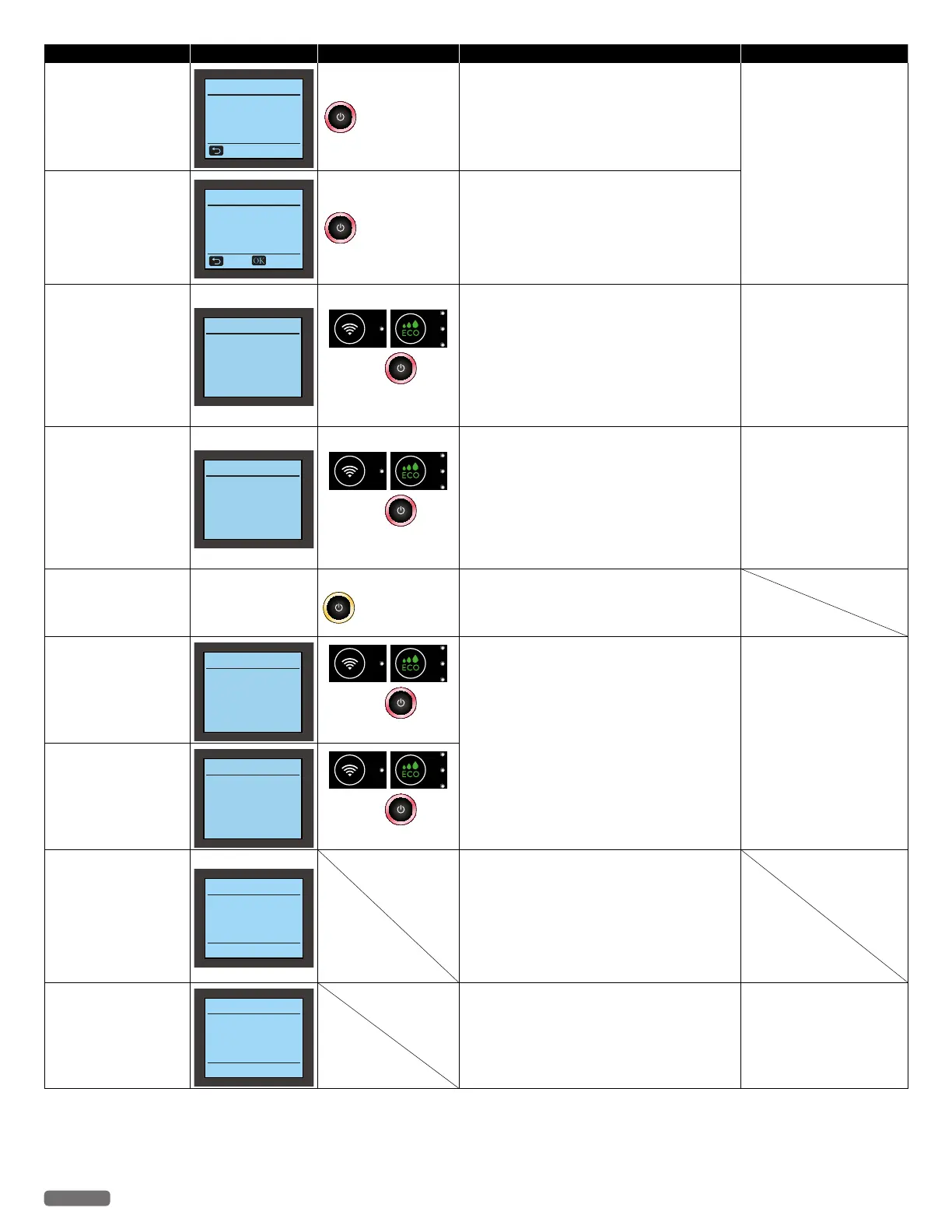
Status messages LCD messages LED behaviors Unit status or possible causes Refer to
Printer Memory Full
Memory Full
Print failure.
Adjust the print
settings to reduce the
quality of the print job.
Skip
blinks as pattern 1
Memory of the unit is full.
– You cannot print with this print setting.
– Please change the print setting, and try again.
(Resolution, size or number of copies)
“Confirming Printing
Preferences for Windows®
-Page Layouts” on page
30
or “Confirming Print
Settings for Mac -Layout”
on page 32.
“Confirming Printing
Preferences for Windows®
-Print Quality” on page 30
or “Confirming Print
Settings for Mac -Quality &
Media”
on page 33.
Printer Memory Full
(Recoverable)
Memory Full
Print failure.
You can print
only one copy.
Skip Continue
blinks as pattern 1
Memory of the unit is full.
– You cannot print the multiple copies with this
print setting.
– Please change the print setting, and try again.
(Resolution, Size or Number of copies)
Scanner Error:
Unplug and replug the
power cable.
Scanner Error
Please check
Scanner Unit
and Unplug and replug
the power cable.
and
blink as pattern 1
Pull out the AC plug.
– Wait at least 30 seconds, then connect the AC
plug back into the socket.
•If this error occurs occasionally, visit our
website at www.kodakverite.com/support for
the latest troubleshooting.
•If you cannot solve the problem, disconnect
the AC plug and contact an Authorized
Service Center.
“Power cycling”
on page 59.
Memory Error:
Unplug and replug the
power cable.
Memory Error
Unplug and replug
the power cable.
and
blink as pattern 1
Pull out the AC plug.
– Wait at least 30 seconds, then connect the AC
plug back into the socket.
•If this error occurs occasionally, visit our
website at www.kodakverite.com/support for
the latest troubleshooting.
•If you cannot solve the problem, disconnect
the AC plug and contact an Authorized
Service Center.
“Power cycling”
on page 59.
Alignment in progress
<Alignment in progress...>
blinks as pattern 6
Please confirm the Menu display on the device.
– Print jobs cannot start while running alignment.
Run the alignment or run cancel operation on
the device.
Wi-Fi Module Error:
Unplug and replug the
power cable.
Wi-Fi Module Error
Unplug and replug
the power cable.
and
blink as pattern 1
Pull out the AC plug.
– Wait at least 30 seconds, then connect the AC
plug back into the socket.
•If this error occurs occasionally, visit our
website at www.kodakverite.com/support for
the latest troubleshooting.
•If you cannot solve the problem, disconnect
the AC plug and contact an Authorized
Service Center.
“Power cycling”
on page 59.
NFC Module Error:
Unplug and replug the
power cable.
NFC Module Error
Unplug and replug
the power cable.
and
blink as pattern 1
Weekly Maintenance:
Please wait until the job
is complete.
Weekly Maintenance
Please wait
until the job is
complete.
This printer is in the process of Weekly
Maintenance.
– This printer will automatically exit Weekly
Maintenance mode upon completion of
maintenance.
– If this printer receives a print job during Weekly
Maintenance, the print job will be processed
after maintenance completes.
Serious Error
Serious Error
Please refer to
www.kodakverite.com/s
upport.
Software Update failed.
– If this error has occurred, visit our website at
www.kodakverite.com/support for the latest
troubleshooting.
“Software Update” on page
52
.
Continued on next page.


 To Next Page