Chapter 5 CVS-841/851
Basic Operation
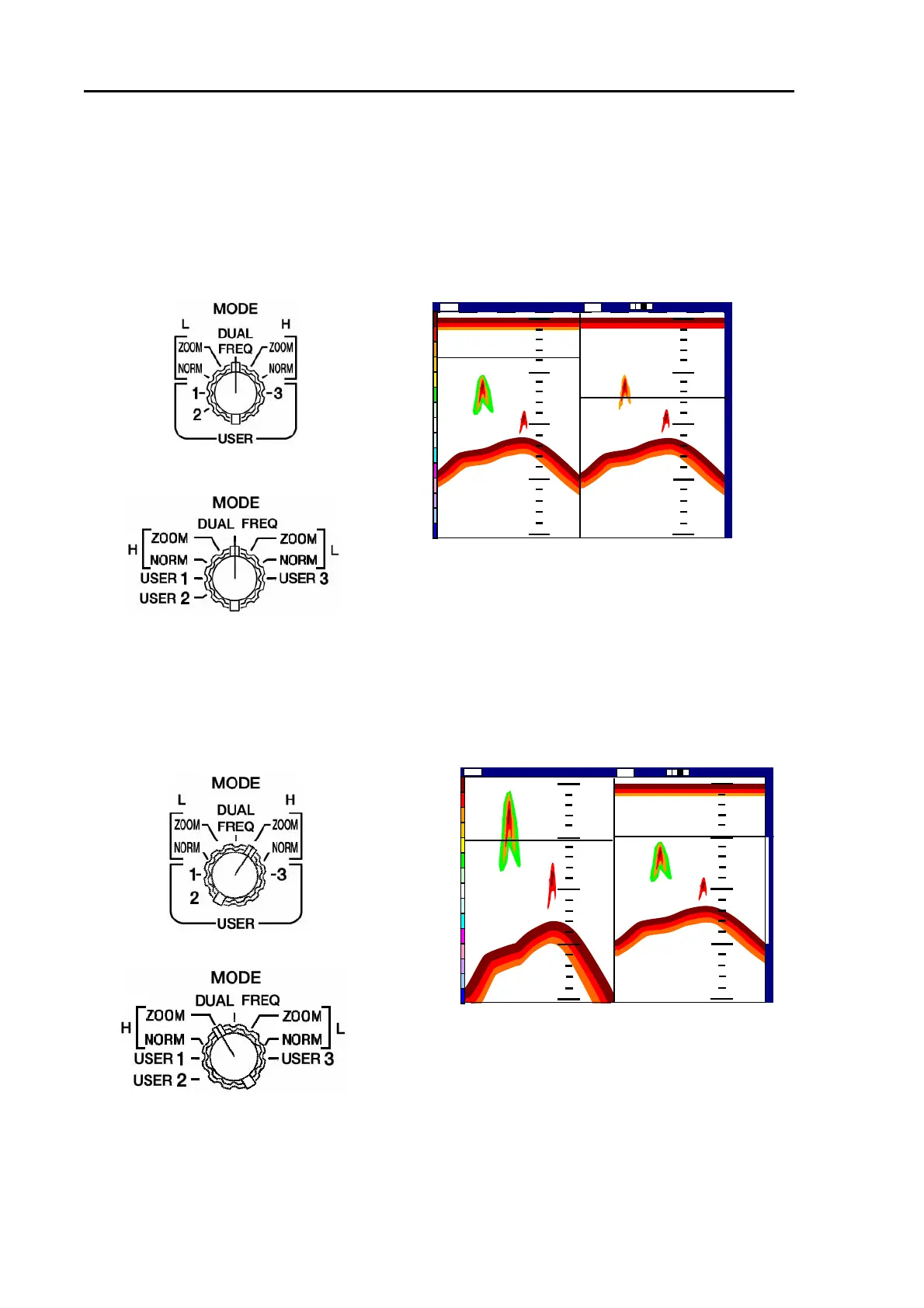
5.3 Displaying the dual images
5.3.1 High Frequency and Low Frequency images
(1) Select DUAL FREQ mode.
(2) Low Frequency image is shown on the left and High Frequency image on the right of the screen.
[CVS-841]
[CVS-851]
5.3.2 High Frequency NORM/ZOOM images
(1) Select High Frequency ZOOM mode.
(2) Zoomed High Frequency image is shown on the left and Normal High Frequency image on the
right of the screen.
[CVS-841]
[CVS-851]
The available image has been set to NORM/ZOOM mode. Another form of a zoomed picture is
available from; Bottom Lock, Bottom Discrimination, Normal/Zoom or Bottom Lock. To change the
setting, refer to Para 7.2.2 “Registering a ZOOM type”.
0
100
150
200
0
1
1
0
0
0
0
150
200
147
36
76
Low
2001/05/23 (Wed)
Image Speed 1/1
14:22:56
Shift
000 0 High
Figure 5.11 Dual Frequency images
LOW Frequency image HIGH Frequency image
50
0
0
100
100
125
150
150
200
147
76
50
ZM
2001/05/23(Wed)
14:22:56
Shift
High
000 0
Image Speed 1/ 1
HIGH Frequency
Zoomed image
HIGH F
Normal imag
requency
e
Figure 5.12 High Frequency NORM/ZOOM image
5-10 93132682-00



 To Next Page