CVS-841/851 Chapter 7
Functional Registration
7.2.3 Registering a ZOOM type
There are four types of the zoomed image, BTM, BD, ZOOM and B.Z. which can be applied to
ZOOM mode, selected by the MODE switch.
The abbreviations of these terms are as follows:
BTM:Bottom Lock (Dual screen)
BD: Bottom Discrimination (Dual screen)
ZOOM: Zoom (Dual screen)
B.Z. Bottom Zoom (Single screen)
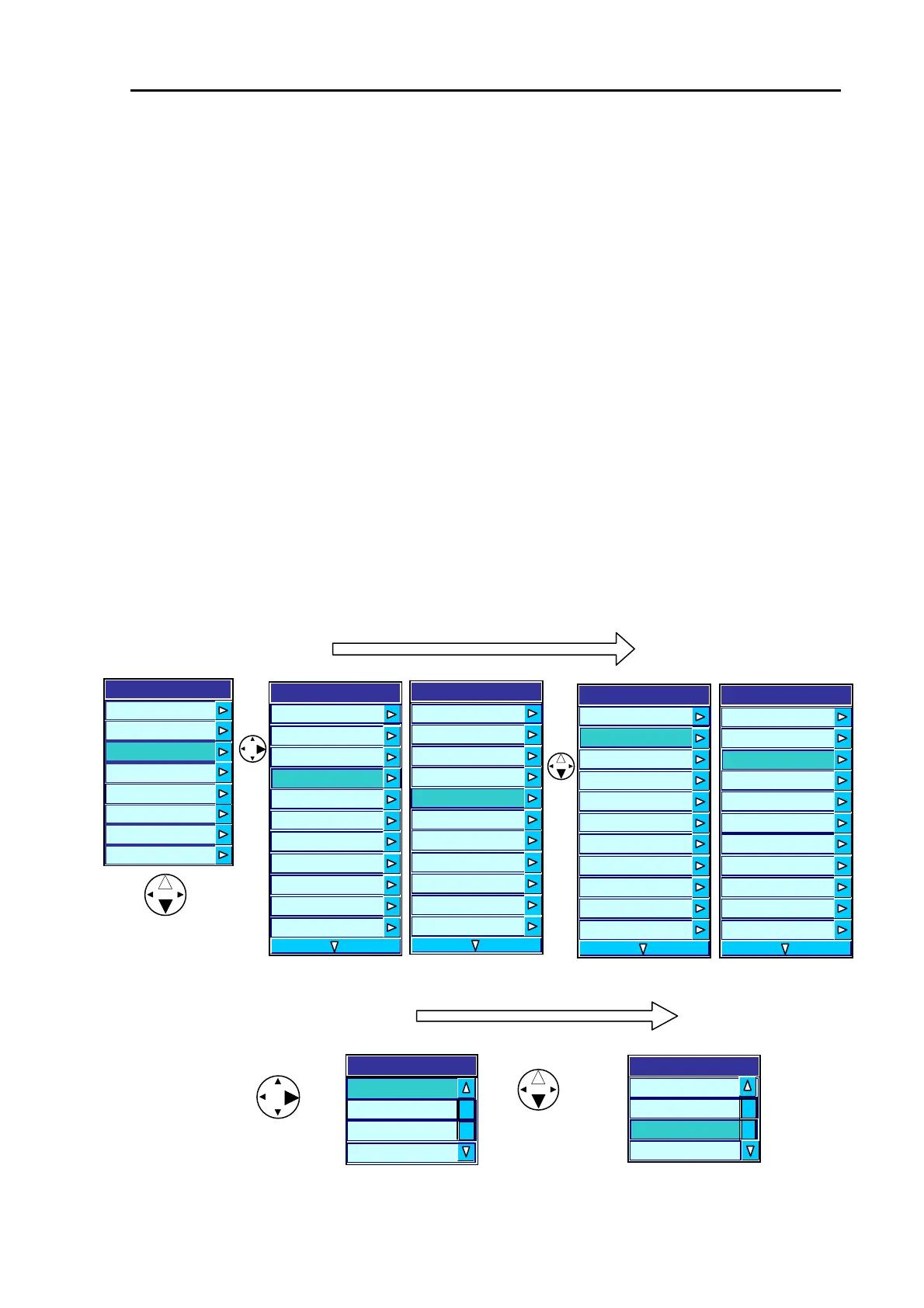
To select an item:
(1) Press the MENU key to display the main menu list.
(2) Press the up or down arrow key to highlight the Display item and press the right arrow key. The
Display Type sub menu will appear.
(3) Press the up or down arrow key to highlight Zoom Type and press the right arrow key. The Zoom
Type sub menu will appear.
(4) Press the up or down arrow key to highlight a Zoom Type (ZOOM is selected in this example).
Main Menu => Display => User 1 => Zoom Type
1
s
page
1
s
page
CVS-841 CVS-851 CVS-841 CVS-851
The screen layout of available zoom mode displays are as follows:
B.Z.
Zoom Type
BTM
BD
ZOOM
Menu
Transmit
Ima
e
Display
Auto
System
Customize
Initialize
Simulator
B.Z
Zoom Type
BTM
BD
ZOOM
Figure 7.8 Registering a ZOOM type
Display
cope OFF
mation Window OFF
A S
Infor
Zoom T
e
Bottom
Zoom
Us
Us
Us
D
D
Sc
Scal
Range 5.0
er 1 H FREQ/MIX
er 2 B.D
er 3 H(1)/H(2)/L
epth Value Large
epth Value Position Bottom
ale Single
e Position Side
Display
A Scope OFF
Scale Value Small
Zoom Type Bottom
Zoom Range 5.0
User 1 H FREQ/MIX
User 2 B.D
User 3 H(1)/H(2)/L
Depth Value Large
Depth Value Position Bottom
Scale Single
Scale Position Side
Display
A
Infor
Scope OFF
mation Window OFF
Zoom T
e Bottom
Zoom Range 5.0
ser 1 H FREQ/MIX
ser 2 B.D
ser 3 H(1)/H(2)/L
epth Value Large
epth Value Position Bottom
cale Single
cale Position Side
U
U
U
D
D
S
S
Display
A Scope OFF
Scale Value Small
Zoom Type Bottom
Zoom Range
5.0
User 1 H FREQ/MIX
User 2 B.D
User 3 H(1)/H(2)/L
Depth Value Large
Depth Value Position Bottom
Scale Single
Scale Position Side
93132682-00 7-7



 To Next Page