Chapter 7 CVS-841/851
Functional Registration
7.2.3.4 B.Z. image
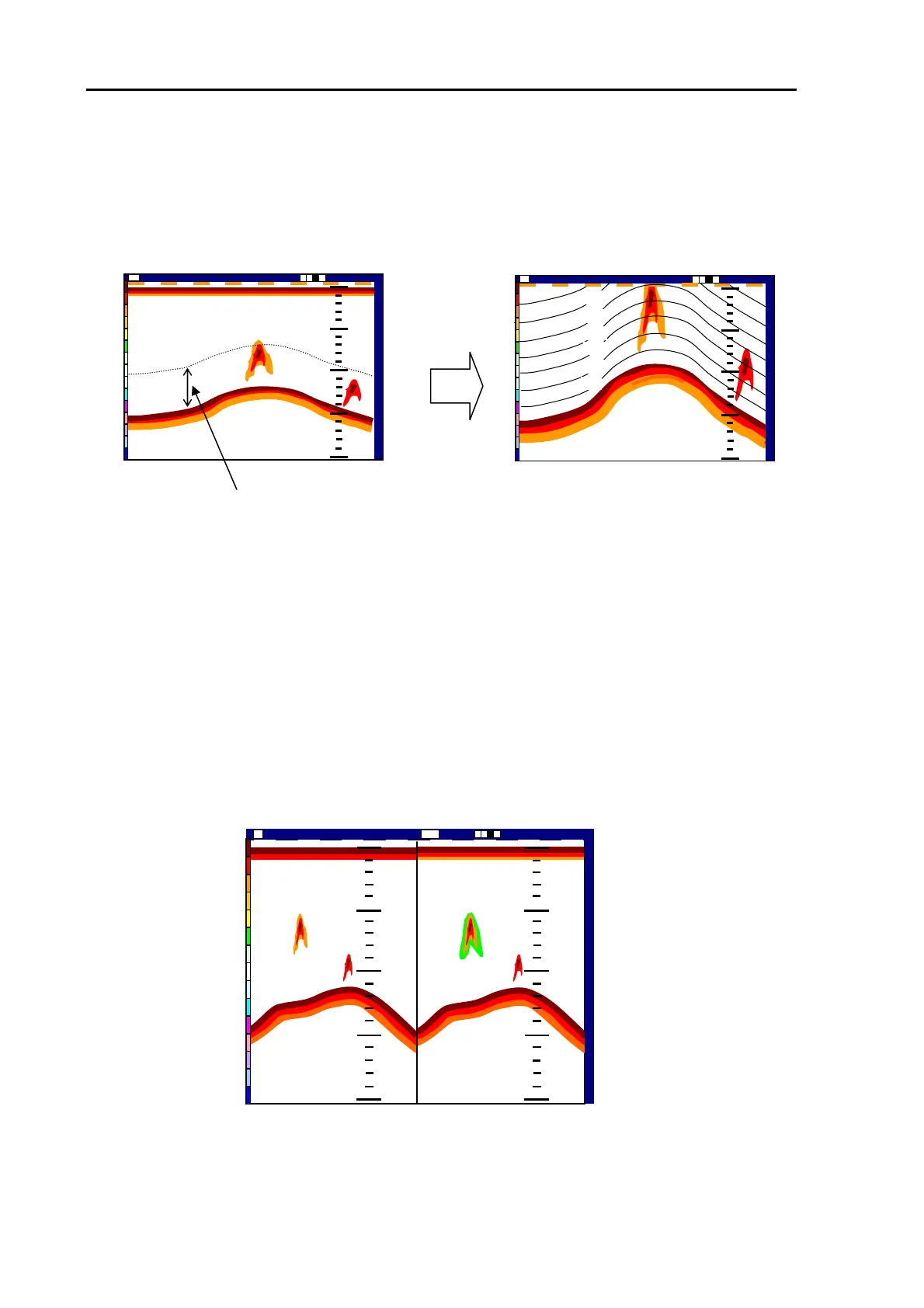
This mode of image is a single, partial zoomed sonar image, referenced to the seabed. Equally
spaced depth markers are also displayed, which are referenced to the surface of the seabed.
7.3 Setting the Enhance effect
(1) Set the MODE switch to USER 1 position to show the USER 1 image.
(2) Press the menu key to show the MENU list.
(3) Press the up or down arrow key to highlight “Image” and press the right arrow key.
(4) Press the up or down arrow key to select Enhance. The Enhance sub menu is shown with the
dynamic range of 25 dB.
(5) If you wish to change the setting, press the right arrow key and then press the up arrow key. You
can choose 35, 45, 55, and 65 (dB) each time you press the key.
(6) Press the MENU key or the left arrow key three times to fix the setting and exit the menu.
14:22:56 2002/05/04(Wed)
000 0
Shift
Image Speed 1/1
Hi
h
50
100
150
200
150
Zoomed depth range
14:22:56
2002/09/04(Wed)
000 0
Shift Image Speed 1/1
ZM
50
100
150
200
150
60
BOTTOM ZOOM image
10
20
30
40
50
The sonar echoes are shown
referenced to the seabed
Figure 7.13 B.Z. image
0
0
5
5
0
0
1
1
0
0
0
0
1
1
5
5
0
0
2
2
0
0
0
0
0
0
5
5
0
0
1
1
0
0
0
0
1
1
5
5
0
0
2
2
0
0
0
0
EN
2002/05/04(Wed)
Image Speed 1/1
14:22:56
Shift
000 0
Nor
Enhanced image
Normal image
Figure 7.14 The effect of Enhancement
7-10 93132682-00



 To Next Page