CVS-841/851 Chapter 7
Functional Registration
7.2.3.1 BTM/NORM display
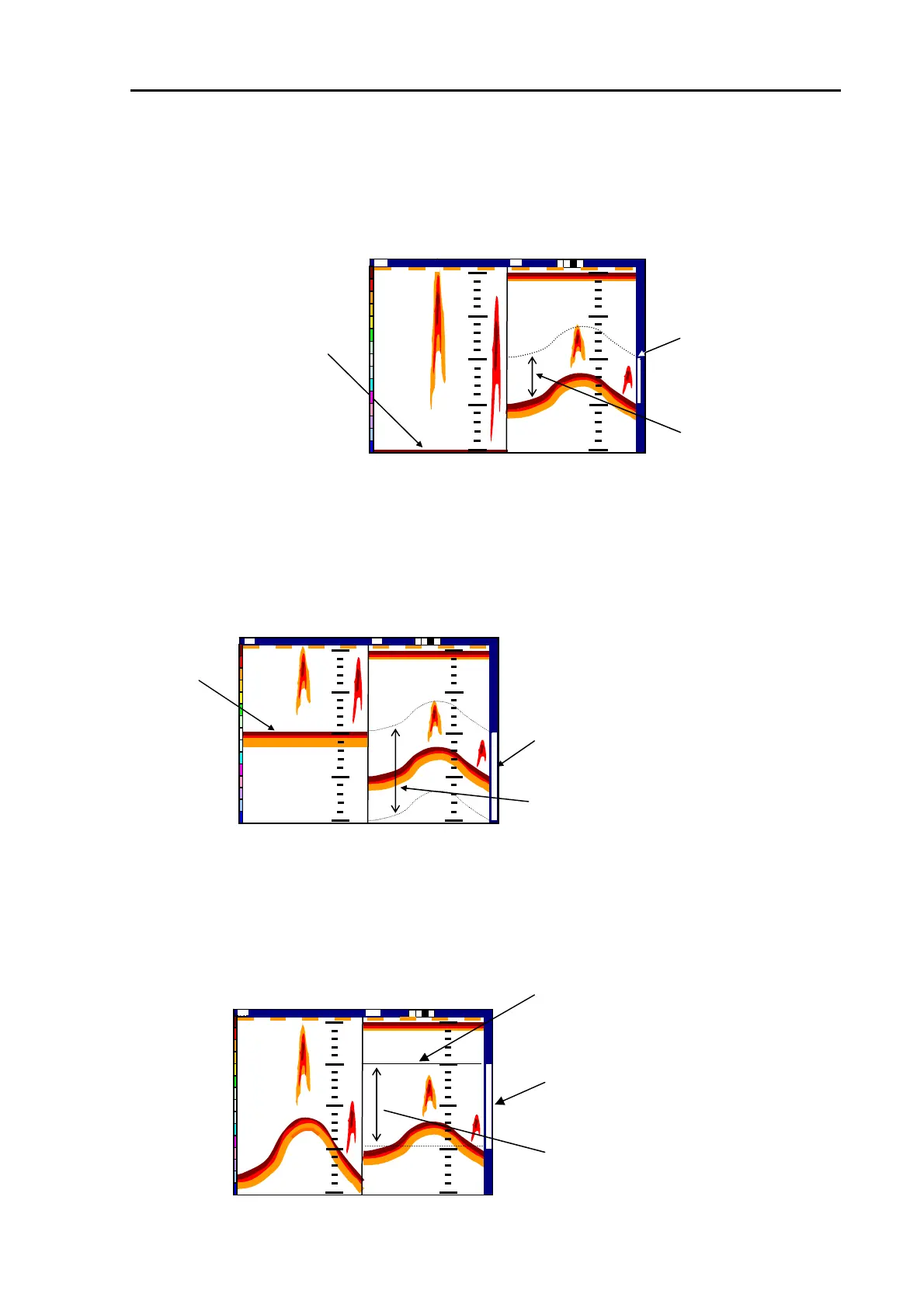
This mode of image is a combination of normal and BTM (Bottom Zoom) images. In the BTM image,
the seabed echo is shown flat and fixed to the bottom of the screen with fish echoes shown within the
depth specified by the user.
Zoom range bar (Orange)
The seabed echo
Specified depth
14:22:562002/04 (Wed)
000 0
Shift
Image Speed 1/1
50
100
150
200
150
Nor
50
0
ZM
BTM image
Normal image
Figure 7.10 BTM/NORM display screen layout
7.2.3.2 BD/NORM display
This mode of image is a combination of normal and BD (Bottom Discrimination) images. In the BD
image, the seabed image is shown flat with its upper and lower parts shown at a specified depth. The
fish echoes are shown within the range set up by the user.
14:22:56
Zoom range bar (Orange)
2002/09/04(Wed)
000 0
Shift
Image Speed 1/1
ZM
50
100
150
200
150
Nor
50
0
50
100
1
1
0
0
0
0
0
Seabed
Zoomed range
BD image
Normal image
Figure 7.11 BD/NORM image
7.2.3.3 ZOOM/NORM image
This mode of image is a combination of normal and ZOOM (Referenced zoom) images. The ZOOM
image shows a zoomed image of a certain depth range specified by the user, referenced to the depth
set by the green VRM.
Zoom range bar
(Orange)
Starting depth set by
the VRM (Green)
Zoomed depth range
高
14:22:56
2002/09/04 (Wed)
000 0
Shift
Image Speed 1/1
ZM
50
100
150
200
150
Nor
100
150
5
5
0
0
50
Figure 7.12 ZOOM/NORM image
ZOOM image Normal image
93132682-00 7-9



 To Next Page