CVS-841/851 Chapter 5
Basic Operation
5.4.2.3 Horizontal split screen, Dual Frequency mode
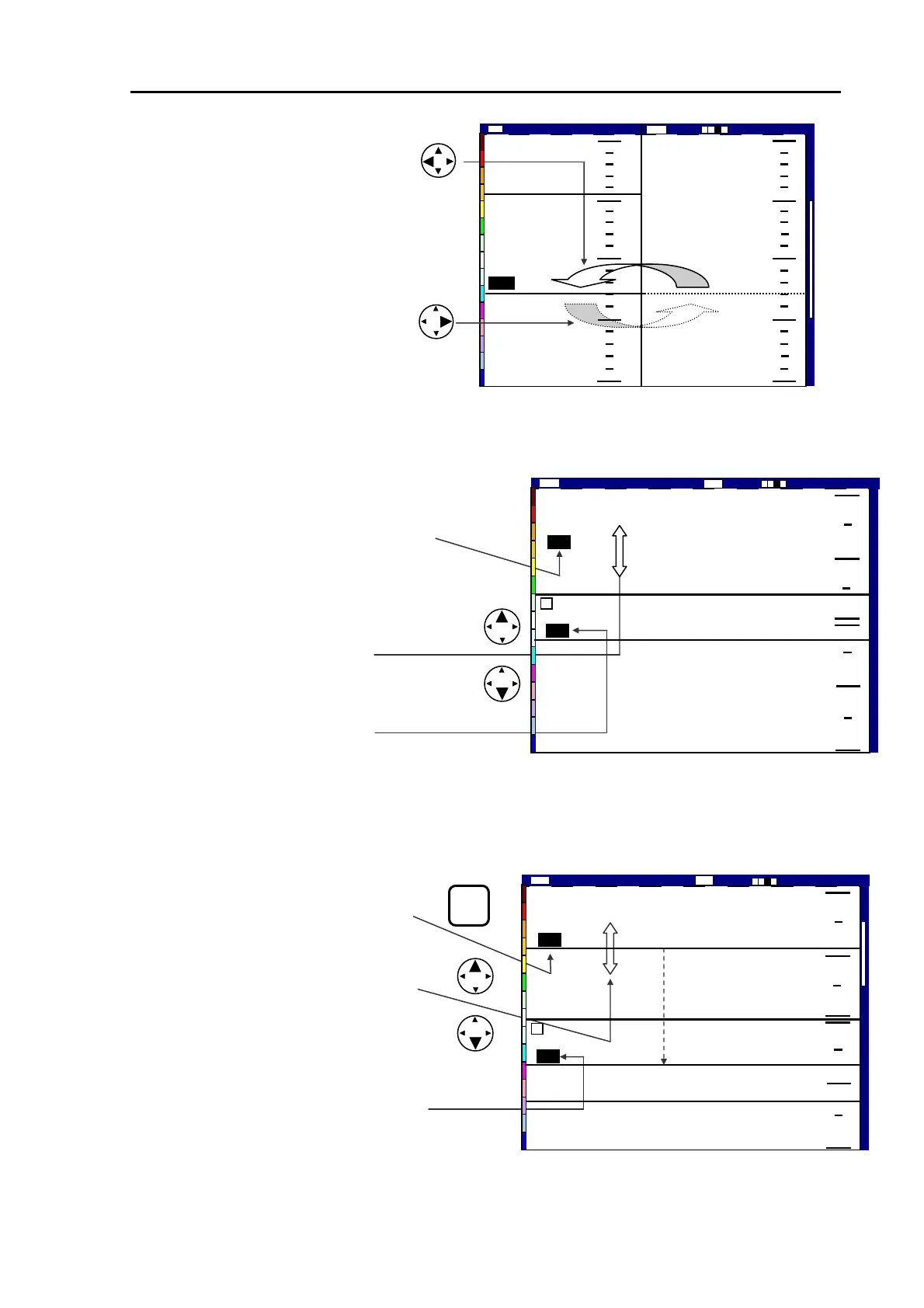
(1) Press the VRM key. The last active
VRM digital display will be highlighted.
(2) Press the UP or DOWN cursor key to
move the VRM up or down. The VRM
depth will be shown in the VRM digital
window.
(3) In case VRM stretches from one screen
to the other, the VRM digit display indicates
the depth of the new screen.
5.4.2.4 Horizontal split screen, NORM/ZOOM image mode
(1) Press the VRM key. The last active
VRM digital display will be highlighted.
(2) (2) Press the UP or DOWN cursor
key to move the VRM up or down.
The VRM depth will be shown in the
VRM digital window.
(3) In case VRM goes beyond from one
screen to the other, the VRM digit display
indicates the depth of the new screen.
130
0
100
150
200
50
43
50
75
100
125
150
2001/05/23(We
Image Speed 1/1
14:22:5
Shift
High
0000
ZM
(3) To change the VRM control
from one to the other, use the
following procedure:
(4) To activate the left VRM,
press the LEFT arrow key and
the RIGHT VRM, press the
right arrow key.
Figure 5.18 Operating the VRM in Vertical Split, NORM/ZOOM image mode (2)
Figure 5.19 Operating the VRM in
Figure 5.20 Operating the VRM in Horizontal Split, NORM/ZOOM mode
Horizontal Split, Dual Frequency mode
200
0
100
100
200
0
130
2001/05/23 (Wed)
Image Speed 1/1
14:22:56
Shift
Low
0000
High
95
L
75
VRM
Image Speed 1/1
130
2001/05/23 (Wed)
14:22:56
Shift
Low
0000
95
Z
Moving VRM from upper
screen to lower screen
200
0
100
125
95
75
Hig
93132682-00 5-15



 To Next Page