Chapter 5 CVS-841/851
Basic Operation
5.5 Selecting the image speed
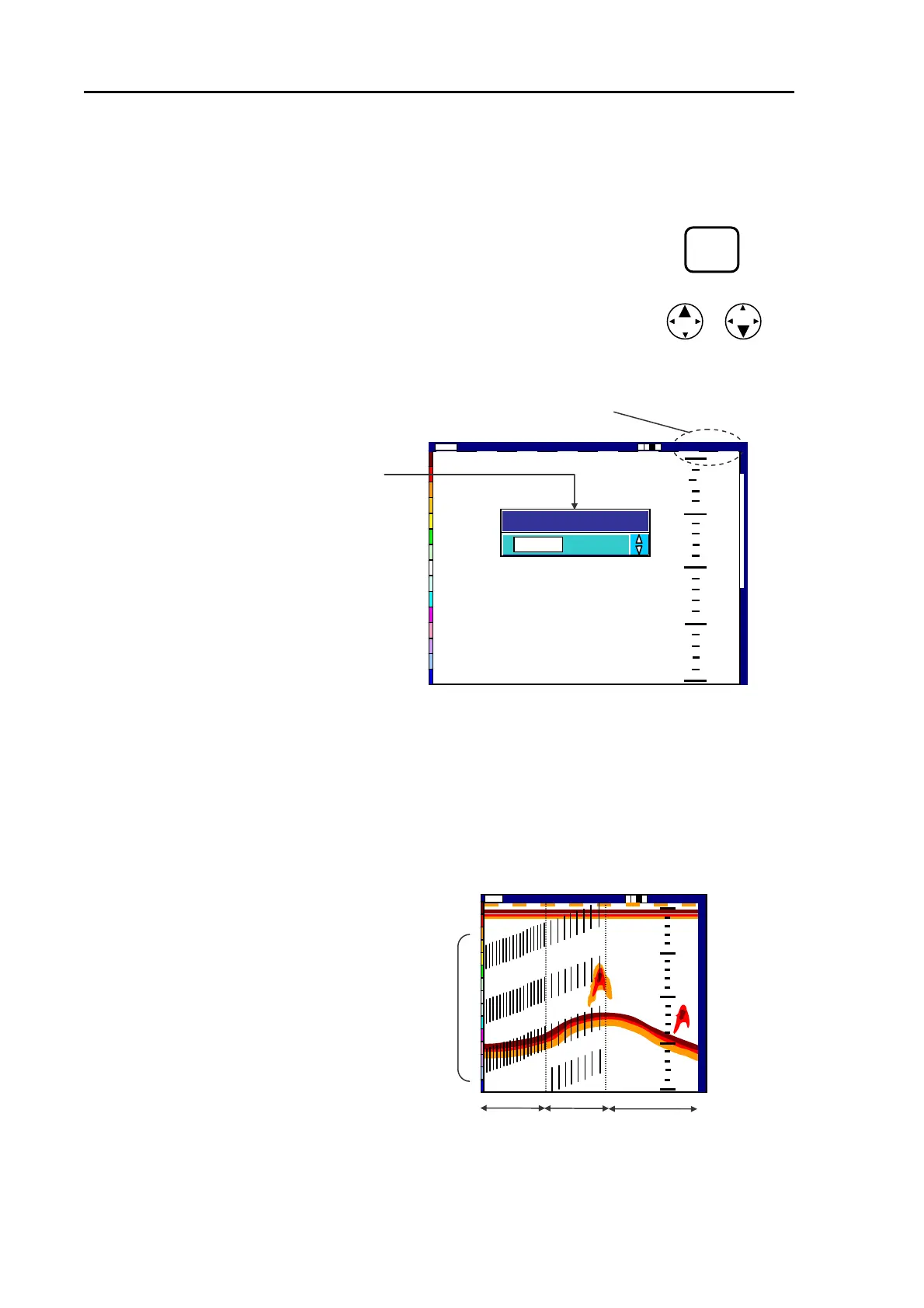
The image speed is related to the frequency of transmission. For instance, an image speed of 2/1
indicates that the image is moved twice each time transmission takes place. To select the image
speed:
IMAGE
(1) Press the IMAGE SPEED key. A pop-up window will appear.
SPEED
(2) Press either the UP or DOWN arrow key to select the image speed ratio. The available speed
selections are as follows:
4/1 3/1 2/1 1/1 STOP 1/2 1/3 1/4 1/6 1/8 1/12 1/16 1/32
(3) The pop-up window will automatically disappear in 5 seconds after operation.
The pop-up window shown
Image speed digital display
0
50
100
150
200
Image Speed 1/1
Low
2001/05/23 (Wed)
14:22:56
Shift
000 0
1/1
Image Speed
Figure 5.21 Image speed display
5.6 Activating the IR function
When other sounders are operated on board the ship or on other ships nearby, acoustic interference
may be observed, shown across or diagonally on the screen in a series of short lines, dots, etc. In
such a case, use this function.
2001/05/23(Wed)
14:22:56
Figure 5.22 The effect of IR function
Ima
e S
ed 1/1
高
000 0
Shift
High
5
5
0
0
1
1
0
0
0
0
1
1
5
5
0
0
1
1
5
5
2
2
0
0
0
0
OFF
1
2
Interference from other sounders
5-16 93132682-00



 To Next Page