Chapter 4 CVS-841/851
Installation
Unit in mm (inch)
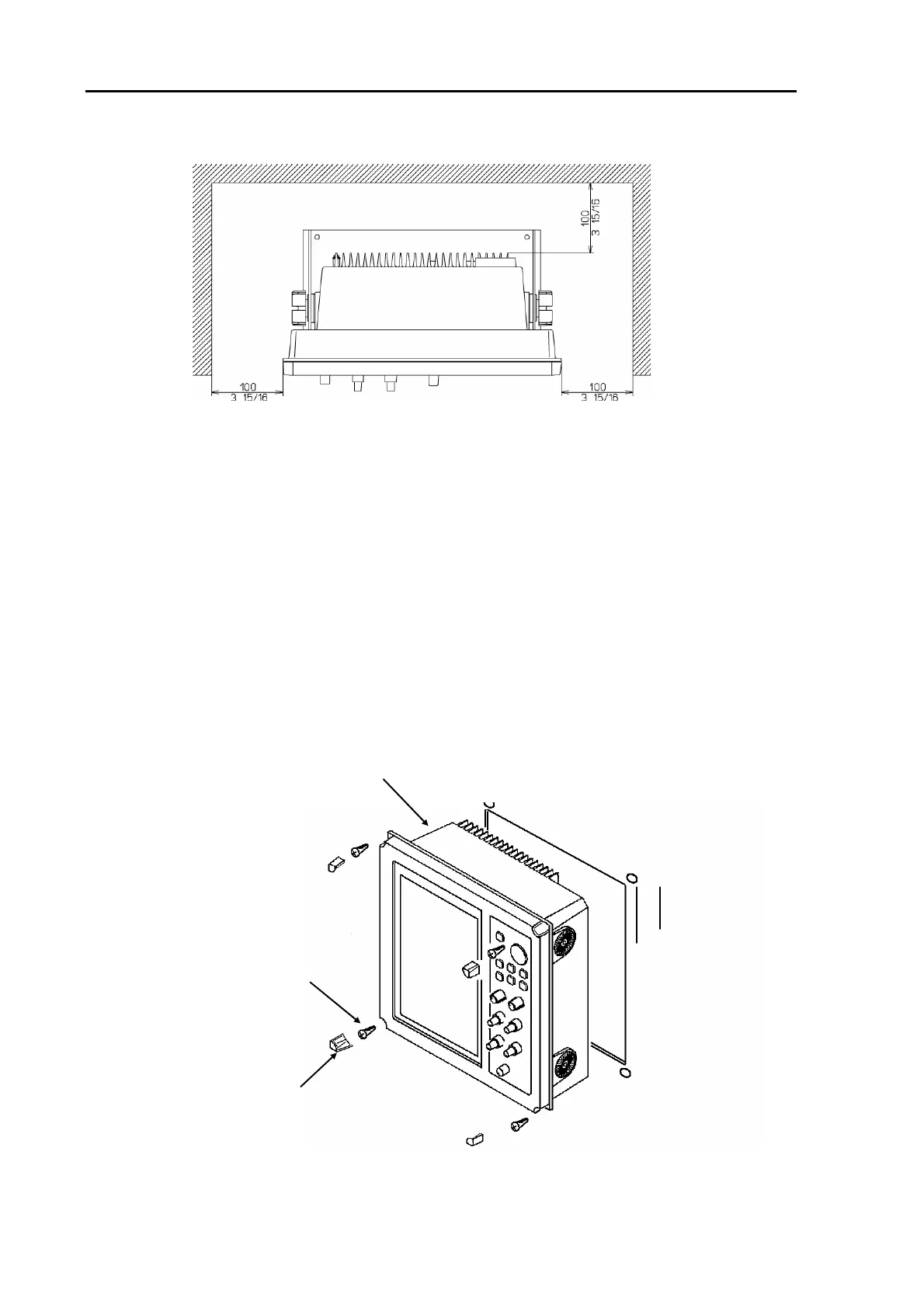
Figure 4.4 Service space required for CVS-851
4.6.2 Flush mounting
(1) Cut a rectangle opening that Figure 4.6 or Figure 4.7 is followed.
(2) Loosen two (2) fixing knobs that fasten the display unit onto the mounting bracket.
(3) Remove four (4) plastic screw covers, which are fitted on each corner of the display front face.
(4) Put the display on the opening and fix with four (4) tapping screws. In case you use M4 screws to
fix the display, select an appropriate screw length that best suits fixing the unit to the panel
thickness.
(5) Refit the coverings removed in step (3).
Display Unit
Screw covers (4 pcs)
Fixing screws
(M4 screws, 4 pcs)
Figure 4.5 Fitting the Display Unit in flash mount mode (CVS-841)
4-4 93132682-03



 To Next Page