Chapter 7 CVS-841/851
Functional Registration
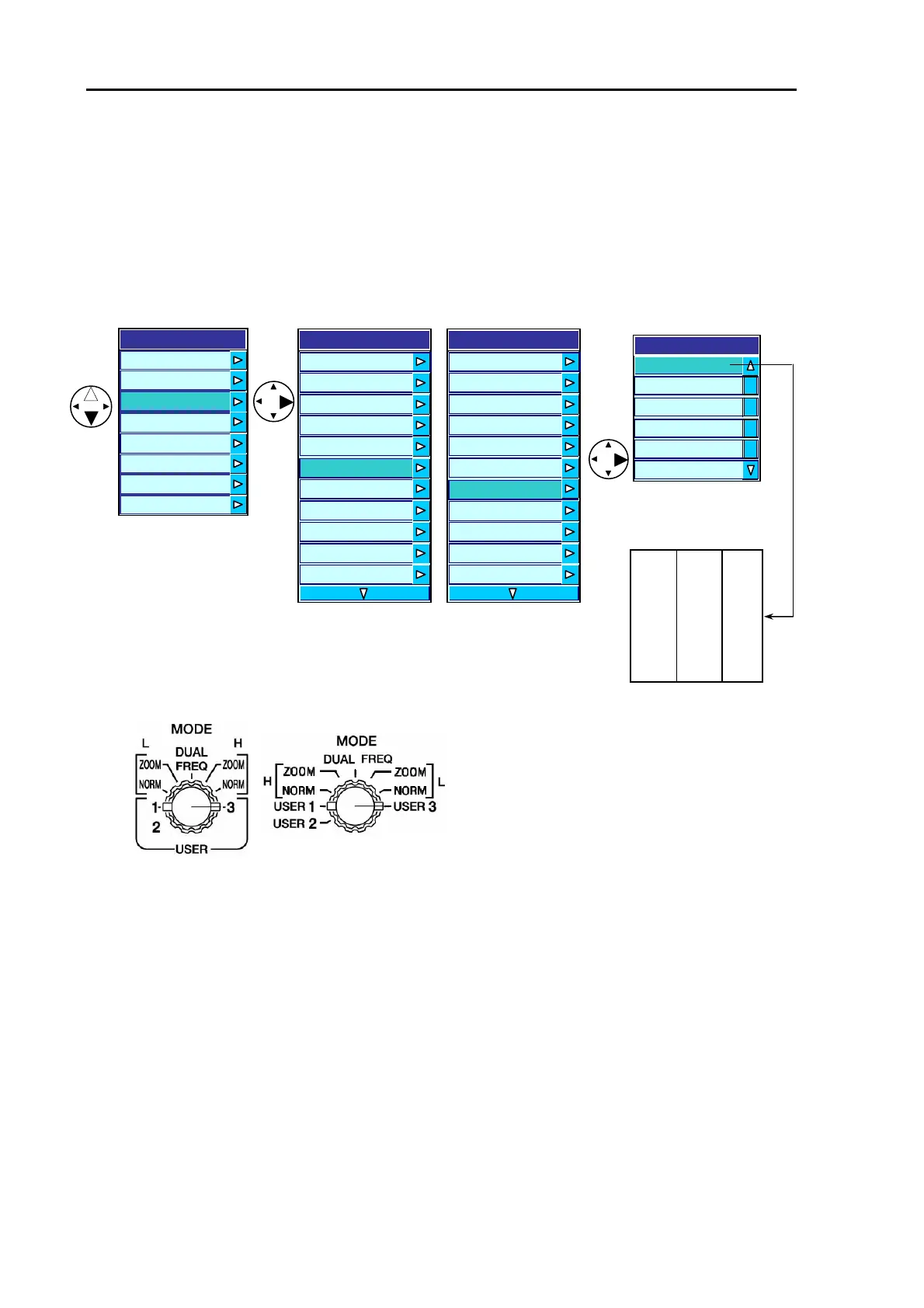
7.2.2 Registering functions to USER 3
(1) Press the MENU key to display the menu.
(2) Press the right arrow key to select User 3.
(3) Further press the right arrow key to display the User 3 selection window.
(1) (2) (3)
Screen prsentation
CVS-841 CVS-851 H(1) H(2) L
The image mode settings
Set the MODE switch as shown below to select USER 3.
CVS-841 CVS-851
(4) This completes the image mode settings.
User3
H
1
/H
2
/L
H
2
/H
1
/L
L/H(1)/H(2)
L/H(1)/H(2)
H(1)/L/H(2)
H(1)/L/H(2)
Display
A Scope OFF
Information Window OFF
Zoom T
e
ZOOM
Zoom Range 2.5
User 1 H/EN
User 2 B.D
User 3 H(1)/H(2)/L
Depth Value Large
Depth Value Position Bottom
Scale Single
Scale Position Side
Menu
Transmit
Ima
e
Display
Auto
System
Customize
Initialize
Simulator
Display
A Scope OFF
Zoom Type ZOOM
Zoom Range
2.5
User 1 H/EN
User 2 B.D
User 3 H(1)/H(2)/L
Depth Value Large
Depth Value Position Bottom
cale Single
Scale Position Side
S
Scale Valie Small
7-6 93132682-00



 To Next Page