CVS-841/851 Chapter 5
Basic Operation
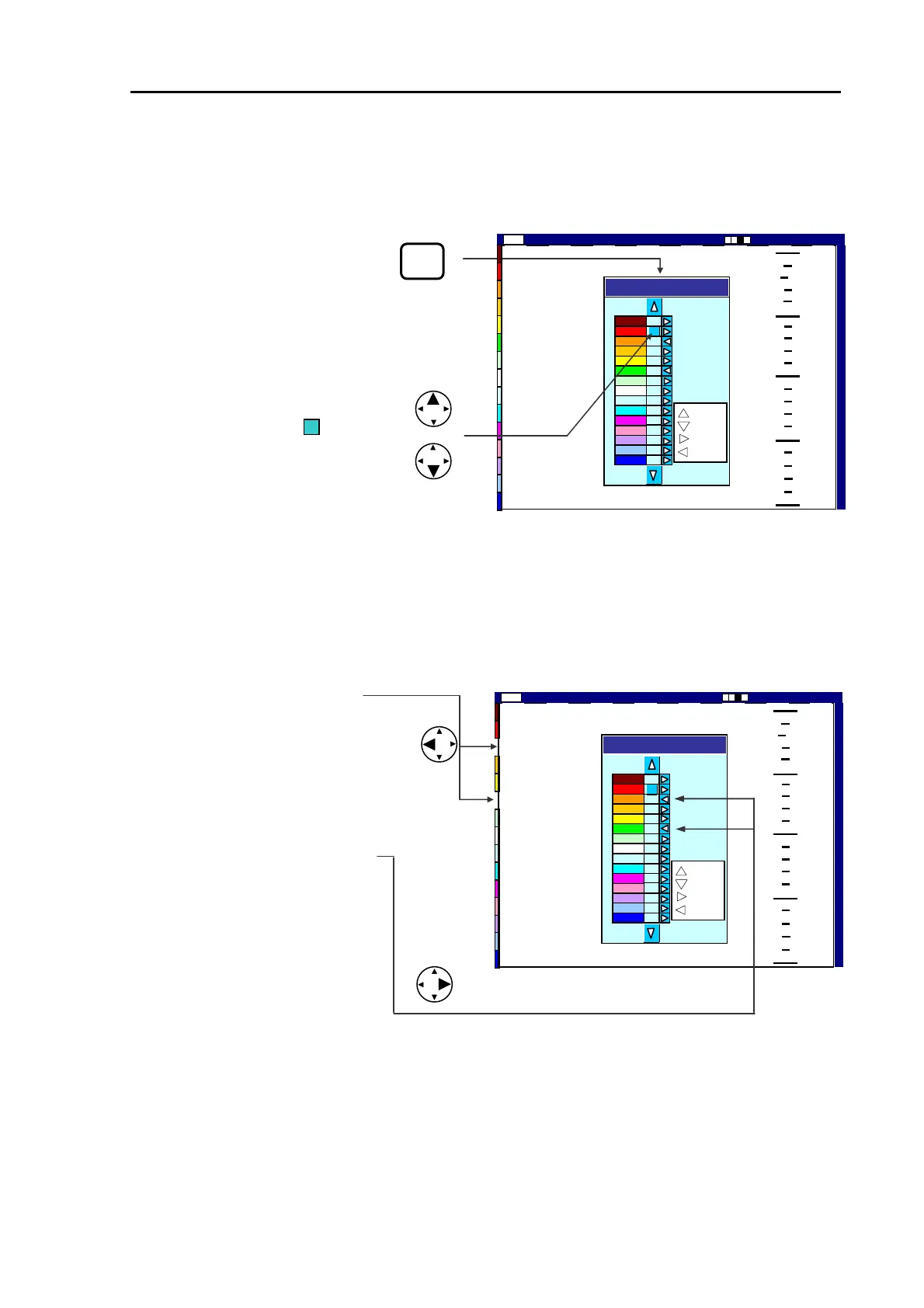
(3) Press the left arrow key to reject the selected color. To resume the color, press the right arrow
key.
(4) The pop-up window will automatically disappear in 5 seconds after the operation.
COLOR
REJ
A blue square mark ( ) moves
up or down
Color Rej
: Reject
:Resume
0
50
100
150
200
High 2001/05/23 (Wed)
Image Speed 1/1
14:22:56
Shift
000 0
:Colo
:Color
Figure 5.26 Color Rejection select display (1)
Pressing the left arrow key rejects the
specified color(s), and therefore is removed
from the color bar shown on the left.
Pressing the right arrow key resumes the
color(s).
Color Rej
: Reject
:Resume
0
50
100
150
200
Image Speed 1/1
High
2001/05/23 (Wed)
14:22:56
Shift
000 0
:Colo
:Color
Figure 5.27 Color Rejection select display (2)
93132682-00 5-19



 To Next Page