CVS-841/851 Chapter 5
Basic Operation
Alarm
Depth Alarm OFF
Fish Alarm OFF
0
50
100
150
200
000 0
Shift
14:22:5
Image Speed 1/1
2001/05/23(Wed)
High
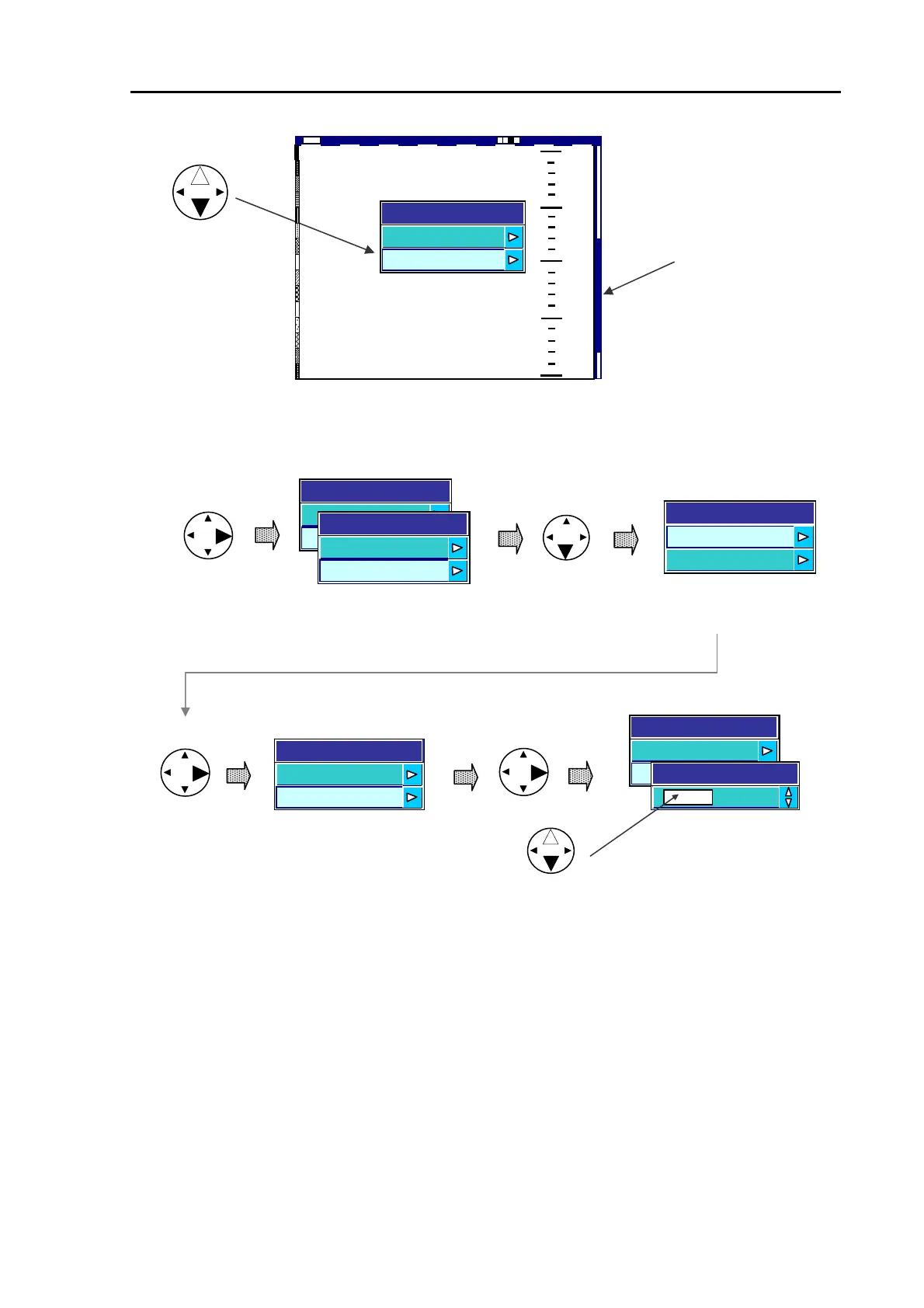
The Depth alarm bar
Figure 5.29 The Depth Alarm select display
When Depth Alarm is set to On,
Depth Alarm bar in red is shown
on the right side of the screen.
ALARM
Depth Alarmoff
Fish Alarm Off
Depth Alarm
OFF
ON
Depth Alarm
OFF
ON
Open DEPTH ALARM
Upper Alarm 0
Low
Depth Alarm
Set U
er Alarm ran
e
Select UPPER ALARM
er Alarm 600
Press the up or down arrow key to
set the depth.
Depth Alarm
Upper Alarm Range
80
Lower Alarm 600
Upper Alarm 0
Figure 5.30 Selecting the Depth Alarm
Setting the Lower Alarm
(1) Press the ALARM key or Left arrow key to display the Depth Alarm window.
(2) Press the down arrow key to select LOWER ALARM.
(3) Press the right arrow key. The Lower Alarm digital window will appear.
(4) Press the upper or lower arrow key to enter the depth.
Exiting the Depth Alarm
Press the ALARM key or left arrow key four times. Or, press the MENU key twice.
93132682-00 5-21



 To Next Page