Chapter 6 CVS-841/851
Using the menu
6-2 0093132682-05
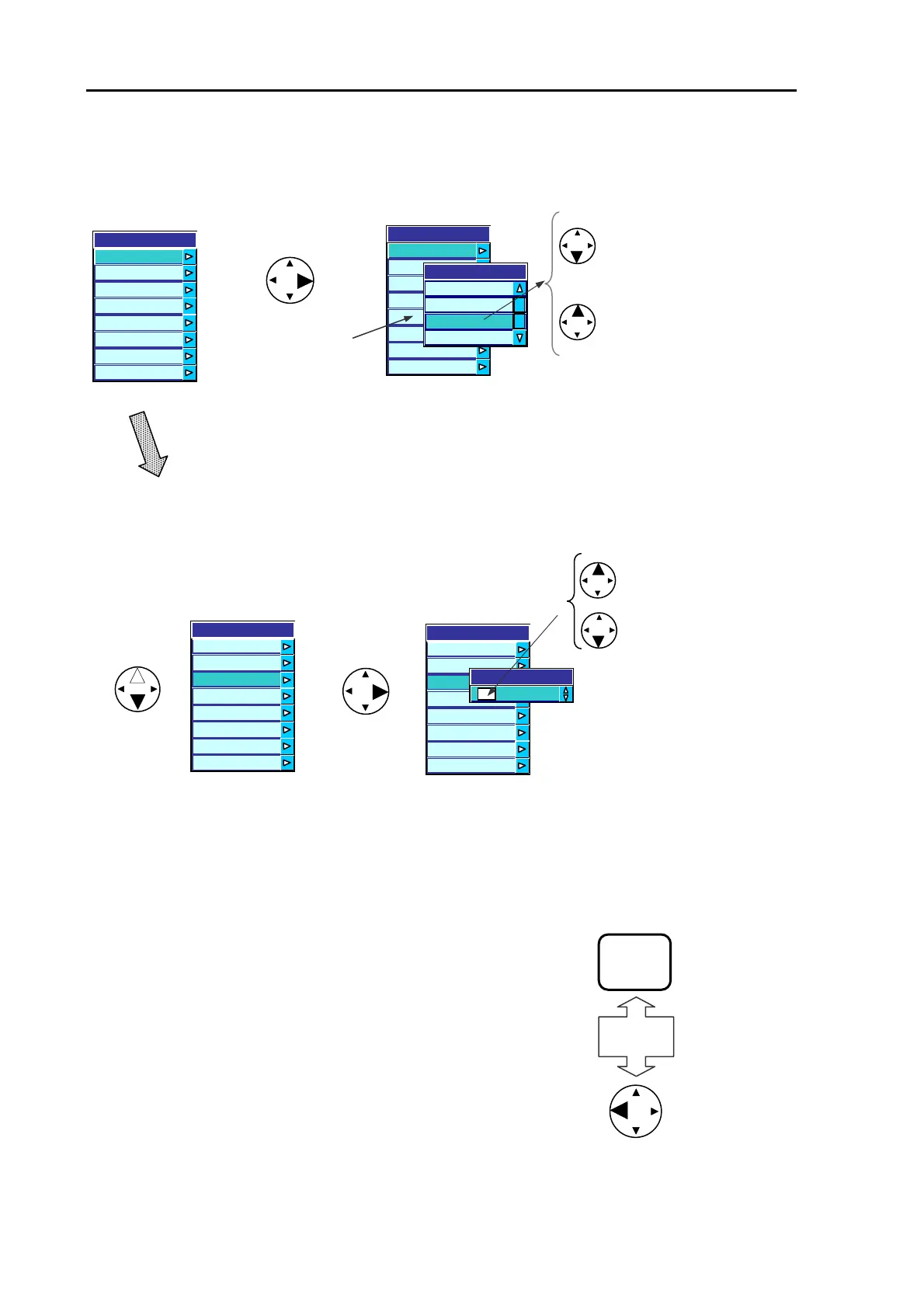
Displaying the sub
menu of the
highlighted Main
Manu item
A press of the up or down
arrow key shifts the
highlighted part up or down
by one step. Pressing and
holding either the up or
down arrow key shifts the
highlighted part up or down
continuously.
[Selecting a sub menu item]
Press the up or down arrow key
to select an item.
Increasing or decreasing
the value
[Selecting a sub menu item with value settings]
Figure 6.3 Common key switch operating order
MENU
Or
[Returning to a previous menu]
Press the MENU key or the left arrow key to return to a
previous menu. To return to the normal display, press either
of these keys repeatedly.



 To Next Page