8.30
Section 8
Electrical System and Components
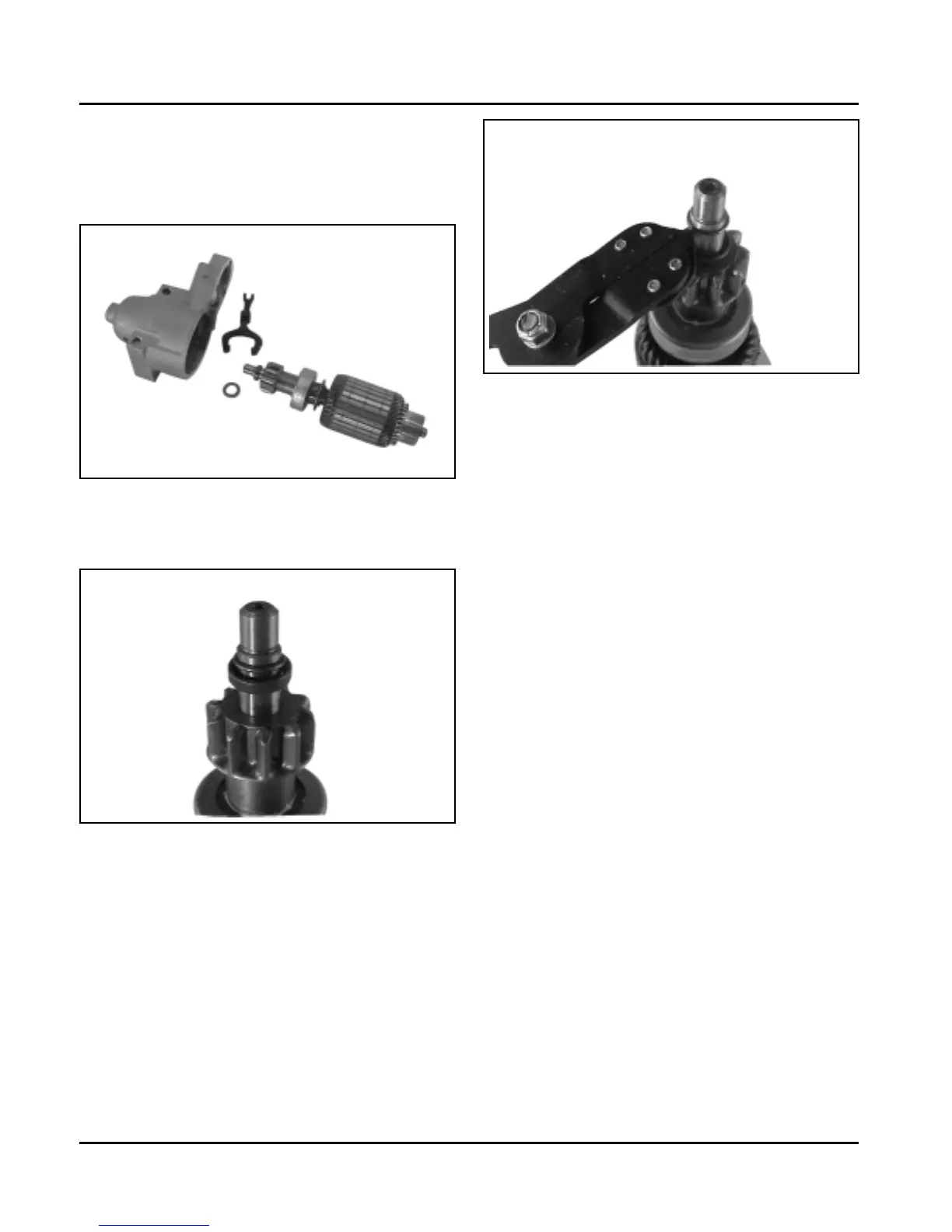
8. Take out the drive lever and pull the armature out
from the drive end cap. See Figure 8-45.
9. Remove the thrust washer from the armature
shaft. See Figure 8-45.
Figure 8-45. Armature and Lever Removed.
10. Push the stop collar down to expose the retaining
ring. See Figure 8-46.
Figure 8-46. Retaining Ring Detail.
11. Remove the retainer from the armature shaft.
Save the stop collar.
NOTE: Do not reuse the old retainer.
Figure 8-47. Removing Retaining Ring.
12. Remove the drive pinion assembly from the
armature.
13. Clean the parts as required.
NOTE: Do not soak the armature or use solvent
when cleaning. Wash and dry/clean
using a soft cloth, or compressed air.


 To Next Page
 Loading...