11. EXPLANATION OF COMPONENTS
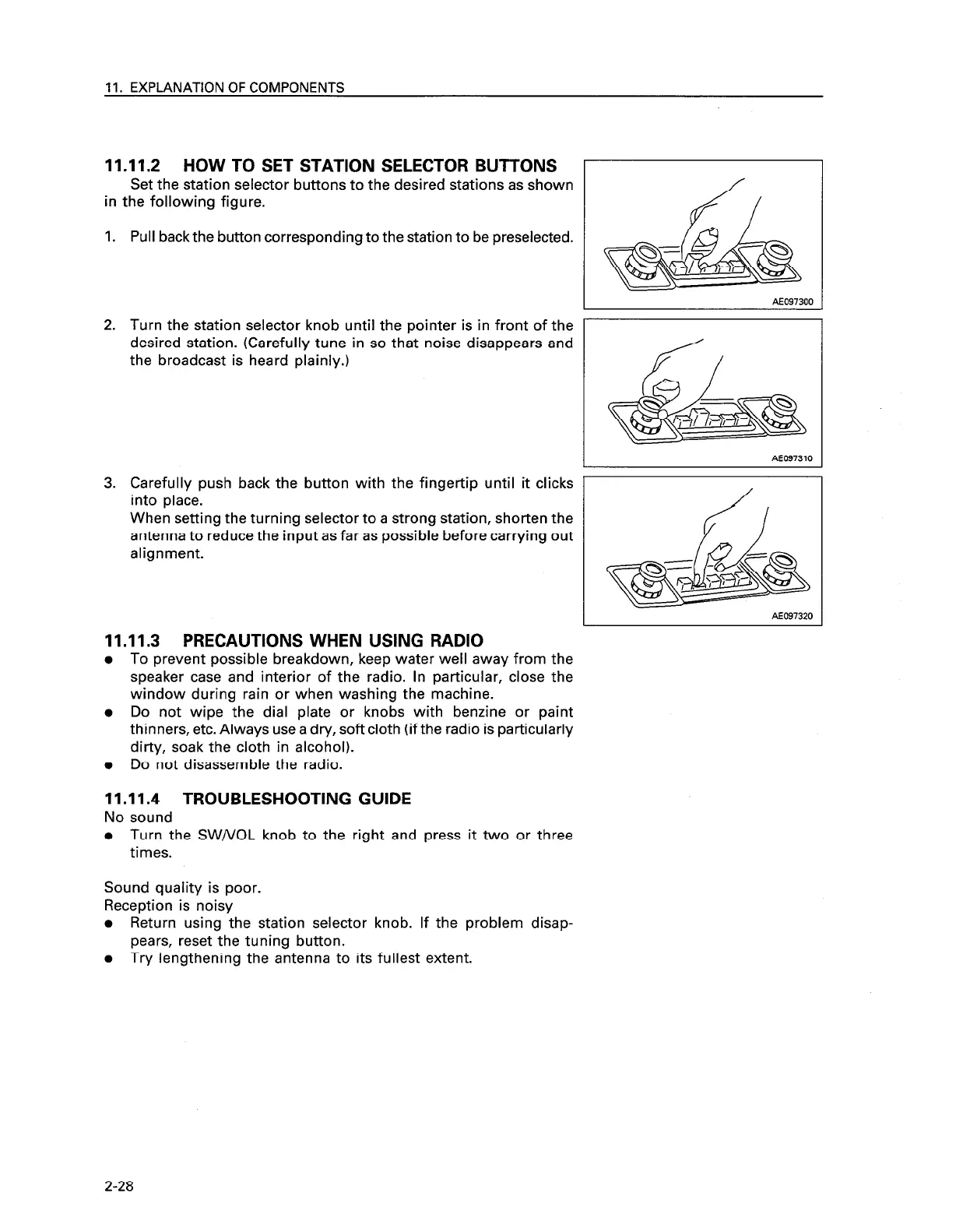
11.11.2 HOW TO SET STATION SELECTOR BUTTONS
Set the station selector buttons to the desired stations as shown
in the following figure.
Pull backthe button corresponding to the station to be preselected.
I
AE097300
I
_I
Turn the station selector knob until the pointer is in front of the
desired station. (Carefully tune in so that noise disappears and
the broadcast is heard plainly.)
AE097310
Carefully push back the button with the fingertip until it clicks 1
I
into place.
When setting the turning selector to a strong station, shorten the
antenna to reduce the input as far as possible before carrying out
alignment.
I AE097320
11.11.3 PRECAUTIONS WHEN USING RADIO
l To prevent possible breakdown, keep water well away from the
speaker case and interior of the radio. In particular, close the
window during rain or when washing the machine.
l Do not wipe the dial plate or knobs with benzine or paint
thinners, etc. Always use a dry, soft cloth (if the radio is particularly
dirty, soak the cloth in alcohol).
l Do not disassemble the radio.
11.11.4 TROUBLESHOOTING GUIDE
No sound
l Turn the SW/VOL knob to the right and press it two or three
times.
Sound quality is poor.
Reception is noisy
l Return using the station selector knob. If the problem disap-
pears, reset the tuning button.
l Try lengthening the antenna to its fullest extent.
2-28




 To Next Page