11. EXPLANATION OF COMPONENTS
11.11 RADIO
1 1 .I 1 .I EXPLANATION OF COMPONENTS
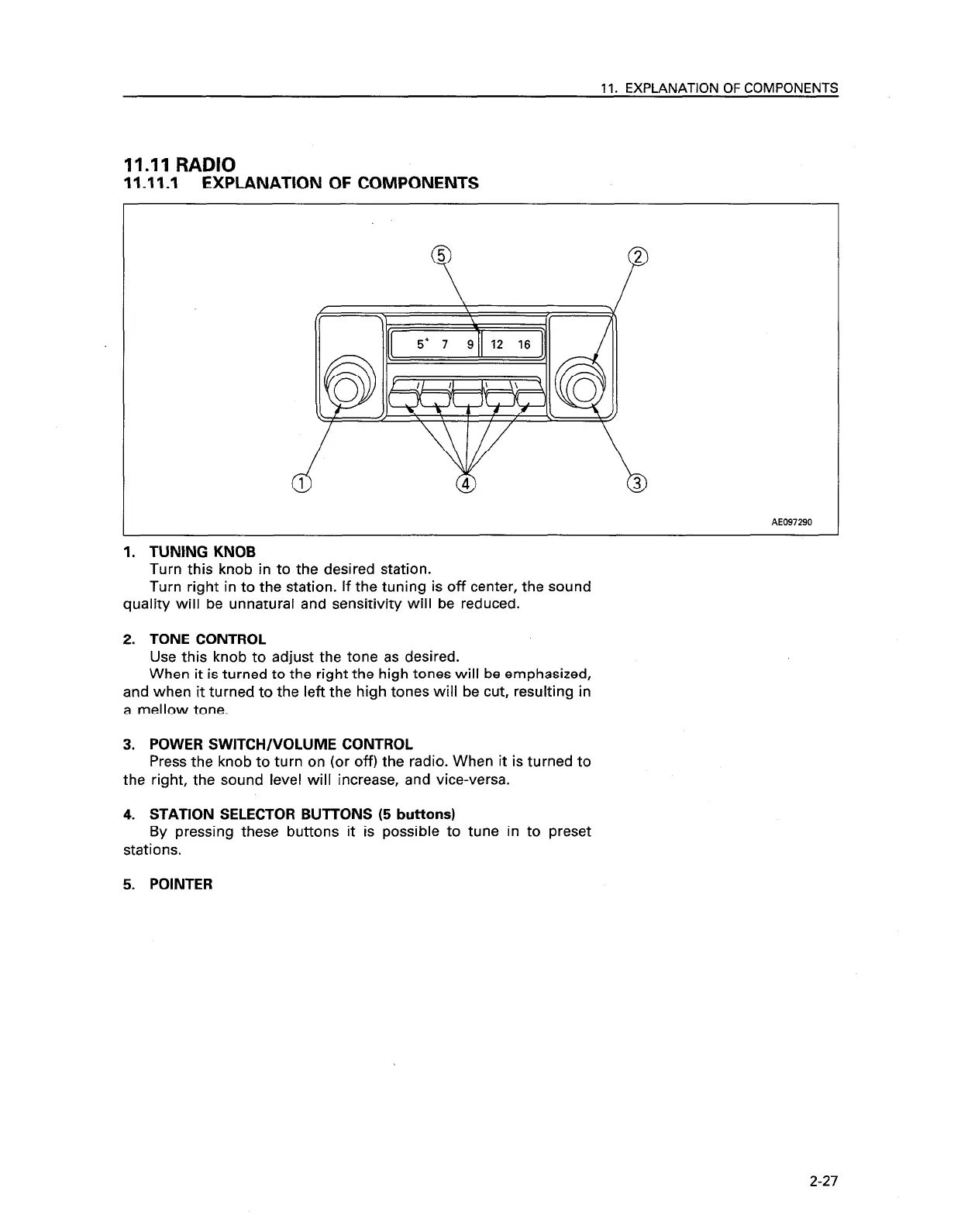
AE097290
1. TUNING KNOB
Turn this knob in to the desired station.
Turn right in to the station. If the tuning is off center, the sound
quality will be unnatural and sensitivity will be reduced.
2. TONE CONTROL
Use this knob to adjust the tone as desired.
When it is turned to the right the high tones will be emphasized,
and when it turned to the left the high tones will be cut, resulting in
a mellow tone.
3. POWER SWITCH/VOLUME CONTROL
Press the knob to turn on (or off) the radio. When it is turned to
the right, the sound level will increase, and vice-versa.
4. STATION SELECTOR BUTTONS (5 buttons)
By pressing these buttons it is possible to tune in to preset
stations.
5. POINTER
2-27









 To Next Page