KongsbergDPS232
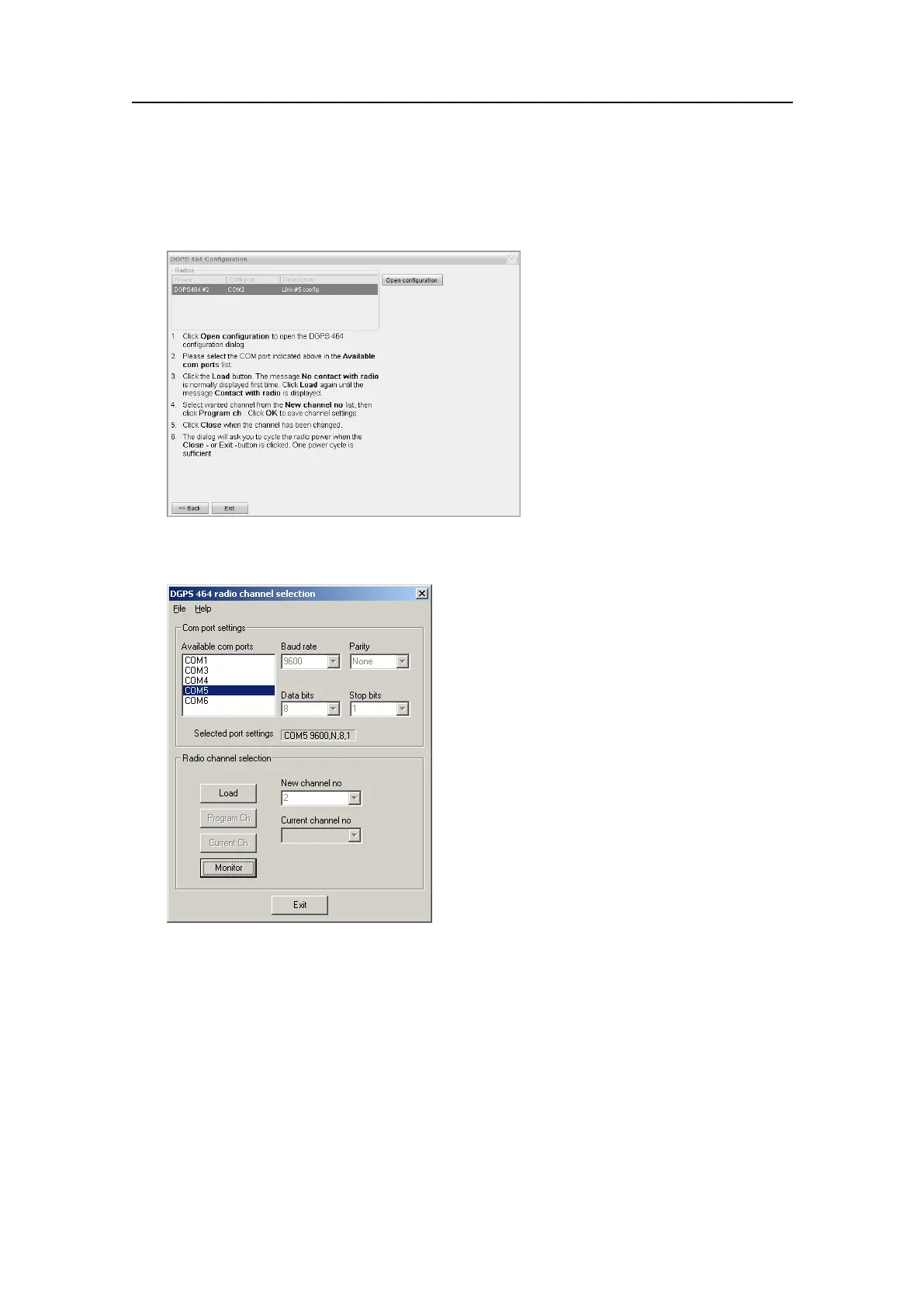
4Observethatadialoguewithalistofconnectedradiosopens.Selectthewanted
radioandclicktheOpencongurationbutton.
5ObservethattheDGPS464radiochannelselectiondialogueopens.
6IntheAvailablecomportssection,selecttheCOMportindicatedfortheselected
radiointheradiolist.
7ClicktheLoadbutton.
ThemessageNocontactwithradioisnormallydisplayedrsttime.
8ClickOKandclickLoadagainuntilthemessageContactwithradioisdisplayed.
9SelectwantedchannelfromtheNewchannelnolistandclickProgramch.Theactual
frequencyforeachchannelisfoundinthetablebelow.
10ClickOKtosavethechannelsettings.
11ClickClosewhenthechannelhasbeenchanged.
126
G210-14/3.0


 To Next Page
 Loading...