Conguration
ThersttimeaneTokenisusedonasystemithastobeinitialized.Toensurethat
previousinformationaboutakeyhasbeenerased,selectTools→C-MapUserSetup.
ClicktheY esbuttoninalldisplayeddialoguestoconrmthatyouwanttore-initialize
thelicense.
5.10.2Updatedatabase
C-Mapchartsareupdatedeveryweek.Followtheprocedurebelowtoensurethatthe
C-Mapdatabaseisupgraded.
HowtoupdateC-mapdatabase
1MakesurethedatabaseupdateisavailableeitheronaDVDoronaUSBmemory
stick.
2EnterEngineeringmodefromtheSystemmenu→Changesystemmode.
3SelectTools→C-MapViewer.
4ClicktheChartManagerbutton.
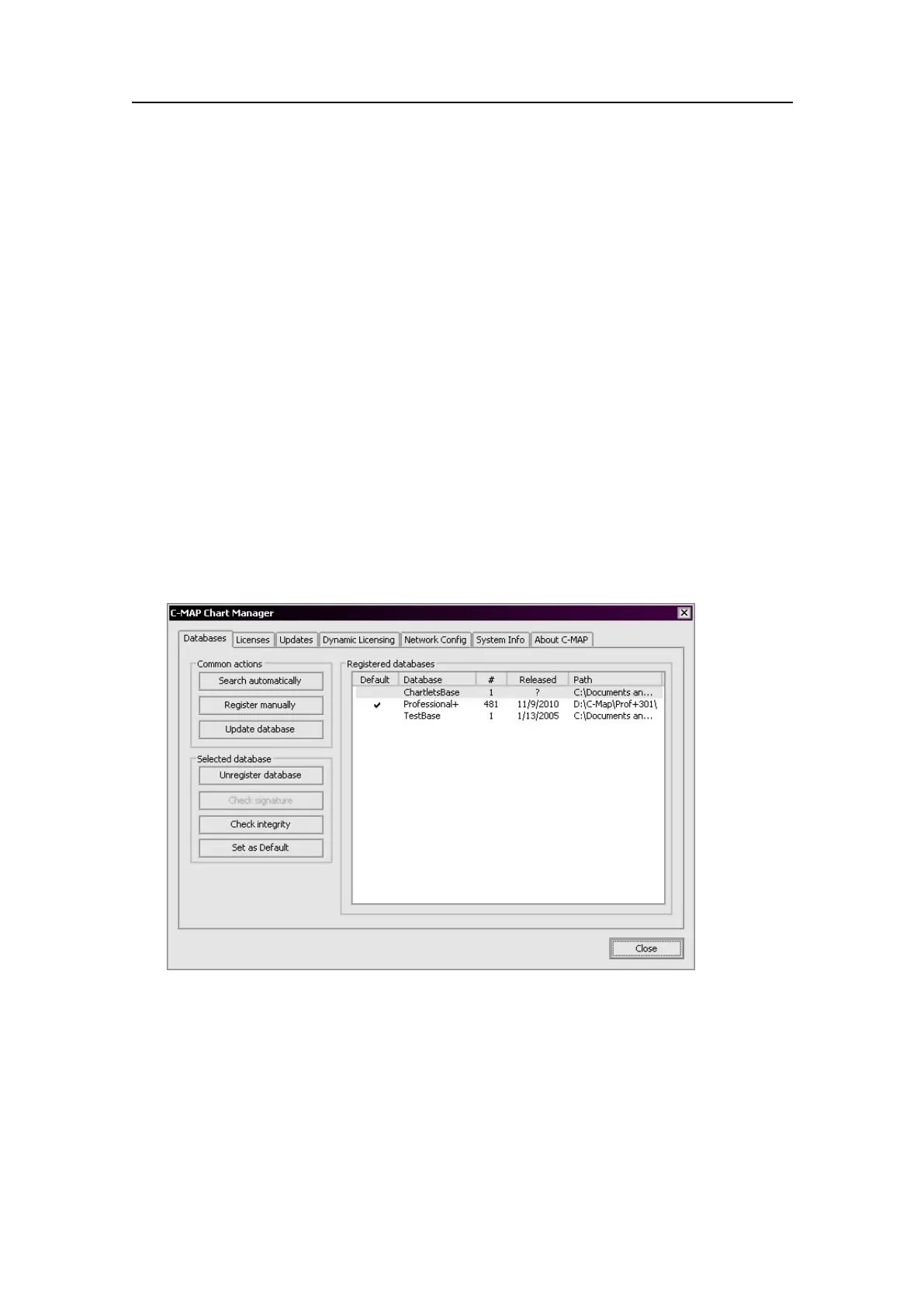
Figure50C-MapChartManager
5IftheC-MapDVDisavailableinaconnecteddrive,clicktheUpdatedatabase
button,andtheupdatewillbeautomaticallydetectedandinstalled.
6Ifinstallingfromamemorystick,clickSearchautomatically.
7InSearchoptions,selectRemovableDrivesfromthedrop-downlistboxandcheck
theSearchsubfolderscheckbox.
8ClickSearch.
9Selectthedesireddatabaseeditionfromthelist,thenclickRegisterdatabase.
10Conrmthatyouwanttoupgradetheexistingdatabase.
G210-14/3.0
75


 To Next Page