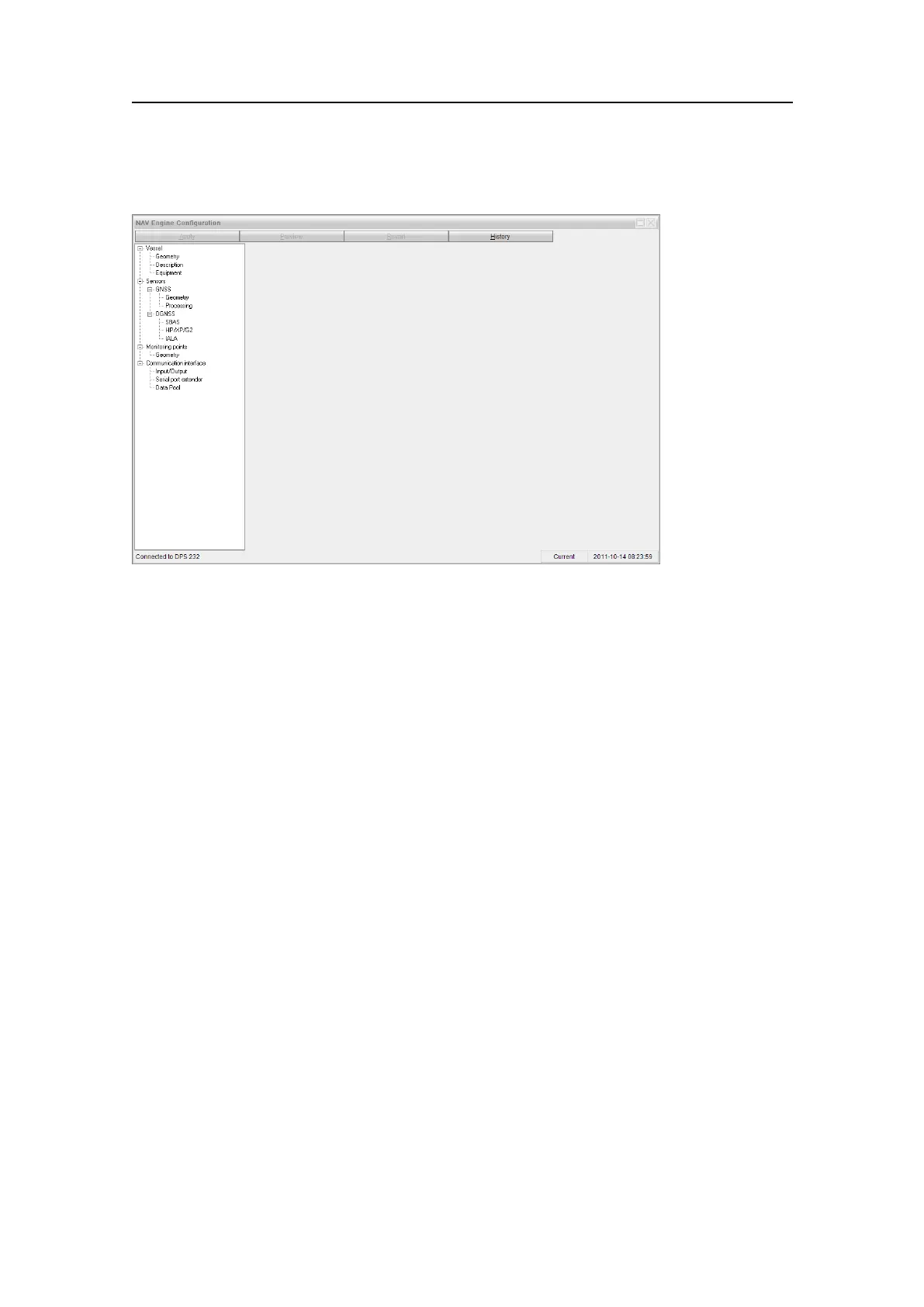
Conguration
Figure13StandardNAVEngineCongurationmenu
AtthetopoftheNA VEngineCongurationviewtherearethreebuttonsrepresentingthe
congurationtoolmenu.
Apply
ClickApplytoapplythecongurationchangestothesystem.Thepreviousconguration
willbeavailableintheHistorylist.Thisbuttonisdisableduntilchangeshavebeenmade
bytheoperator.Thebuttonwillbedisabledwhentherearenocongurationchanges
toapply.
Preview
ClickthePreviewbuttontoseewhichparametershavechangedsincetheconguration
wasloaded.Changedsettingsarehighlightedinboldface.Thisbuttonisdisableduntil
changeshavebeenmadebytheoperator.Pleasenotethatmonitoringpointchangesare
displayedinthecoordinatesysteminwhichtheyareactuallystoredbytheconguration,
i.e.relatedtothenavigationreferencepointratherthanorigin.
Revert
ClicktheRevertbuttontorejectallchangesmadebytheoperatorsincetheconguration
wasloaded.Thebuttonisdisableduntilchangeshavebeenmade.
G210-14/3.0
49


 To Next Page