81
7
Receiving a Fax
Answering Fax Calls
The following menu selections (explained in the sections that follow) will be
displayed:
Pick-up code, Extension phone
and
Manual pick-up.
Pick-Up Code
The pick-up code, when used in conjunction with an extension phone, enables
an extension phone sharing the same phone line to transfer an incoming call
to the fax machine without pressing start on the fax machine.
1
At step 7 in the Set Voice/Fax Mode procedure, press
1
to select
Pick-up
code.
2
Enter a 3-digit code. The # and * characters may be included as a digit.
3
Press
Enter
.
To transfer a call from an extension phone, enter the call pick-up code and
hang up the extension phone.
Extension Phone
With extension phone/monitor phone turned on, an extension phone on the
same line is able to transfer the phone line to the fax machine for fax
communications using the pick-up code.
1
At step 7 in the Set Voice/Fax Mode procedure, press
2
to select
Extension
phone
.
2
To enable extension phone monitoring press Æ until
Yes
displays.
3
Press
Enter
.
To transfer a call from an extension phone, simply enter the call pick-up code
and hang up the extension phone.
Manual Call Pick-Up
Use manual call pick-up if you have a telephone answering device with silent
detect capabilities connected to the TEL jack. Turning on manual call pick-up
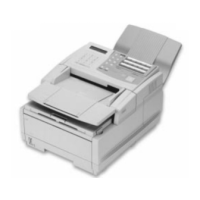
enables the Konica Fax 9825 to receive a fax if the telephone answering
device hangs up due to silence on the line.
1
At step 7 in the Set Voice/Fax Mode procedure, press
3
to select
Manual
pick-up
.
2
To enable manual call pick-up press Æ until
Yes
displays.
3
Press
Enter
.



 To Next Page