33
2
Getting to Know the Machine
Control Panel
Control Panel
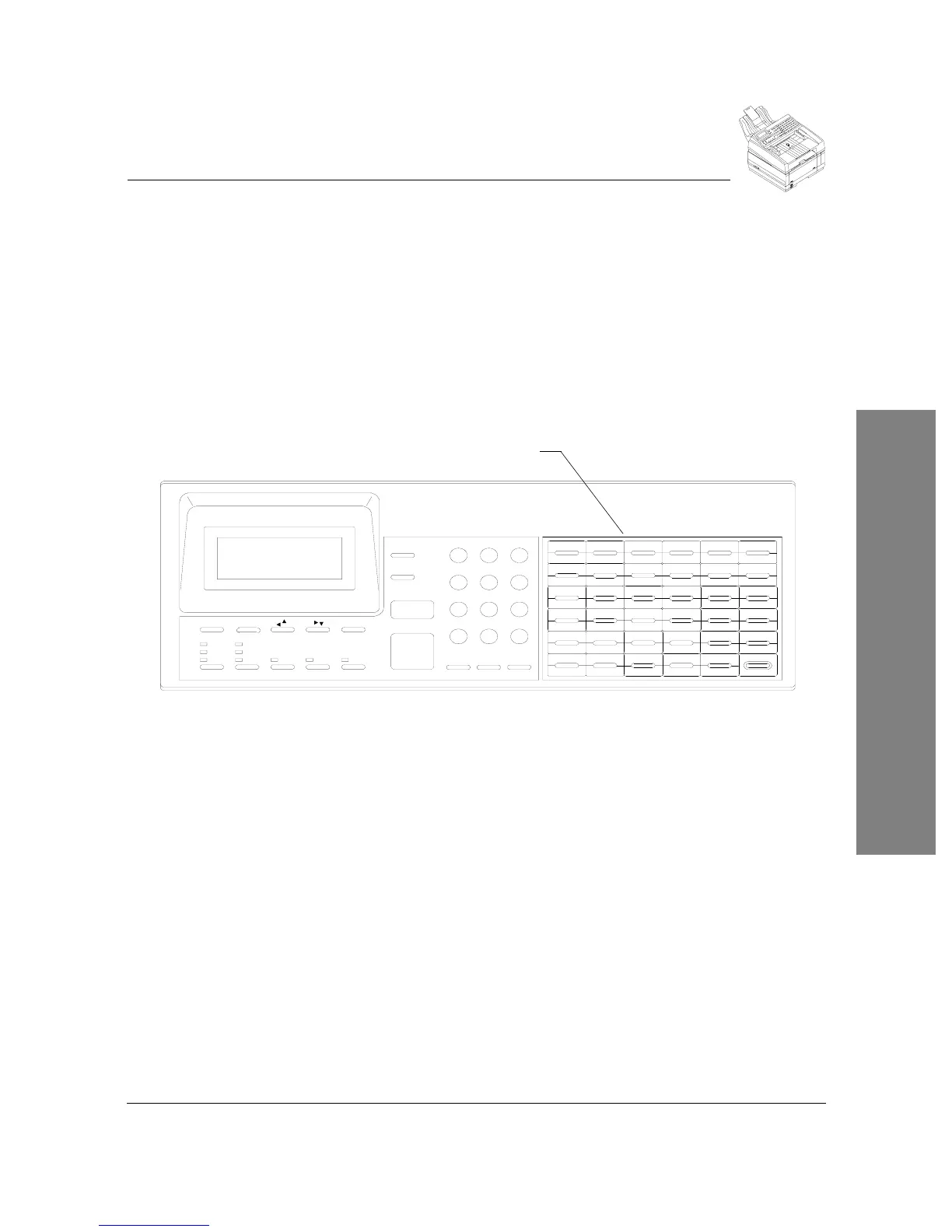
The control panel keys are used to program the machine settings and to
communicate with a remote machine. The control panel contains the One-
Touch keys, fax and printer keys and an alphanumeric keypad.
One-Touch Alphanumeric Keypad
This section describes the One-Touch Alphanumeric Keypad. In addition to
being used with the one-touch dialing feature, the keypad is used to enter
alphabetic and special characters.
One-touch Keys (01-35) -
Keys (01-35) are used to initiate a one-touch dial
fax transmission. These keys are programmed under the Phonebook menu.
They may be programmed to send to either a single phone number or a group
of up to the total number of individual phone numbers programmed. These
keys may also be programmed to activate dial options such as delayed send.
One-touch Keys (36-70) -
Keys (36-70) are used to initiate a one-touch dial
fax transmission. To access these keys the
Shift
key must be pressed while
also pressing the one-touch key. These keys are programmed under the
Phonebook menu. They may be programmed to send to either a single phone
number or a group of up to the total number of individual phone numbers
programmed. These keys may also be programmed to activate dial options
such as delayed send.
Alphabetic keys (A-Z a-z . , / - ( ) = % $ “ ? & ! @ ; + space)
- These keys
are used to enter alphabetic characters when called for when programming the
Konica Fax 9825. Uppercase letters are entered by pressing the appropriate
key, lowercase letters are entered by pressing the
Shift
key and pressing the
appropriate key. In addition to alphabetic characters, a number of special
characters may also be entered shown above.
g
w
$
Manual Dial
START/Copy
Stop
Status
HalftoneResolution
Fine
Standard
Superfine
Contrast
Normal
Lighten
Darken
Menu Backspace
PrioritySend Conf
Enter
6MNO5JKL4GHI
07 G08 H09 I 10 J 11 K12 L07 08 09 10 11 12
Speed DialRedial Pause
Dial Options
7PQRS
*
0 OPER
8TUV
31
31
66
25
60
32
32
67
-
&
26
26
61
y
Y
#
19
19
54
9WXYZ
1313
48
42
20
20
55
S
s
1414
43
49m
M
(33 )
33 34
!
68
@
69
27
z
Z
27
62
%
28.
28
63
Space
35
;
=
70
+
, 29
29
64
21T
21
t
56
22U
22
u
57
15
n
N15
50
h 44
o
O
1616
51
i 45
V
v
23
23
58
p
P
j
17
17
52
46
Shift
30
30
65
"
'
?
/
24W
24
59
X
x
1818
53q
Q
47k
r
R
l
1QZ
2 ABC
3DEF
0101
36
0202
37
a
A
03
b
B03
38
c
C
0404
39
d
D
0505
40
0606
41
e
E
f
F
Exit
One-Touch Alphanumeric
Keypad



 To Next Page