3.3 Charging of DR Detector
82
3.3.5 DR Detector battery level
display
The DR Detector LED changes according to the bat-
tery level.
AeroDR 1417HQ, AeroDR 1417S,
AeroDR 1717HQ, AeroDR 1012HQ,
AeroDR 2 1417HQ, AeroDR 2 1417S
Battery level LED display
Less than 3 % (exposure
not possible)
Lit (blue)
Less than 5 % Fast ashing (blue)
Less than 10 % Slow ashing (blue)
10 % or more O
IMPORTANT
•••••••••••••••••••••••••••••••••••••
• When the battery runs down completely, all the LEDs
go out. Confirm that the LED (green) either lights or
ashes when you perform exposure.
•••••••••••••••••••••••••••••••••••••••••••••••••••••
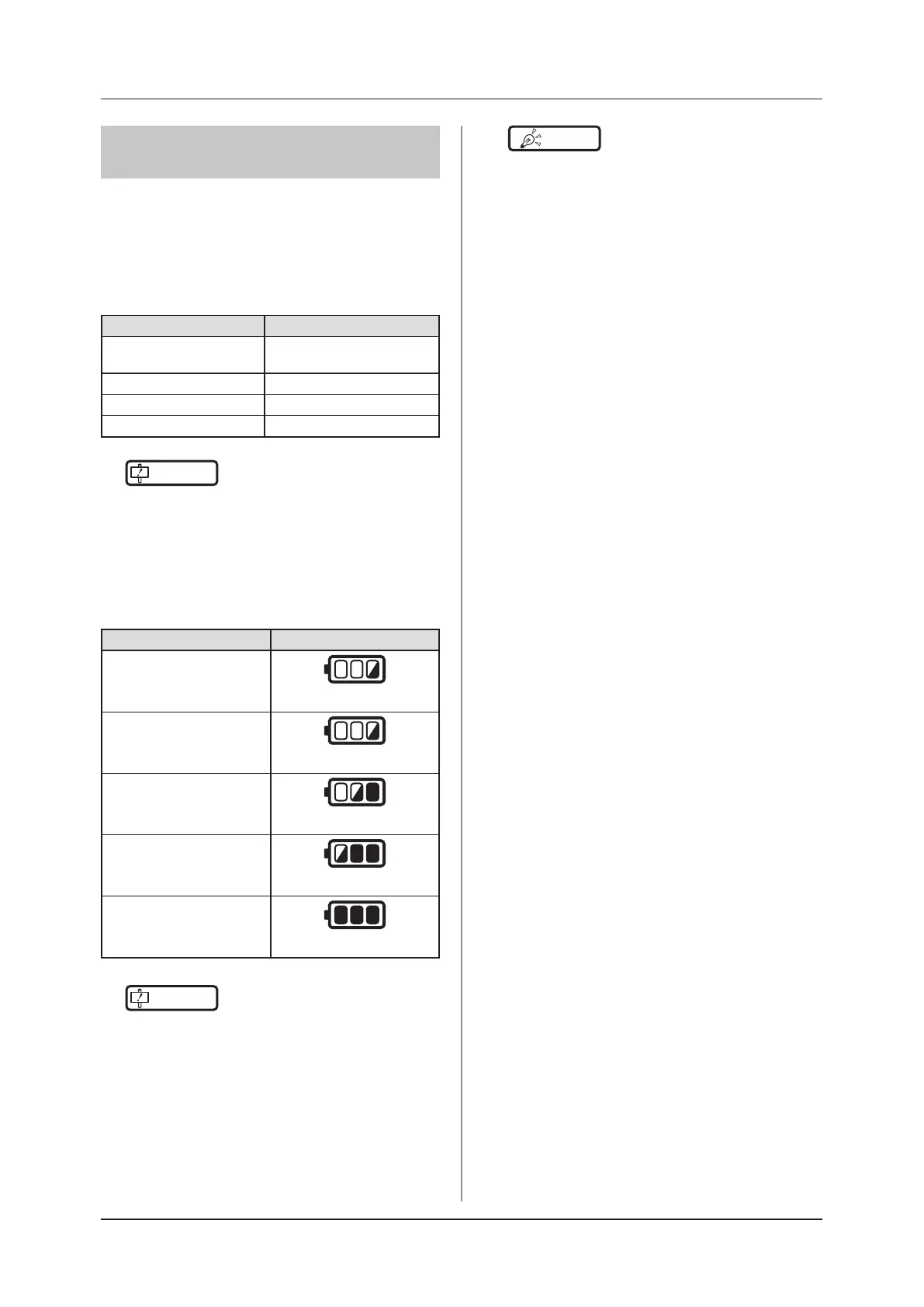
AeroDR 3 1417HD, AeroDR 3 1717HD,
AeroDR 3 1012HQ
Battery level LED display
2 % or less
Slow ashing (orange)
3 % to 9 %
Slow ashing (blue)
10 % to 66 %
Lit and Slow ashing (blue)
67 % to 79 %
Lit and Slow ashing (blue)
80 % or more
Lit (blue)
IMPORTANT
•••••••••••••••••••••••••••••••••••••
• When the battery runs down completely, all the LEDs
go out. Confirm that the LED (blue) either lights or
ashes when you perform exposure.
•••••••••••••••••••••••••••••••••••••••••••••••••••••
HINT
•••••••••••••••••••••••••••••••••••••
• Confirm the level of battery power of the AeroDR 3
1417HD, AeroDR 3 1717HD and AeroDR 3 1012HQ
with the Battery LED. Press the Selection SW which
makes the Battery LED light for 3 seconds even when
it is turned o.
•••••••••••••••••••••••••••••••••••••••••••••••••••••



 To Next Page
 Loading...









