3.4 Registration and selection of the DR Detector
85
Chapter 3
3.4.4 Selection of the
DR Detector
An DR Detector is selected as follows depending on
the number registered on each image processing con-
troller.
Number of regis-
tered DR Detectors
Selection method
1
• DR Detector is selected auto-
matically when that DR Detector is
ready to be selected.
• The DR Detector is not selected if
it is not inserted in a wall stand or
table that matches the order infor-
mation.
Multiple
• The DR Detector that was selected
immediately beforehand will be
selected automatically if it is ready
to be selected.
• Any DR Detector is not selected if
it is not inserted in a wall stand or
table that matches the order infor-
mation.
3.4.5 Manual selection of the
DR Detector
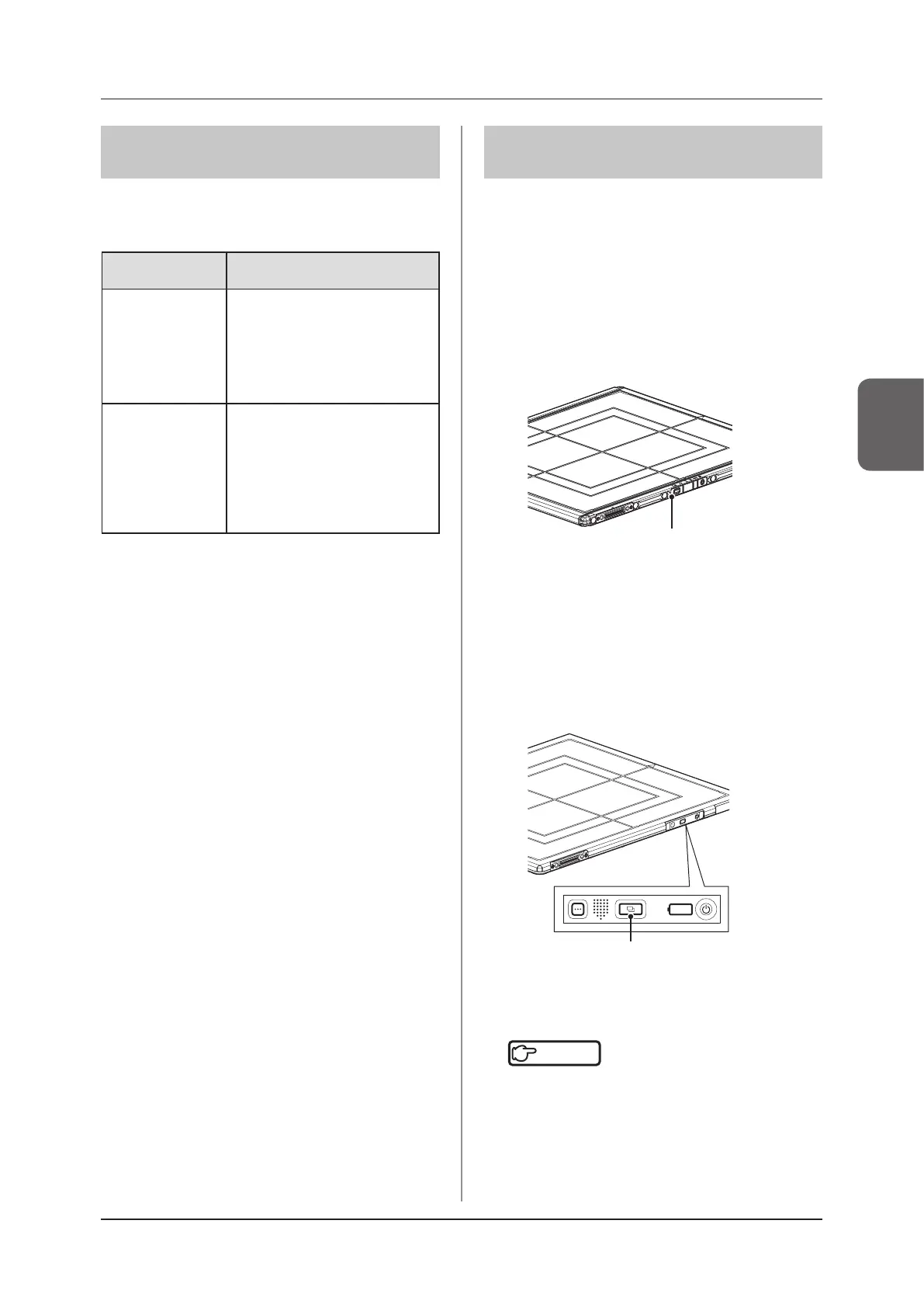
Selecting the DR Detector manually is performed with
the following procedure.
AeroDR 1417HQ, AeroDR 1417S,
AeroDR 1717HQ, AeroDR 1012HQ,
AeroDR 2 1417HQ, AeroDR 2 1417S
1
Press the selection switch of the DR
Detector that will be used for 2 seconds or
longer.
Selection switch
2
The LED (green) of the DR Detector ash-
es fast for 2 seconds.
AeroDR 3 1417HD, AeroDR 3 1717HD,
AeroDR 3 1012HQ
1
Press the Selection SW of the DR Detector
that will be used for 2 seconds or longer.
Selection SW
2
The Status LED (blue) of the DR Detector
ashes fast for 2 seconds.
Reference
•••••••••••••••••••••••••••••••••••••
• The DR Detector can also be selected manually from
the image processing controller. For details, refer to
the "Operation Manual" of the image processing con-
troller.
•••••••••••••••••••••••••••••••••••••••••••••••••••••



 To Next Page
 Loading...









