83
Chapter 3
By registering the DR Detector in the image process-
ing controller using one of the following methods, the
DR Detector can be moved between exposure rooms.
• Insert it into the AeroDR Battery Charger or AeroDR
Battery Charger2
• Connect the wired cable to the wired connection
connector
IMPORTANT
•••••••••••••••••••••••••••••••••••••
• When using ImagePilot as the image processing
controller, it is not possible to move the DR Detector
between dierent exposure rooms.
• Once it is registered in a new exposure room, it will
not be usable in the previous exposure room. When
returning to a previous exposure room, perform the
registration operation again.
•••••••••••••••••••••••••••••••••••••••••••••••••••••
3.4.1 Registration with AeroDR
Battery Charger
To register the DR Detector in the AeroDR Battery
Charger, follow the procedure below.
IMPORTANT
•••••••••••••••••••••••••••••••••••••
• AeroDR 1012HQ and AeroDR 3 1012HQ cannot be
registered with the AeroDR Battery Charger.
•••••••••••••••••••••••••••••••••••••••••••••••••••••
HINT
•••••••••••••••••••••••••••••••••••••
• AeroDR 2 1417S, AeroDR 3 1417HD and AeroDR 3
1717HD can be registered with the AeroDR Battery
Charger.
•••••••••••••••••••••••••••••••••••••••••••••••••••••
1
Make sure that all the devices in the destina-
tion exposure room are usable.
2
Insert the DR Detector into AeroDR Bat-
tery Charger in the destination exposure
room.
• Registration process will start.
3.4 Registration and selection of the DR Detector
Exposure
side
3
Once the registration is completed, a
buzzer will sound on the AeroDR Battery
Charger, and the LED (green) will change
from slow ashing to lit.
LED (green)
4
Conrm that the DR Detector icon is dis-
played on the image processing control-
ler.
IMPORTANT
•••••••••••••••••••••••••••••••••••••
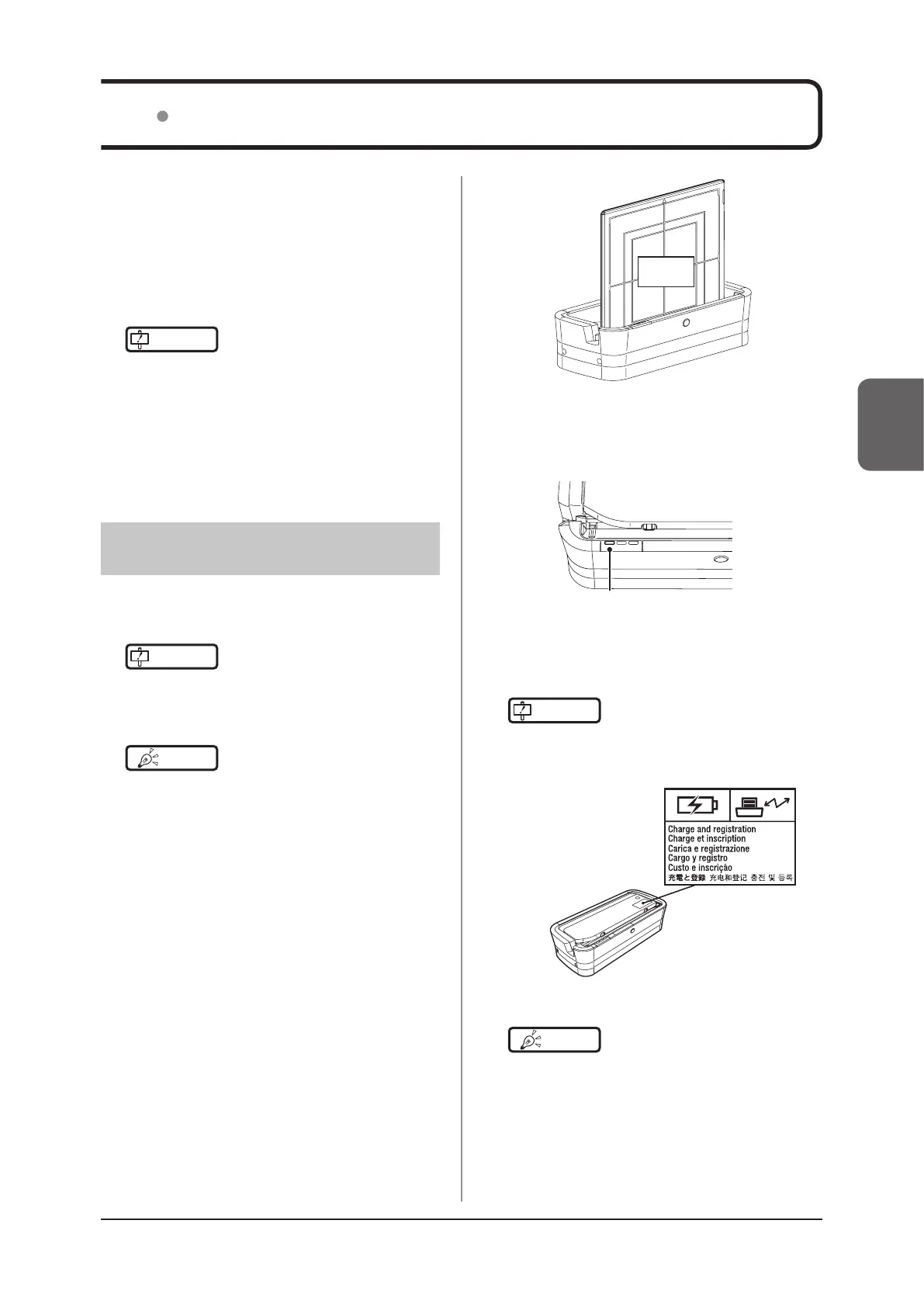
• When an AeroDR Battery Charger exclusively for
charge is used, conrm that the battery charger in the
destination has a "Charge and registration" label.
•••••••••••••••••••••••••••••••••••••••••••••••••••••
HINT
•••••••••••••••••••••••••••••••••••••
• Charging will also start when the DR Detector (AeroDR
1417HQ, AeroDR 1417S, AeroDR 1717HQ, AeroDR 2
1417HQ) is inserted into the AeroDR Battery Charger,
and the AeroDR Battery Charger LED (blue) will light.
•••••••••••••••••••••••••••••••••••••••••••••••••••••



 To Next Page
 Loading...









