KT690 Family
KTD-00738-C Public User Manual Date: 2008-09-16 Page 8 of 91
!
2. Installation procedure
2.1 Installing the board
To get the board running, follow these steps. In some cases the board shipped from KONTRON Technology
has CPU, DDR2 DRAM and Cooler mounted. In this case Step 2-4 can be skipped.
1. Turn off the power supply
2. Insert the DDR2 SODIMM 200pin DRAM module(s)
Push down the module from the top side until the tabs lock. For a list of approved DDR2 SODIMM modules
contact your Distributor or FAE.
DDR2 SODIMM 200pin DRAM modules (PC3200, PC4200, PC5300) are supported.
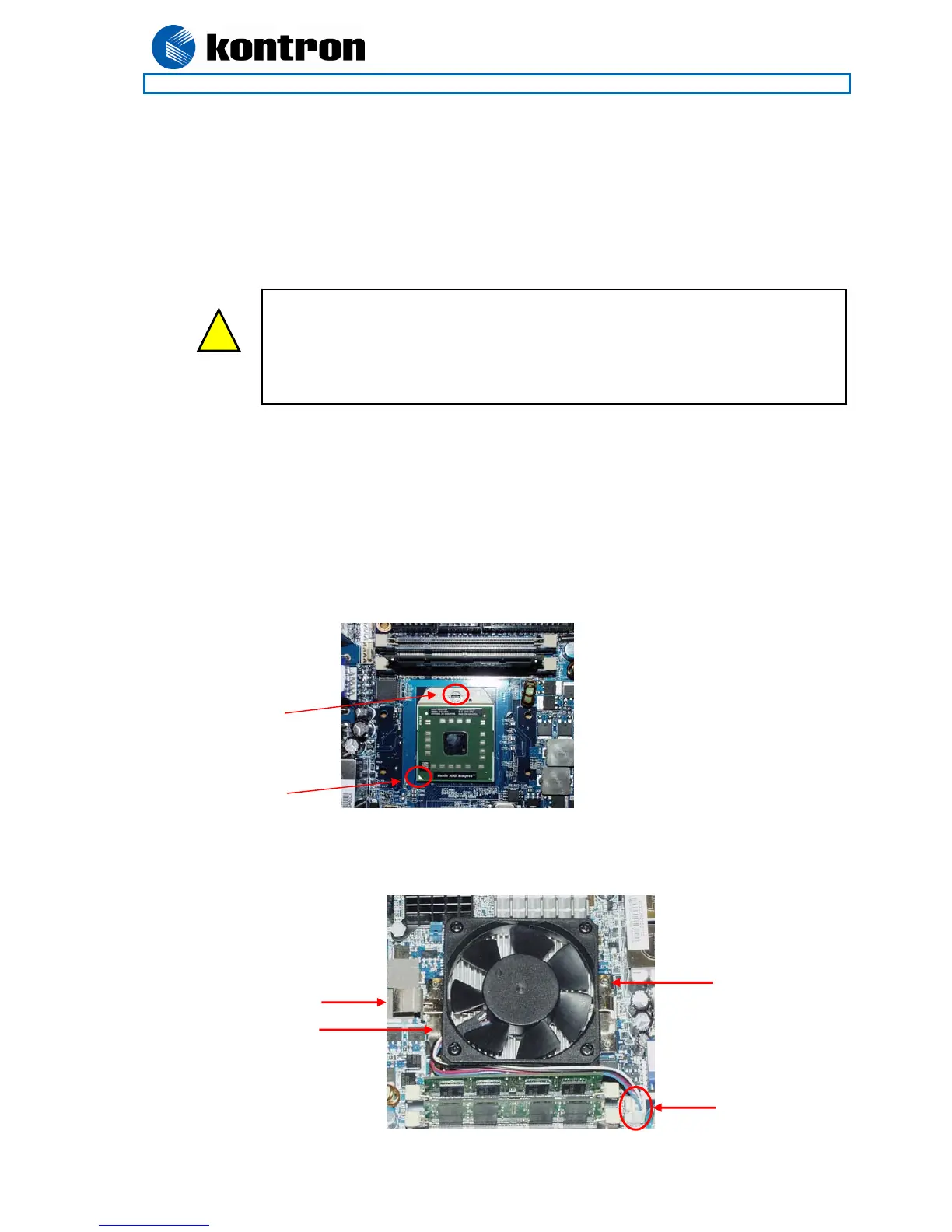
3. Install the processor
The CPU is keyed and will only mount in the CPU socket in one way. Use a 6mm flatheaded screwdriver
to open/ close the CPU socket. The Mobile AMD Sempron™ and AMD Turion™ 64 X2 Mobile
Processors for S1 socket are supported, refer to supported processor overview for details.
4. Cooler Installation
Mount the cooler using the clip holders mounted on the board. Connect the Fan electrically to the CPU
FAN connector.
(continues)
CPU Pin 1 marking
Screwdriver actuated
locking mechanism
CPU FAN
connector
Clip holder
Clip holder
Clip
Warning: Do not use Power Supply without 3.3V monitoring watchdog, which is
standard feature in ATX Power Supplies.
Running the board without 3.3V connected will damage the board after a few minutes.
Be careful not to short circuit the lithium battery for instance by placing the board
upside down directly on a metal plate, so that the battery 3V is connected to ground
via IO Connector housing.



 To Next Page