4-4
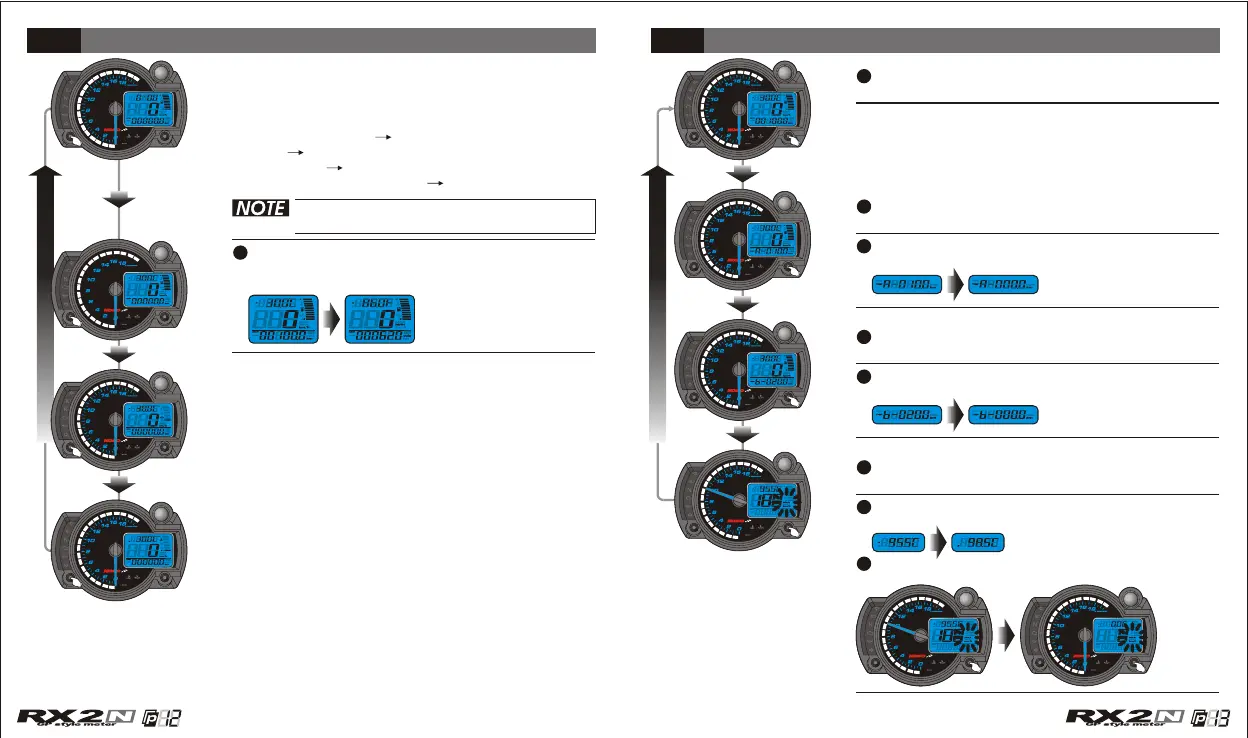
In main screen, press the Select button to choose
the function combination you want to display on
the screen.
The alternative combination is as the circle we list:
clock+fuel gauge water temperature+fuel
gauge water temperature+oil temperature
level gauge oil temperature+water
temperature level gauge clock+fuel gauge.
Select button function instruction
Adjust button function instruction
If you don't install the fuel wiring, the
fuel gauge will not display.
4-3
Press down the Adjust button for 3 seconds
to reset the Max.record.
In ODO function, press the Adjust button one
time to switch to the trip A function.
In trip A screen, press the Adjust button one
time to switch to the trip B function.
In trip B screen, press the Adjust button one
time to switch to the Max.record function.
In Max. record screen, press the Adjust button
one time to switch to the ODO function.
When the temperature Is In the main screen,
you could press down the "Select" button for 3
seconds to switch the temperature unit.
Press down the Adjust button for 3 seconds
to reset the trip A.
Press down the Adjust button for 3 seconds
to reset the trip B.
Press the Select button one time to check the
oil temperature record.
CDI & FI CDI & FI


 To Next Page