VS-211XS, VS-411XS – Connecting VS-411XS
5. Connect the RS-232 3-pin terminal block connector to the RS-232 port on a
controller (for example, a laptop) to control the VS-411XS.
6. Connect the ETHERNET RJ-45 port to the LAN.
7. Connect the 5V power adapter to VS-411XS and to the mains electricity (not shown in
Figure 5).
Connecting Output to a Balanced/Unbalanced Stereo
Audio Acceptor
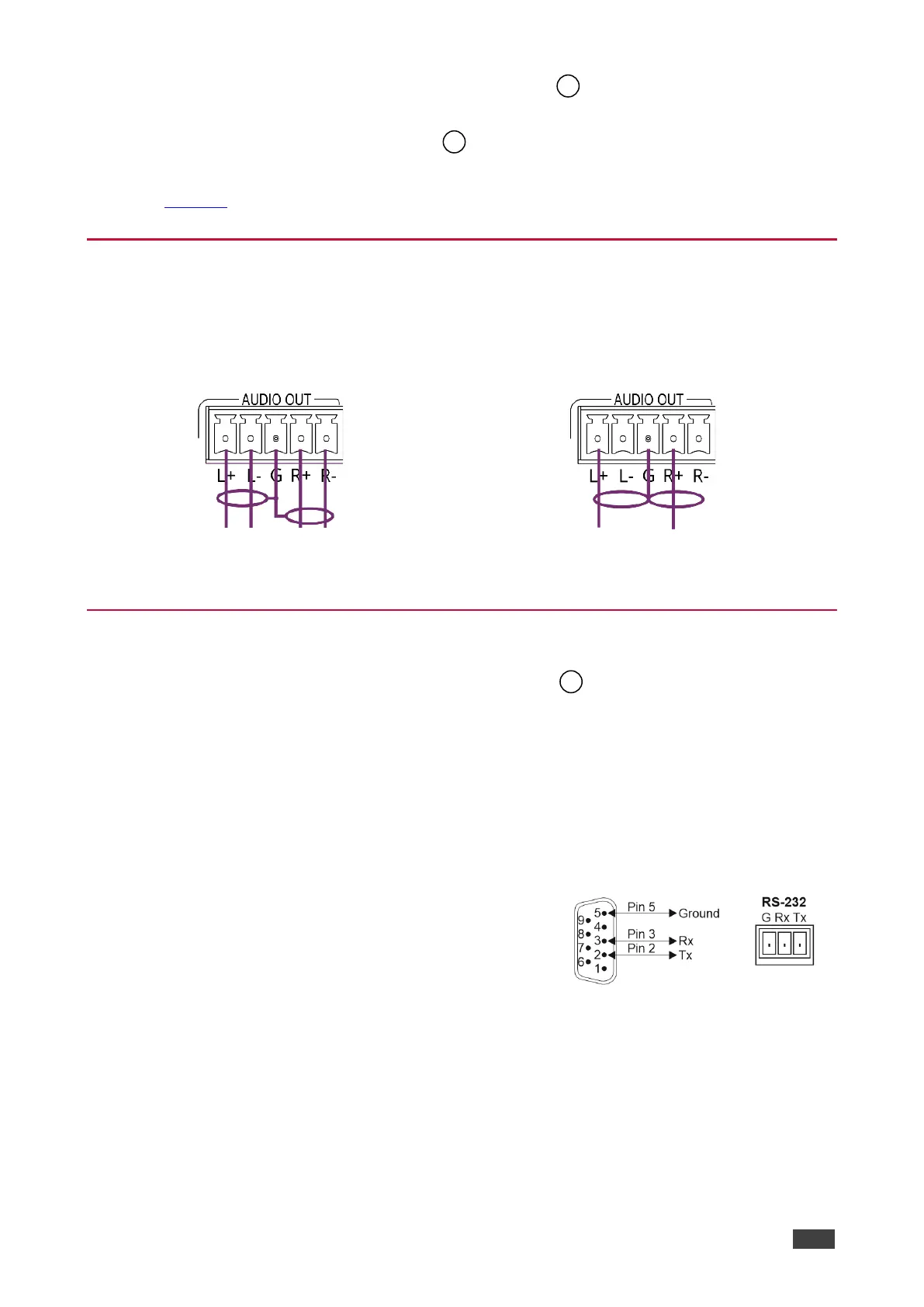
The following are the pinouts for connecting the output to a balanced or unbalanced stereo
audio acceptor:
Figure 6: Connecting to a Balanced Stereo Audio
Acceptor
Figure 7: Connecting to an Unbalanced Stereo Audio
Acceptor
Connecting to VS-411XS via RS-232
You can connect to VS-411XS via an RS-232 connection using, for example, a PC.
VS-411XS features an RS-232 3-pin terminal block connector allowing the RS-232 to control
VS-411XS.
Connect the RS-232 terminal block on the rear panel of VS-411XS to a PC/controller, as
follows:
From the RS-232 9-pin D-sub serial port connect:
• Pin 2 to the TX pin on the VS-411XS RS-232 terminal
block.
• Pin 3 to the RX pin on the VS-411XS RS-232 terminal
block.
• Pin 5 to the G pin on the VS-411XS RS-232 terminal block.



 To Next Page