VS-211XS, VS-411XS – Defining VS-211XS and VS-411XS
Defining VS-211XS and VS-411XS
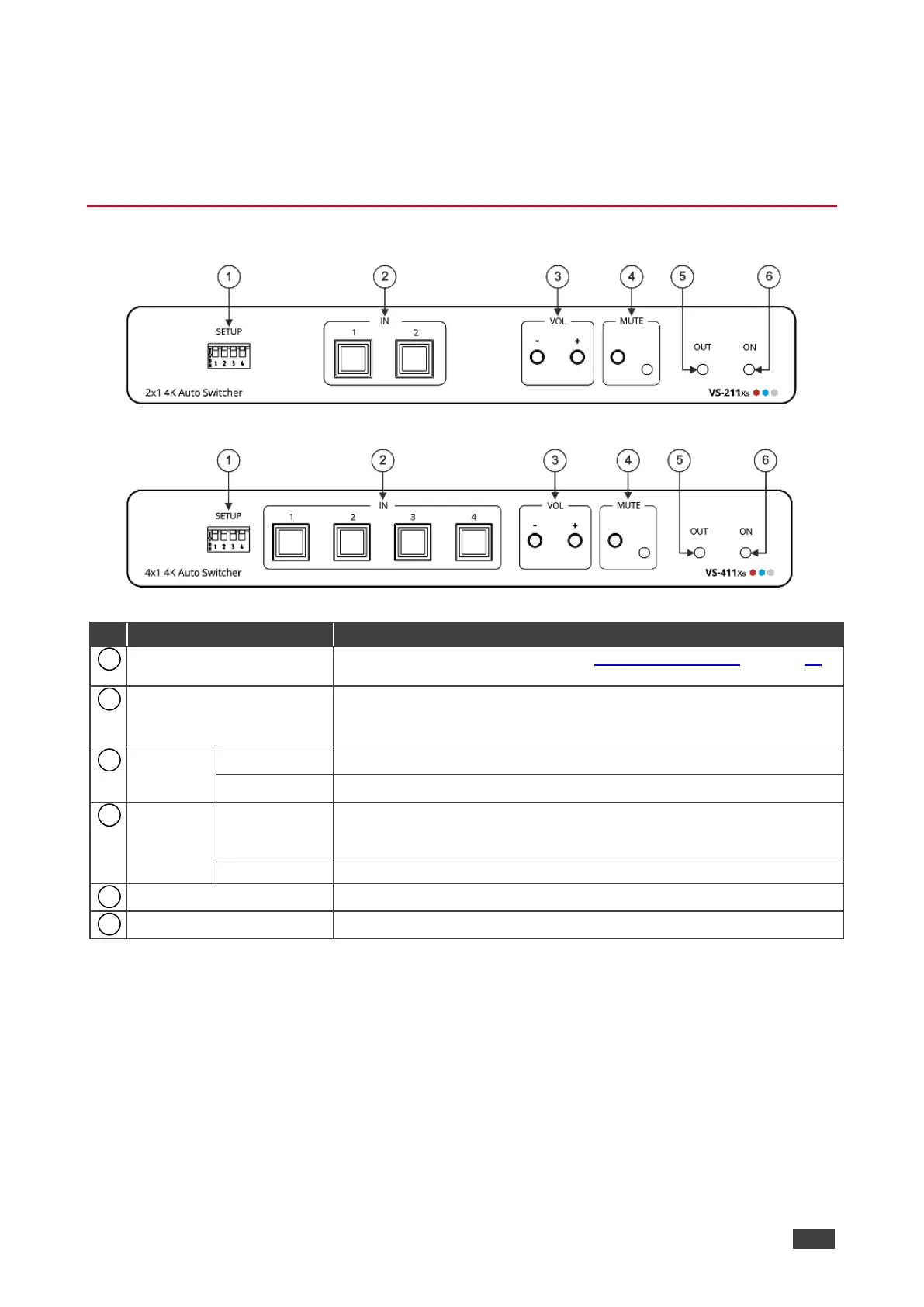
This section defines VS-211XS and VS-411XS front and rear panels.
VS-211XS / VS-411XS Front Panel
Figure 1: VS-211XS 2x1 4K Auto Switcher Front Panel
Figure 2: VS-411XS 4x1 4K Auto Switcher Front Panel
Set the operation DIP-switches (see Setting DIP-Switches on page 15).
Press to select an HDMI input (button lights orange):
VS-211XS: IN 1 and IN 2.
VS-411XS: IN 1 to IN 4.
Press to decrease audio output volume.
Press to increase audio output volume.
Press to mute the audio output.
The audio signal remains mute when using the VOL – button and
unmutes automatically when pressing the VOL + button.
Lights red when audio output is muted.
Lights green when an HDMI output is connected.
Lights green when the device receives power.



 To Next Page