4. Enter the Password (Admin, by default).
5. Click OK. The password fields disappear, and the upper right icon changes to .
Security is disabled.
To enable security:
1. In the Navigation pane, click Device Settings.
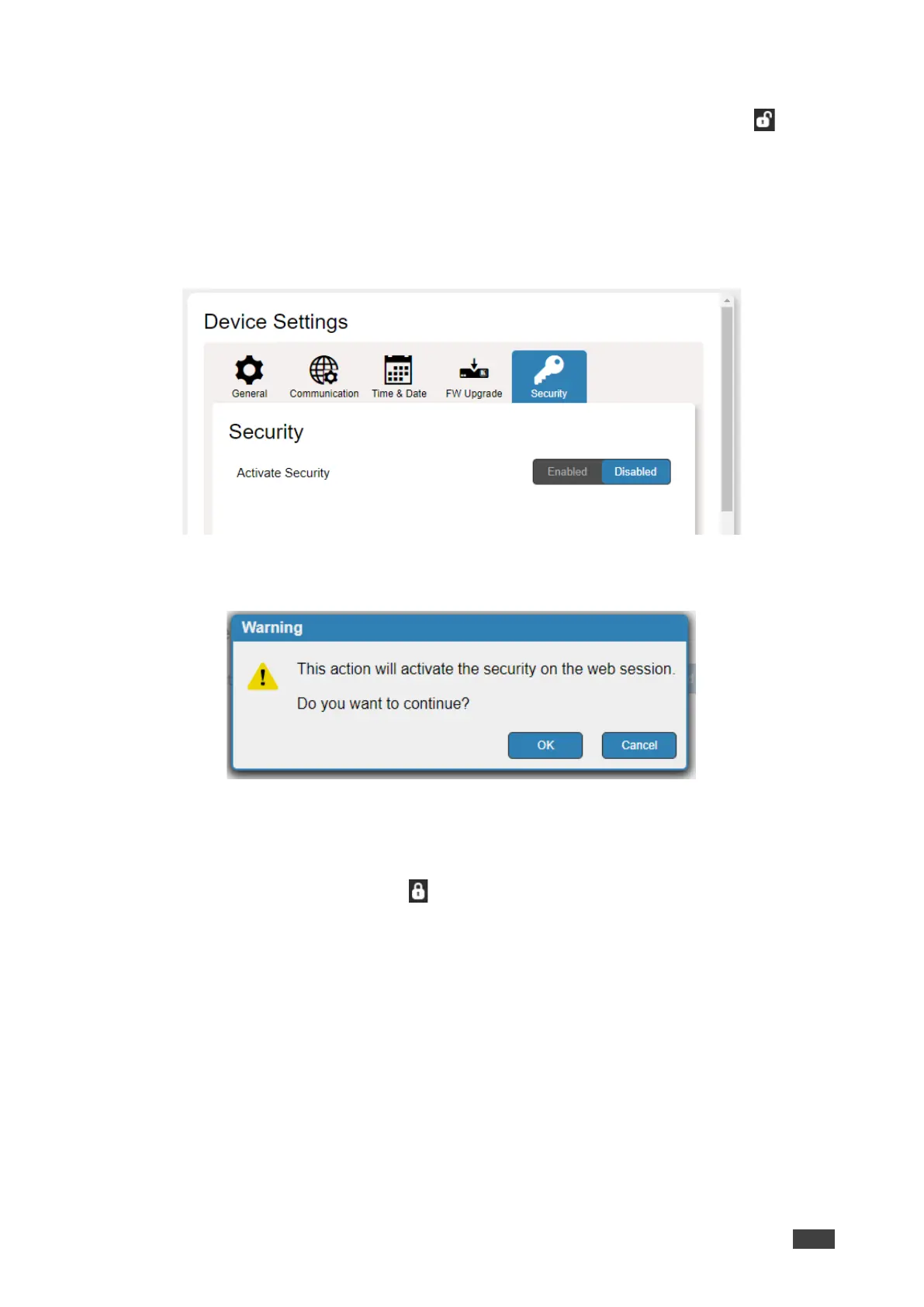
2. Select Security tab.
Figure 29: Device Settings – Security Tab
3. Click Enabled. A warning message appears.
Figure 30: Security Tab – Warning Message
4. Click OK. The web page refreshes, and the password fields are visible.
5. If required, type the current password and new password twice and click Change.
The upper right icon changes to .
Security is enabled.



 To Next Page