VS-211XS, VS-411XS – Using Embedded Web Pages
Viewing and Executing Actions Via Maestro Control Panel
Before connecting to a designated Kramer Aware touch panel, you can view the Maestro
default control panel and ensure the buttons are active and are suited for your needs.
To view and execute actions via the control panel:
1. In the Navigation pane, click Automation. The Automation page appears (see
Figure 39).
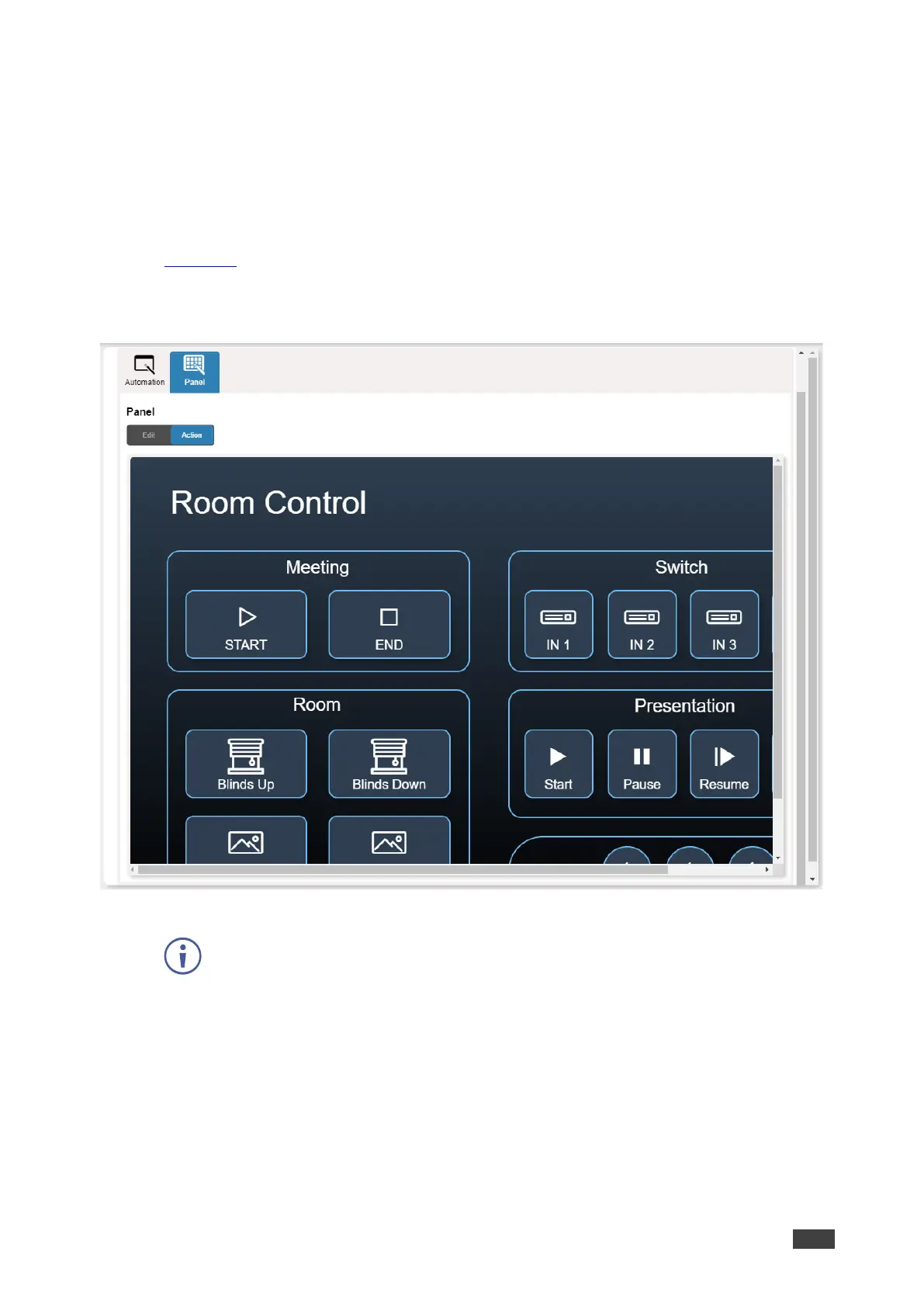
2. Click the Panel tab (by-default, in Action mode). The default VS-411XS Maestro Room
Control panel appears.
Figure 43:Automation Page – Panel Tab
The resolution of the panel fits the designated Kramer Aware touch-panel, therefore
it appears in large-scale.
3. Perform the following actions:
▪ Click meeting Start / End to prepare the room for a meeting (as specified in the
Maestro scripts).
▪ Switch one of the four inputs.
▪ Control room blinds and screen Up / Down.
▪ Play and control a presentation.
▪ Control the audio output.



 To Next Page