To switch ARC to an output:
1. In the Navigation pane, click Switching. The Switching page appears.
2. Select Audio break away tab.
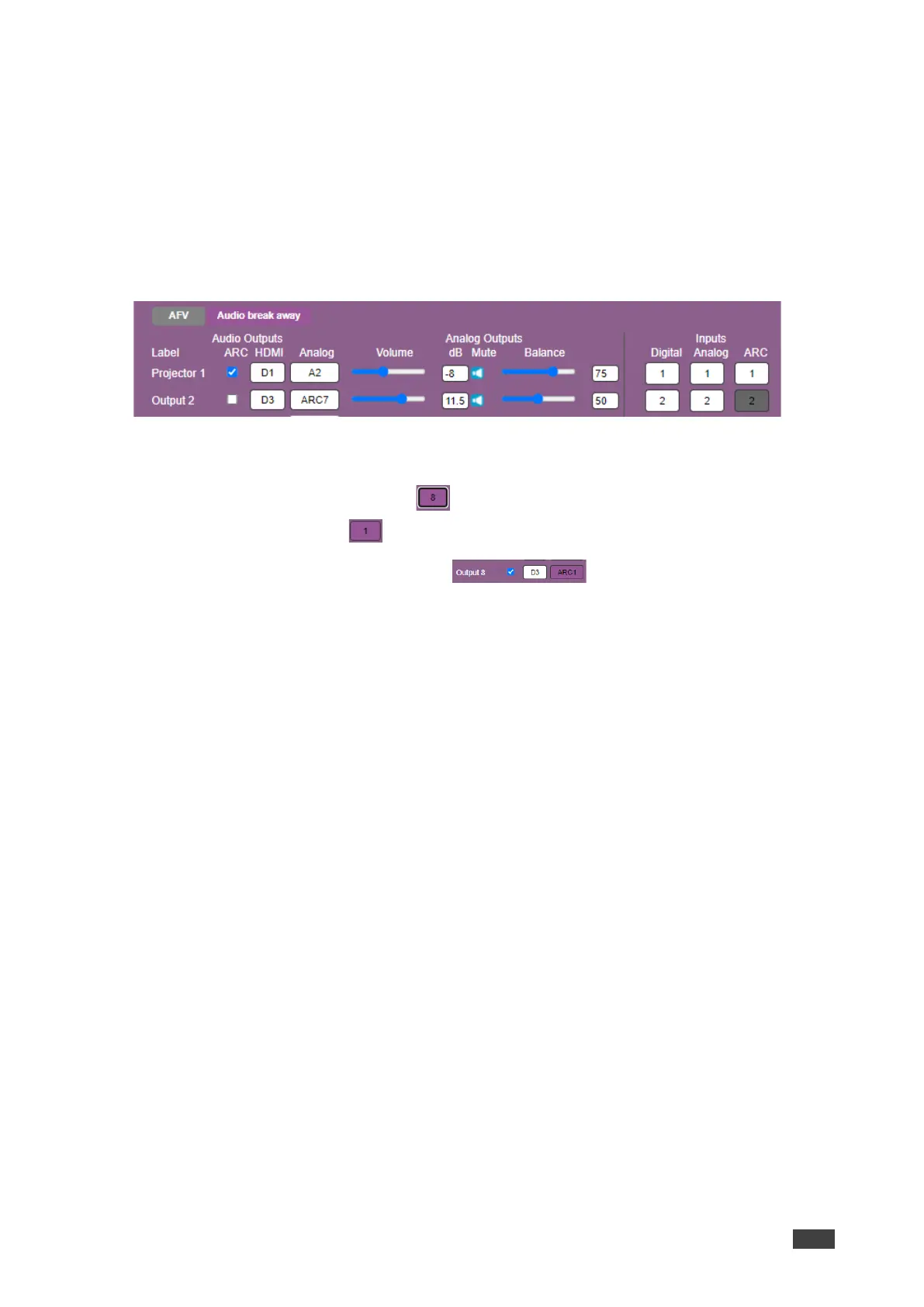
3. Check the ARC check boxes to set these outputs that are set to ARC mode. (under the
Audio Outputs column).
For example, output 1 is set to ARC mode so the output 1 audio signal returns to the
input and can be switched to any analog output. Once an output is set to the ARC mode,
the Inputs ARC button (on the right) is enabled and changes from gray to white.
Figure 23: Switching Page – Output 1 Set to ARC Mode
4. Switch an ARC input to a selected output. For example, switch ARC 1 to output 8:
▪ Click an analog output button .
▪ Click an ARC button .
Analog Output 8 is switched to ARC 1 .
An ARC is switched to an output.



 To Next Page