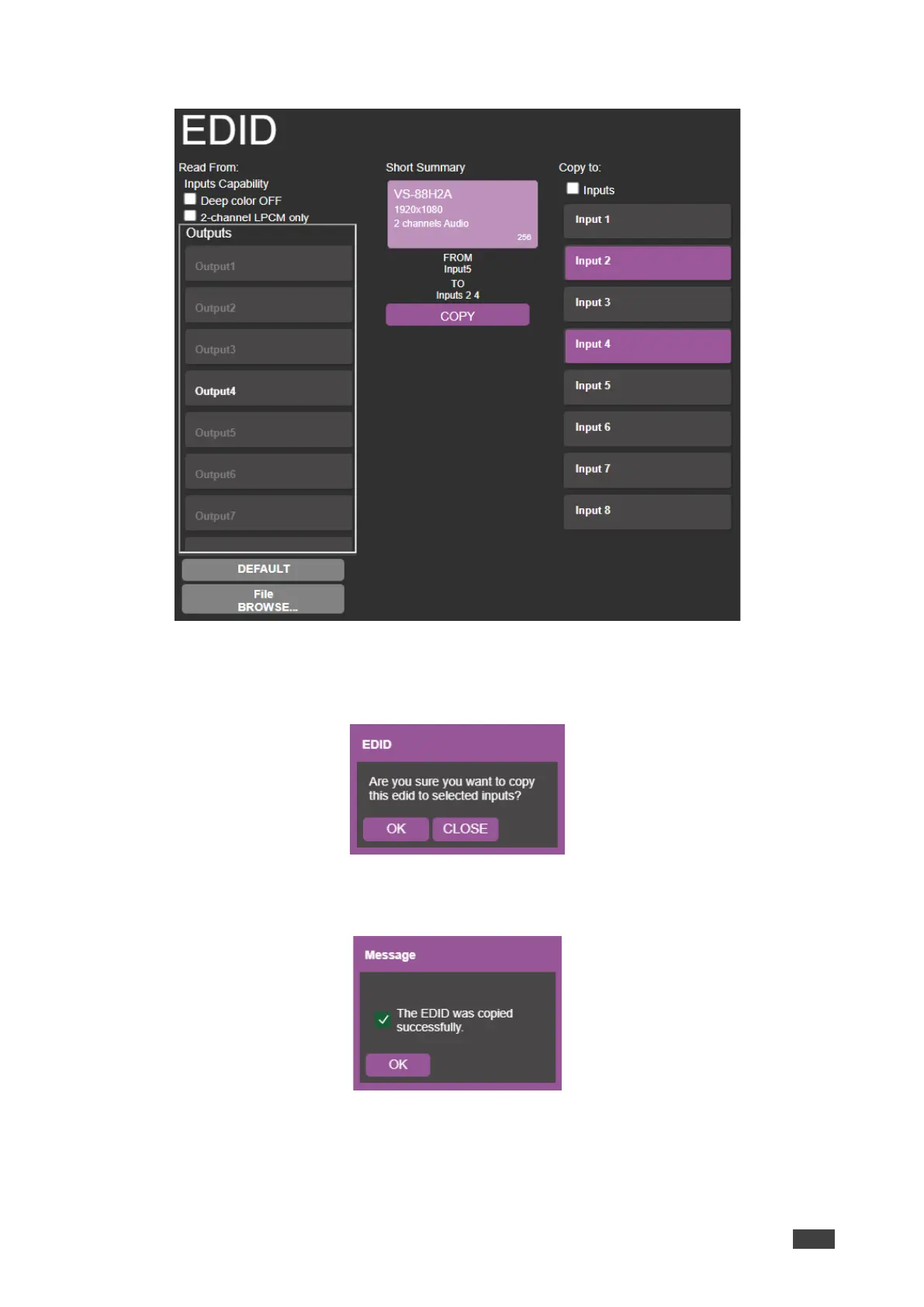
3. Select an input (or all the inputs) to which the EDID is copied.
Figure 48: EDID Management Page – Select an Input
4. Click COPY.
The EDID message appears.
Figure 49: EDID Page –EDID Copy Message
5. Click OK. The following message appears:
Figure 50: EDID Management Page – Loading the EDID from Output to Input
6. Click OK.
EDID is copied from a selected, connected output to the selected inputs.



 To Next Page