11
4.0 DESCRIPTION OF CONTROLS
4.1 MEMORY MANAGEMENT
The memory system of the DPF3103 is arranged into four main areas -
1. Scratch pad - the working area where all editing is done
2. Program - used to store up to 99 DPF3103 set-ups.
Each Program Memory location stores data for a complete set-up i.e. all
parameters for the Graphic, Parametric & Filters, Dynamics and when fitted
the Delay & Digital I/O options. Program 00 is pre-programmed and cannot
be edited. It provides flat settings (both EQ and GAIN) for the Graphic and
Parametric & Filters and safe default settings for the Dynamics processors.
3. System - used to store Meter settings, Backlight timer, MIDI channel etc.
4. Real Time Analyser - used to store up to 45 RTA Curves.
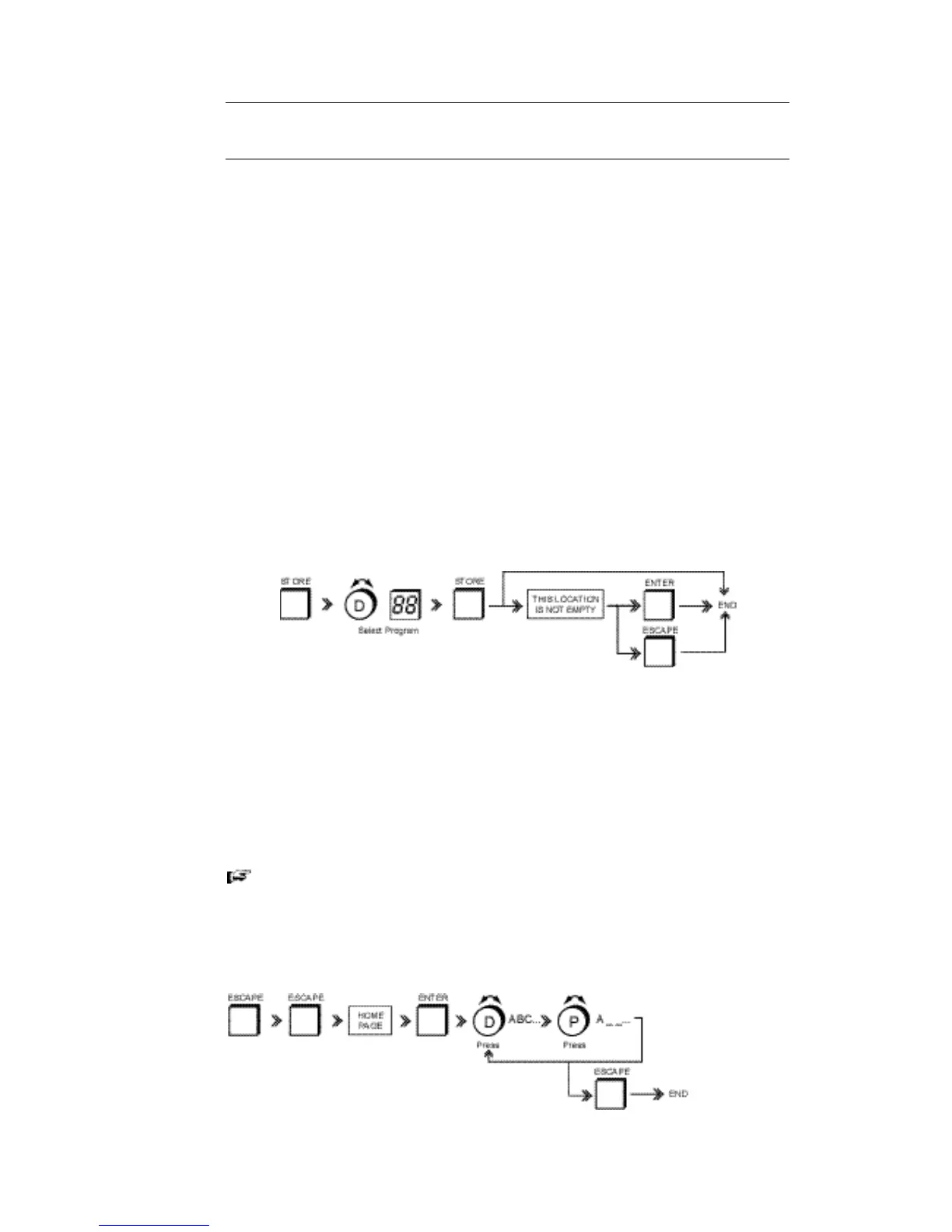
STORING A PROGRAM:
Used to store the contents of the Scratch pad to a numbered and named program
location. Remember you cannot save to Program '00'.
• Press STORE. A dialogue box shows the current Program number and name.
• Use the DATA WHEEL to select a program number and press STORE.
If the program location already has data stored in it a dialogue box with 'This
location is not empty .....' is shown
• Press ESCAPE to cancel the STORE routine
OR
• Press ENTER to overwrite the program location with the current edit.
You can also save a program by pressing ENTER directly after STORE. This
will of course overwrite any data present in the selected location.
NAMING A PROGRAM:
Use to name a program.



 To Next Page