12
4.0 DESCRIPTION OF CONTROLS
The name can be viewed in the SAVE, RECALL and COMPARE menus and on the
HOME page.
• Press ESCAPE repeatedly until you get to HOME page.
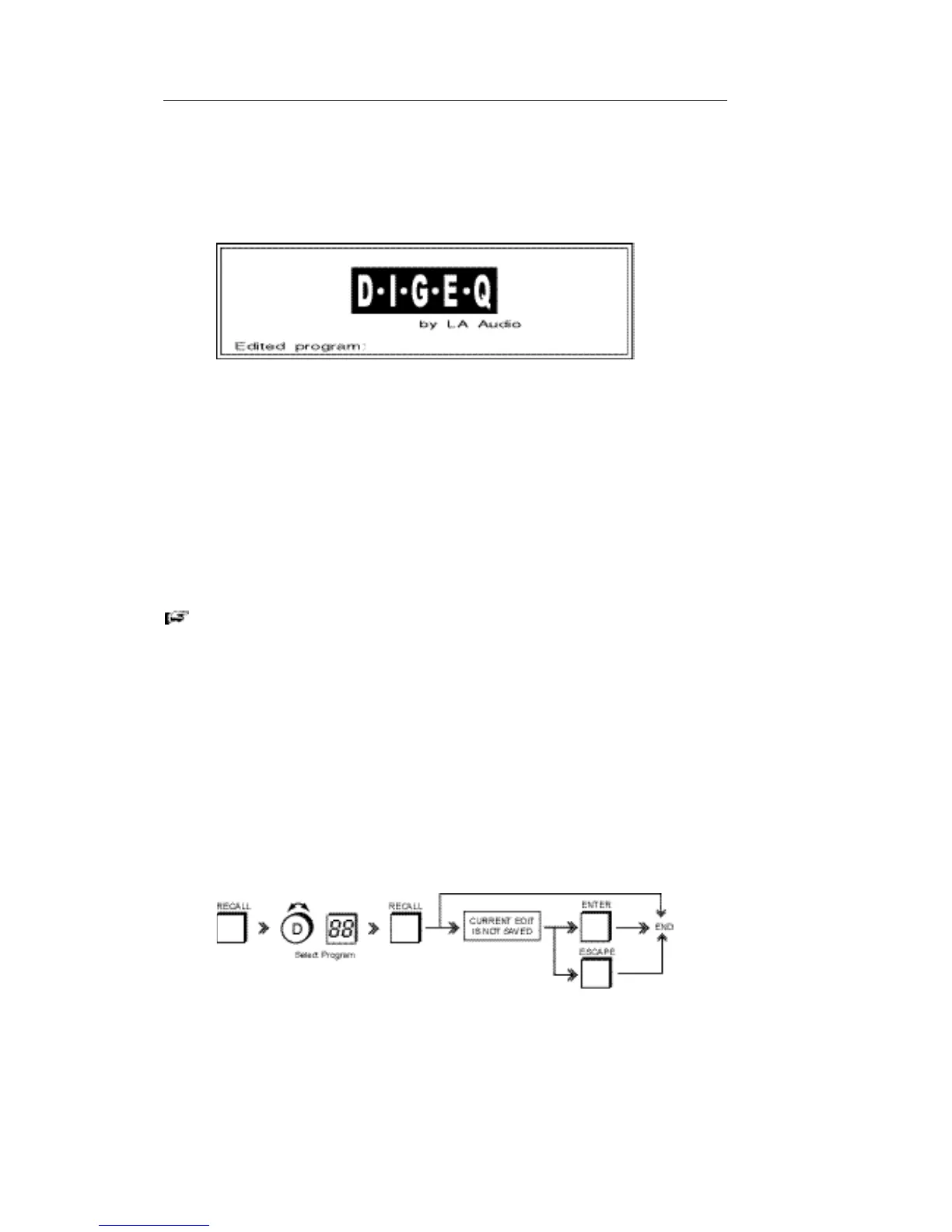
Home page screen.
• Press ENTER, cursor flashes under the first character.
• Use the DATA WHEEL (DATA mode) to select a character, which can include
upper & lower case letters, numbers and punctuation marks (including
spaces).
• Press DATA WHEEL (PARAMETER mode) and move to next character.
Whilst in this mode you can rotate the DATA WHEEL either way to move to
any character. You can repeat this process up to a maximum of 12
characters.
• To exit naming press ESCAPE.
If you wish to return to a particular screen each time you RECALL a Program,
select the page e.g. Graphic, Parametric, Limiter etc. before you STORE
otherwise you will RECALL the Home page.
• After pressing ESCAPE select the function and then save the Program.
With the optional RTA module (see Section 9) fitted a second line, Curve name, is
shown above Edited Program. Use the
buttons to select between Edited
Program and Curve name.
RECALLING A PROGRAM:
Use to RECALL a previously stored program or the '00' preset.
• Press RECALL. Dialogue box shows the current Program number and name.
• Use DATA WHEEL to select a Program number/name.
• Dialogue box shows selected Program number and name.
• Press RECALL.



 To Next Page