27
7.0 SOFTWARE REPLACEMENT
BEFORE YOU START:
The DPF3103 contains dangerous voltages so ensure you disconnect the mains
supply
The unit uses Static sensitive devices so ensure you understand and implement
Electro-Static-Discharge (ESD) precautions
Do not touch the components on any of the printed circuit boards
Hold the modules by the edges only.
PROCEDURE:
• Working with the front of the DPF3130 towards you, remove the six M2.5
countersunk screws securing the cover
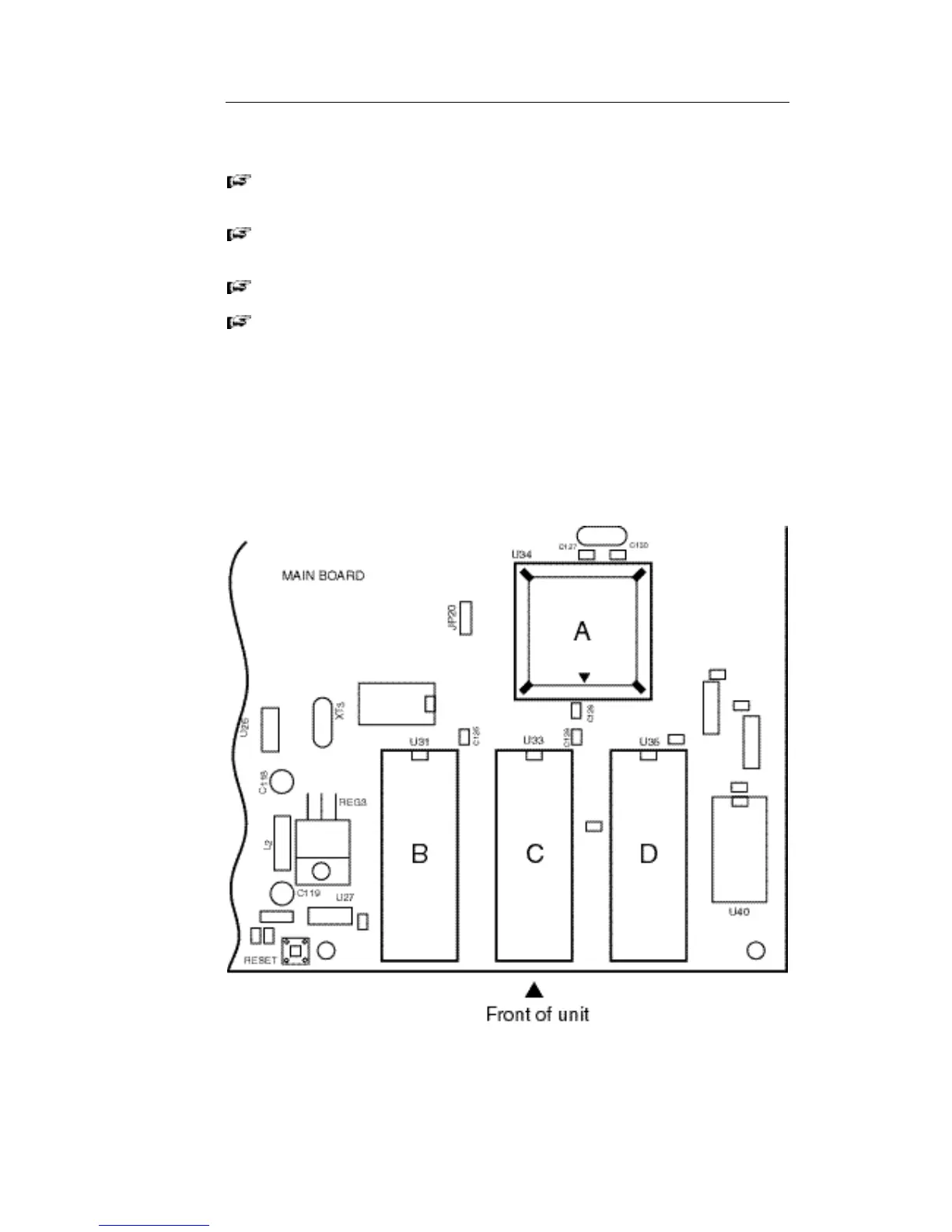
• Locate the memory ICs marked U31, U34 and U35 on the following diagram.
• Take a note of the orientation of the ICs before removing them. The two
EPROMS (U31 and U35) have their pin 1 marker towards the back of the unit.
U31 should be empty. U34 (PLCC) has it's pin 1 marker towards the front of the
unit (next to C128).



 To Next Page