The FT Series Floor Standing, Combination Boiler
Page 37
4.12 High Altitude Installations. 2,000’ to 10,000’
# Altitude of Installation
0 0~1999 ft (0~609 m)
1 2,000~4,499 ft (610~1,645 m)
2 4,500~7,699 ft (1,646~2,346 m)
4 7,700~10,000 ft (2,347~3,048 m)
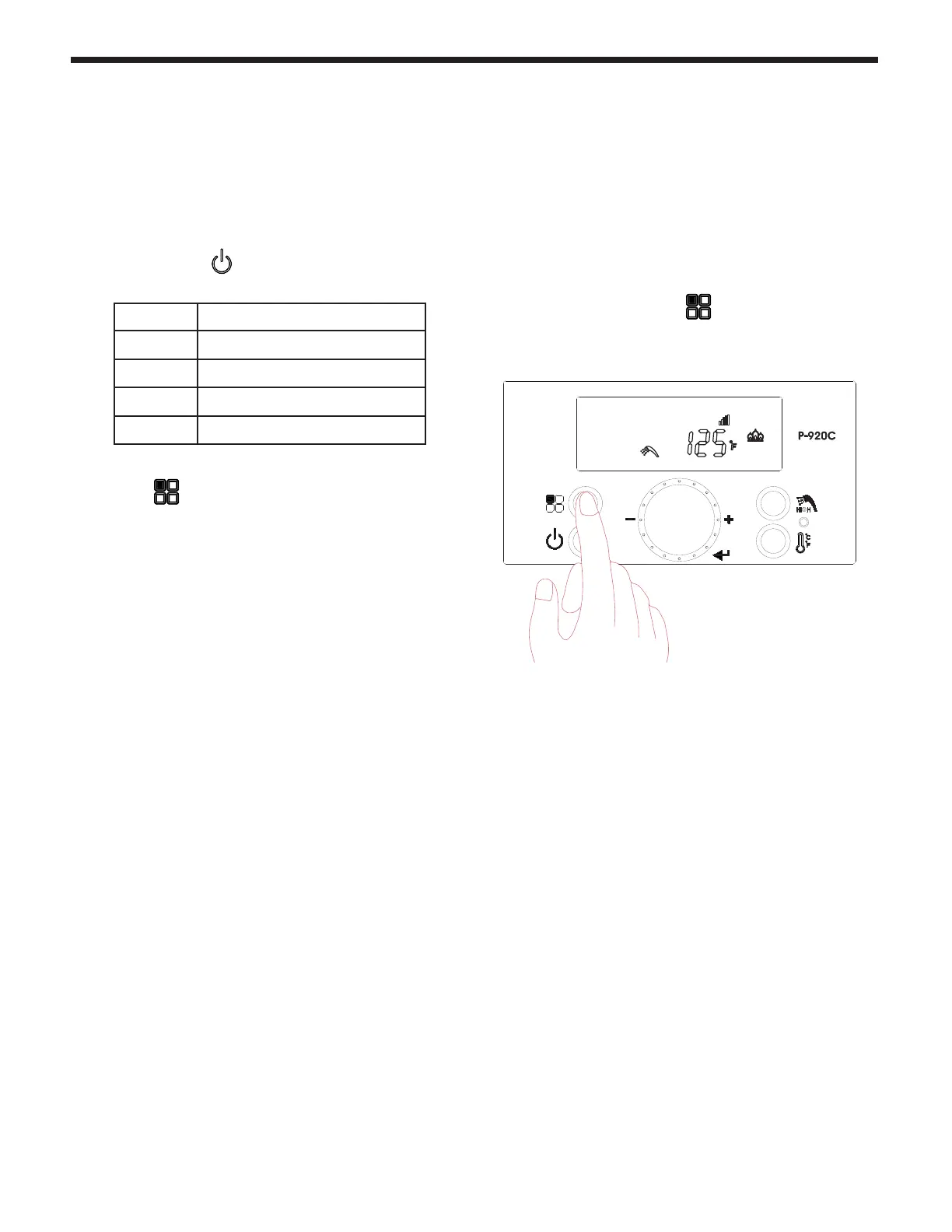
1. With the Power turned OFF, press the 'Modes
button' for 5 seconds to get into the Installer
Parameters Mode.
2. Turn the dial (E) until ‘28:HA’ appears.
3. Press the dial (E).
4. Set the high altitude value by turning the dial.
Refer to table.
The FT is shipped with a default factory setting for installation at an altitude of 0 to 2000’ (approx). For
maximum eciencies at higher altitudes (2,000’ to 10,000’), the FT does have an adjustment in the Installer
Parameters Mode.
Follow these instructions if your installation is at 2,000’ - 10,000’.
5. Press the dial again (E) to save the setting.
6. Press the ‘Modes button’ for one second, to
Save the number and to go back to initial status.



 To Next Page