Page 60
To change Storage Mode Temp, First turn OFF the power to the Control Display.
Then Press and Hold Button B
to get into the Installer Mode.
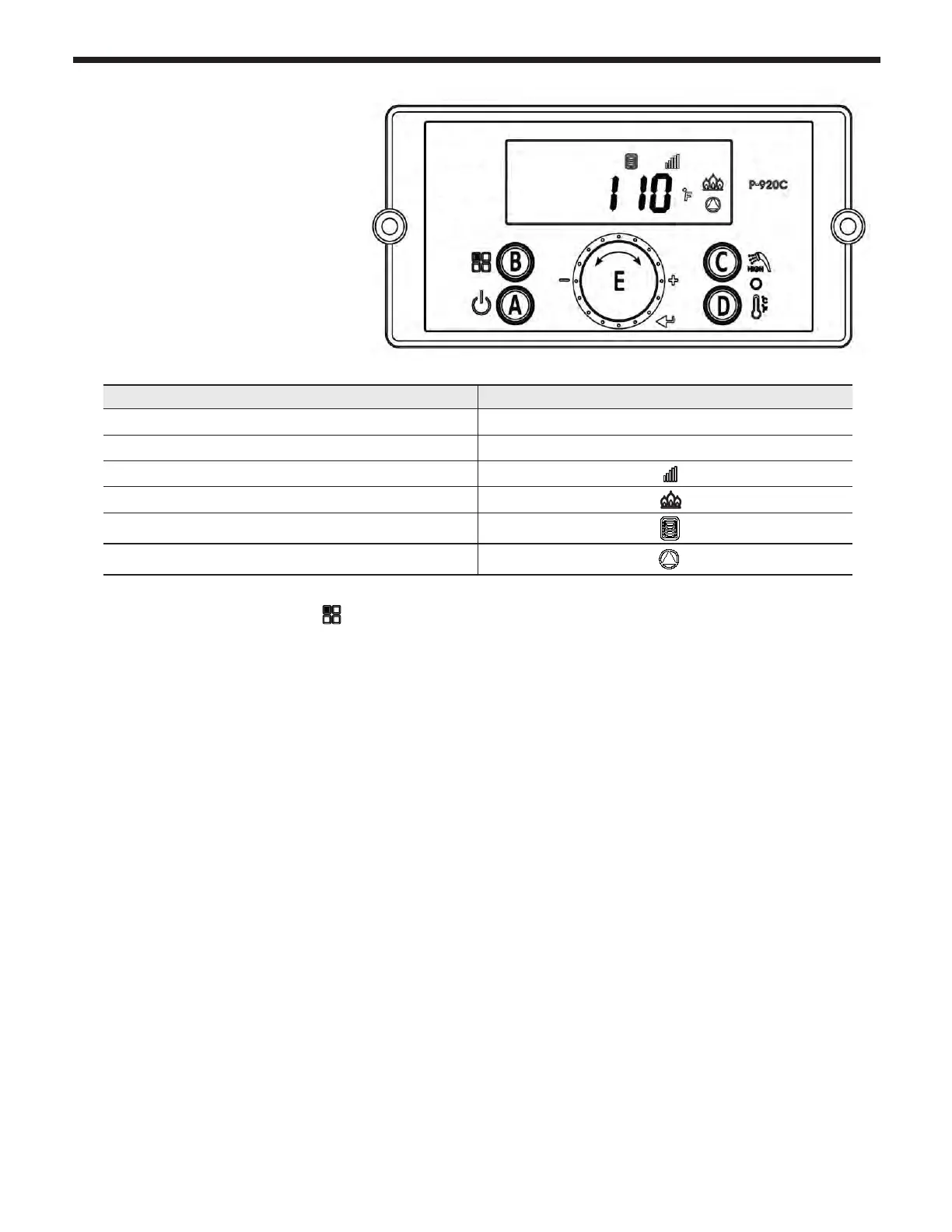
Rota te Dial E until you nd 24:SF Tap Dial E to enter Storage Mode. Storage Mode indicates that the
boiler is heating the water held in the internal storage tank. When Storage Mode is active, the display
will appear as shown.
Turn the E dial clockwise to increase, and counterclockwise to decrease setting.
Press E dial to save changes and to Exit.
Indicate Example
Current Operating Temperature
110°F
Temperature sign Celsius or Fahrenheit letter
°C or °F
Display and Controller are communicating
If ame detected
Storage mode indication
If Pump is operating
5.7 Storage Mode



 To Next Page