USER GUIDE
30
WINDOWS AND ROOF LIGHTS
5.3.4 MPK 40 X 40
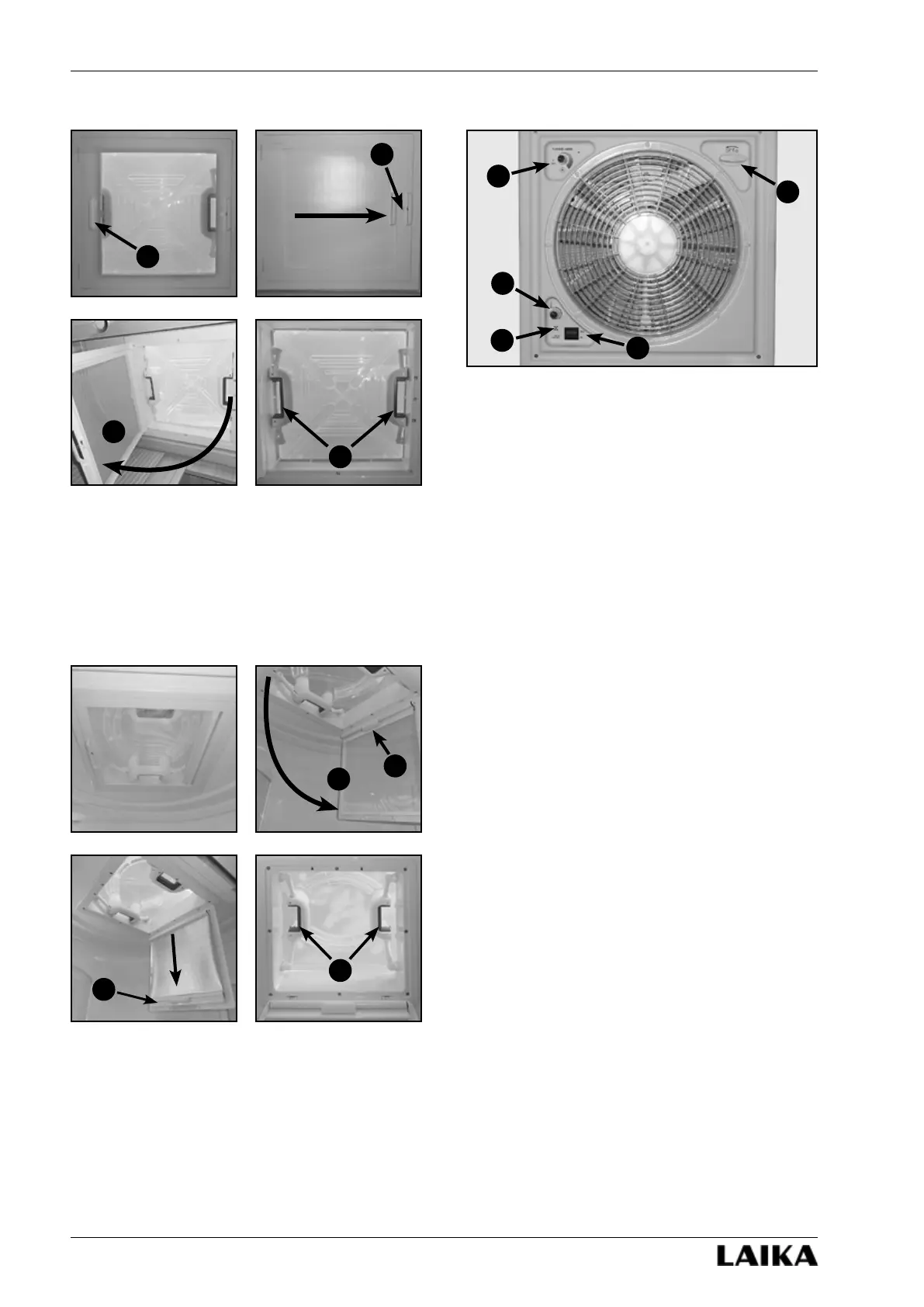
To close the blind, pull up the handle (a) until you find
the locking point (b).
To open the roof light, open the mosquito net (c),
press the lock buttons (d) situated in the handles and
push the roof light cover upward.
5.3.5 MPK 28 X 28
To close the blind, open the mosquito net (a), pull up
the handle (b) until you find the locking point (c).
To open the roof light, press the lock buttons (d)
situated in the handles and push the roof light cover
upward.
5.3.6 Fiamma Turbo Vent 40 X 40
a) Opening crank handle.
b) Fan speed selector.
c) Temperature selector.
d) Temperature sensor.
e) Intake/ventilation switch.
This roof light is provided with a thermostat for
automatic operation. To disable automatic operation,
position selector (b) to “OFF”.
Automatic operation
1) Open the outer cover by means of crank (a).
2) Set the desired speed of the fan by means of
selector (b).
3) Set the direction of rotation of the fan through the
switch (e) (intake mode or ventilation mode).
4) Set the operating temperature by means of selector
(c). When the ambient temperature exceeds the set
temperature, the fan automatically starts running.
When the ambient temperature drops below the
set temperature, the fan stops.
Manual Operation
For manual operation, follow the same steps as for
automatic operation, setting minimum temperature
with selector (c).
a
b
c
b
a
c
d
d
a
b
c
d
e



 To Next Page