2.9 PANEL MOUNTING
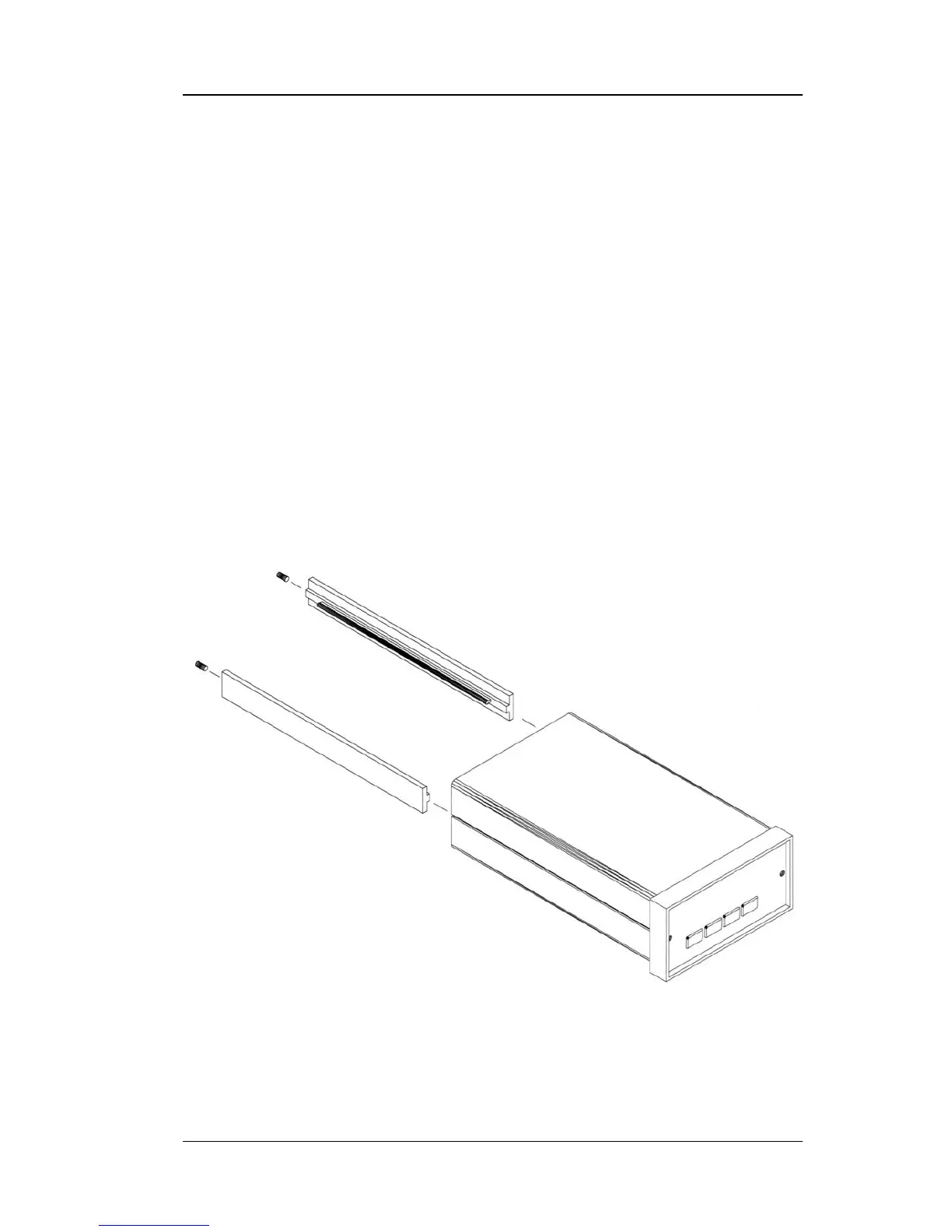
The Model 211 can be easily panel mounted using the panel mount brackets
included. The Model 211 fits in a 91 × 44 mm (3.6 × 1.7 in) cutout. To
panel-mount the instrument, unplug the unit and use a
1
⁄
16
-inch hex wrench
to remove the two set screws holding the brackets in place. Remove the two
panel mount brackets by sliding them towards the rear of the unit. Place the
unit into the panel cutout. Slide the two panel mount brackets back into the
case of the instrument. Reinstall the two set screws and tighten them until
the instrument is secure.
The Model 211 can also be purchased with either of two panel mount
adapters. The Model 2111 or 2112 will mount one or two temperature
monitors in a ¼-DIN cutout measuring 105 mm wide × 132 mm high
(4.1 × 5.2 in). See Figure 2-5.
Panel.bmp
Figure 2-4. Panel Mounting Details



 To Next Page