EasyManua.ls Logo

Lakeshore 211 - Table 4-2. Serial Interface Program Control Properties

Default Icon
96 pages
Print Icon
To Next Page IconTo Next Page
To Previous Page IconTo Previous Page
Loading...
Lake Shore Model 211 User’s Manual
4-
6
Remote Operation
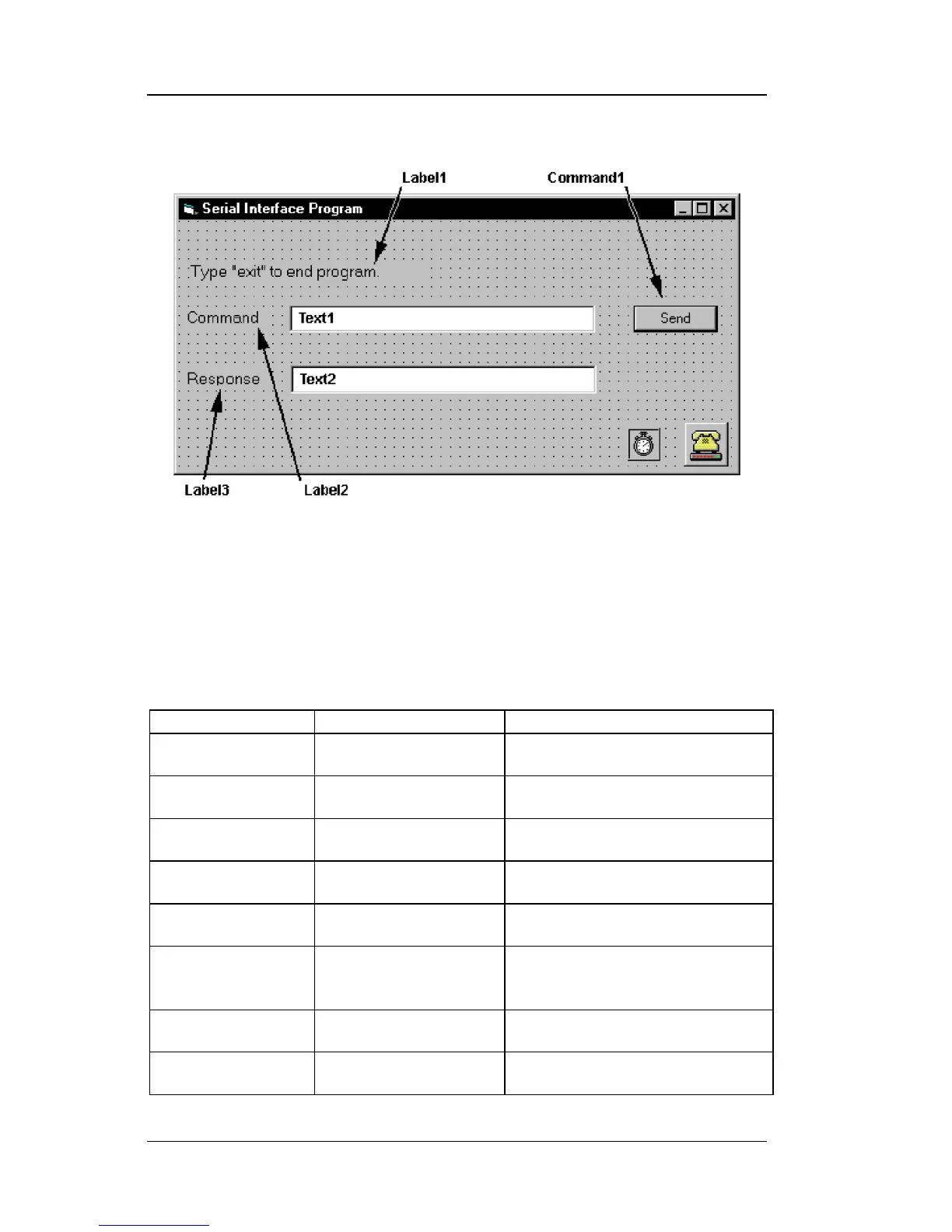
Visual Basic Serial Interface Program Setup (Continued)
9. In the Properties window, use the dropdown list to select between the
different controls of the current project.
10. Set the properties of the controls as defined in Table 4-2.
11. Save the program.
Table 4-2. Serial Interface Program Control Properties
Current Name
Property
New Value
Label1
Name
Caption
lblExitProgram
Type ―exit‖ to end program.
Label2
Name
Caption
lblCommand
Command
Label3
Name
Caption
lblResponse
Response
Text1
Name
Text
txtCommand
<blank>
Text2
Name
Text
txtResponse
<blank>
Command1
Name
Caption
Default
cmdSend
Send
True
Form1
Name
Caption
frmSerial
Serial Interface Program
Timer1
Enabled
Interval
False
10

Table of Contents

Related product manuals