64
10 Accessories
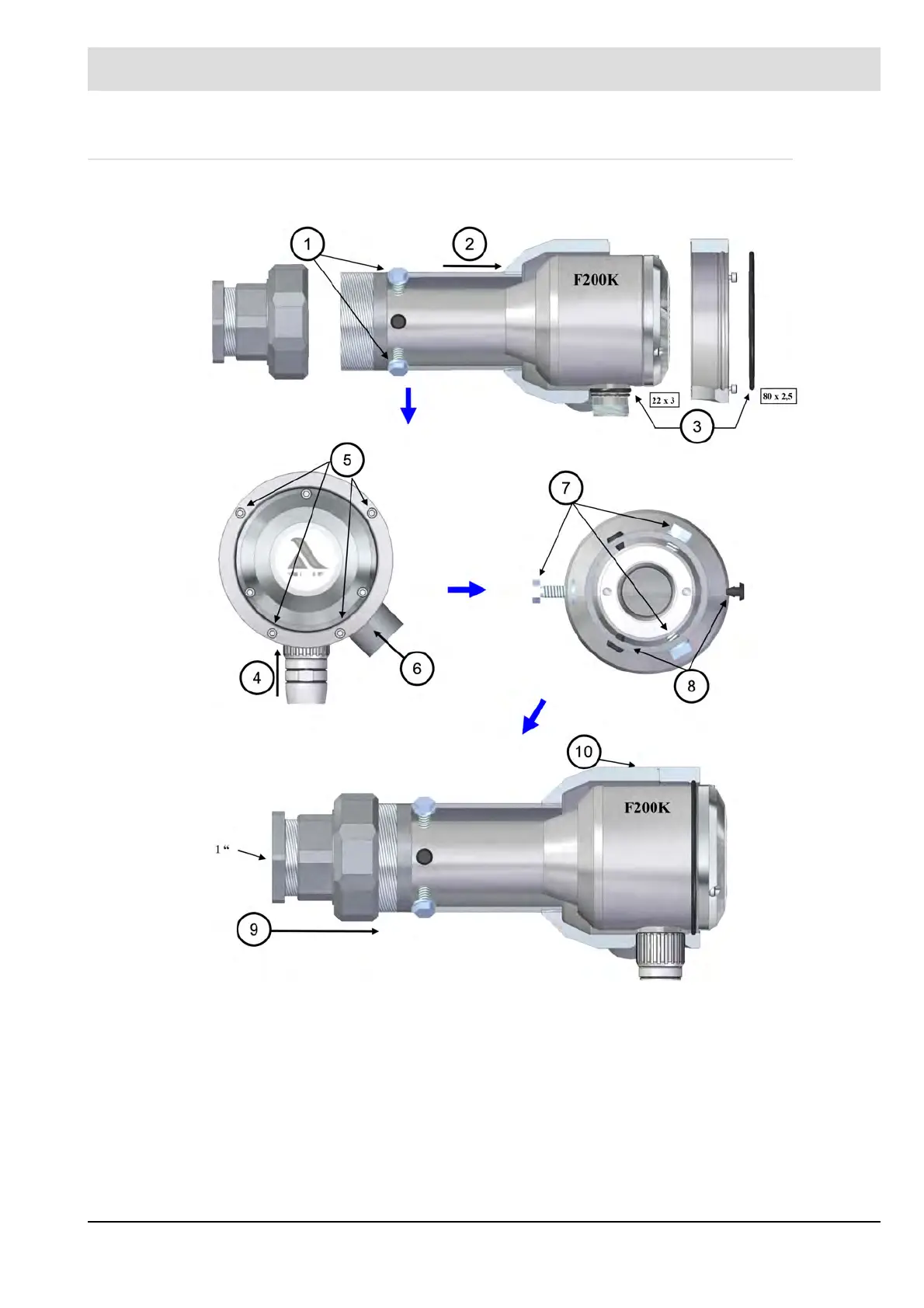
10.4 Installation in the Cooling Air Housing
Installation steps 1 to 10
1 Remove the screws before
inserting / removing the F200K
2 Screwing the pipe 3 Insert sealing rings
4 Connect cable 5 Fix housing part 2 to part 1
with 4x cylinder screw M3 x 16
and washer M3
6 Screw in air socket ½ " for air
supply
7 Adjusting the F200K in FS 50
pipe by 3x PA screw M6x11
8 Rubber stopper removable for
optional cooling air discharge
9 Screw screw connection and
reducing nipple
10 Attach rating plates
(incl. serial number)



 To Next Page