Monitoring and Configuring the Printer
68
4
❒ If the HTTP port is disabled, connection to the machine using the machine's
URL cannot be established. SSL setting must be enabled on this machine. For
details, consult your network administrator.
❒ When using the SSL encryption protocol, enter “https://(printer's address)/”.
Internet Explorer must be installed on your computer. Use the most recent
available version. We recommend Internet Explorer 6.0 or later.
Displaying Top Page
This section explains the Top Page and how to display Web Image Monitor.
A Start your Web browser.
B Enter “http: //(machine's address)/” in the address bar of a Web browser.
Top Page of Web Image Monitor appears.
Note
❒ If the machine's host name has been registered on the DNS or WINS server,
you can enter it. For details, see p.133 “Using DHCP”.
❒
When setting SSL, a protocol for encrypted communication, under environment
which server authentication is issued , enter "https://(machine's address)/".
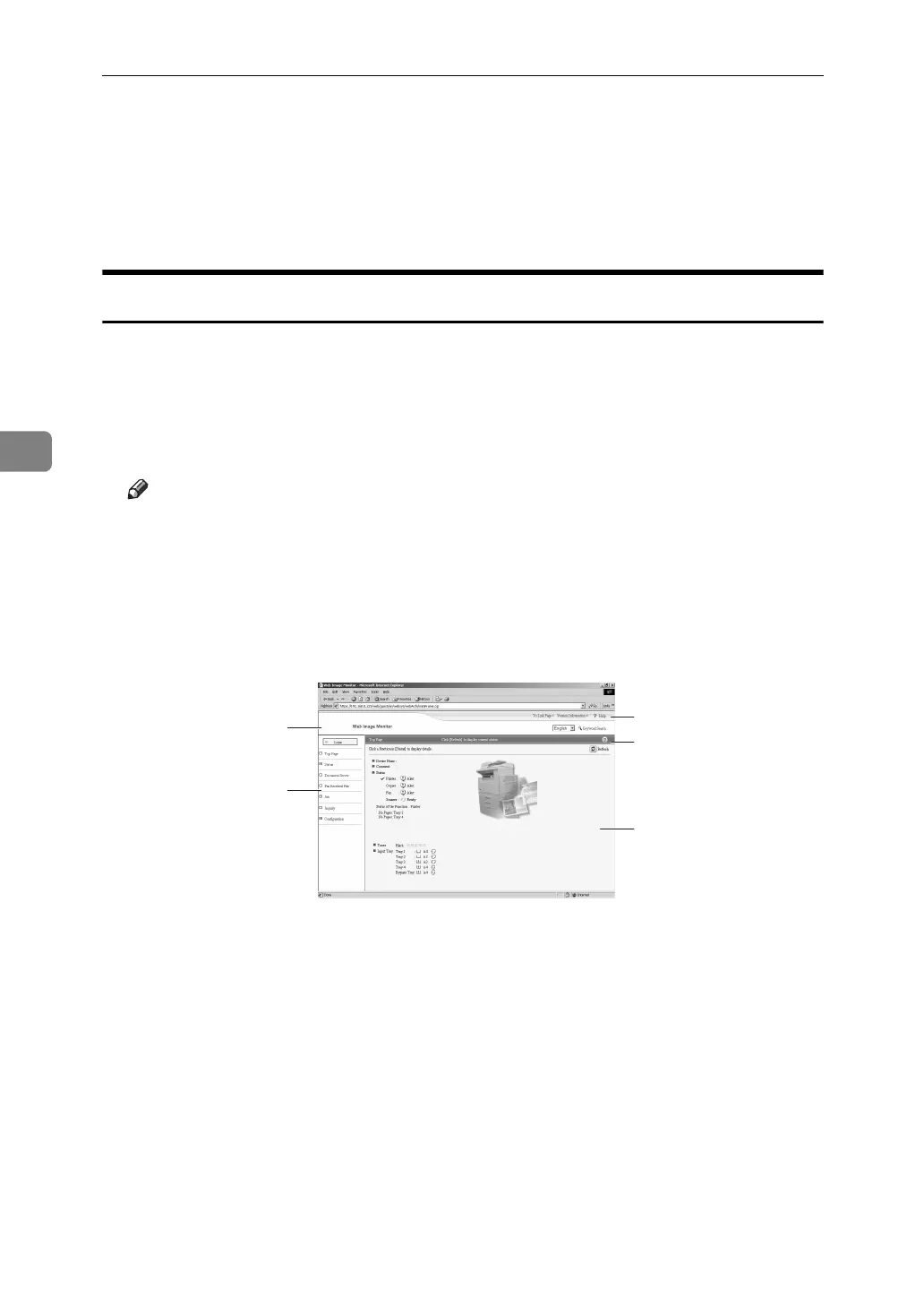
Every Web Image Monitor page is divided into the following areas:
1. Header area
The link to help and dialog box for
keyword search appears.
2. Menu area
The dialog box for switching to the
user mode and administrator mode
appears, and each mode's menu will
be displayed.
If you select menu, it's content will be
shown on the work area, or the sub area.
3. Display area
Displays the contents of the item se-
lected in the menu area.
Machine information in the display area
is not automatically updated. Click [Re-
fresh] at the upper right in the display
area to update the machine information.
Click the Web browser's [Refresh] but-
ton to refresh the entire browser screen.
Machine status, network interface board
names, and comments are displayed.
4. Help
Use Help to view or download Help
file contents.
1
3
4
4
AJL132S
2



 To Next Page