Remote Maintenance by telnet
91
4
❖ DNS server configuration
The following command enables or
disables the DNS server address:
msh> dns “number” server
“server address”
The following command displays a
configuration using the IP address
192.168.15.16 on a DNS 1 server:
msh> dns 1 server 192.168.
15.16
• You can register up to three
DNS server numbers.
• You cannot use “255.255.255.255”
as the DNS server address.
❖ Dynamic DNS function setting
msh> dns “interface_name”
ddns {on|off}
• You can set the dynamic DNS
function "active" or "inactive".
• {on} means "active" and {off}
means "inactive".
• ip1394 can be specified only when
the IEEE 1394 interface is installed.
• wlan can be specified only when
the IEEE 802.11b interface is in-
stalled.
❖ Specifying the record overlap operation
msh> dns overlap {update|add}
• You can specify operations per-
formed when records overlap.
•update
To delete old records and regis-
ter new records.
•add
To add new records and store
the old records.
• When CNAME overlaps, it is always
changed, irrespective of settings.
❖ CNAME registration
msh> dns cname {on|off}
• You can specify whether to reg-
ister CNAME.
• {on} means "active" and {off}
means "inactive".
• The CNAME registered is the de-
fault name beginning with rnp.
CNAME cannot be changed.
❖ A records registration
msh> dns arecord {dhcp|own}
•{dhcp}
You can specify the method of
registering an A record when
the dynamic DNS function is
enabled and DHCP is used.
• {own}
To register an A record using
the printer as the DNS client.
The DNS server address and the
domain name already designat-
ed are used for the registration.
❖ Record updating interval settings
msh> dns interval “time”
• You can specify the interval after
which records are updated
when using the dynamic DNS
function.
• The updating interval is speci-
fied hourly. It can be entered be-
tween 1 and 255 hours.
• The default is 24 hours.
domainname
Use the "domainname" command to
display or configure the domain
name settings.
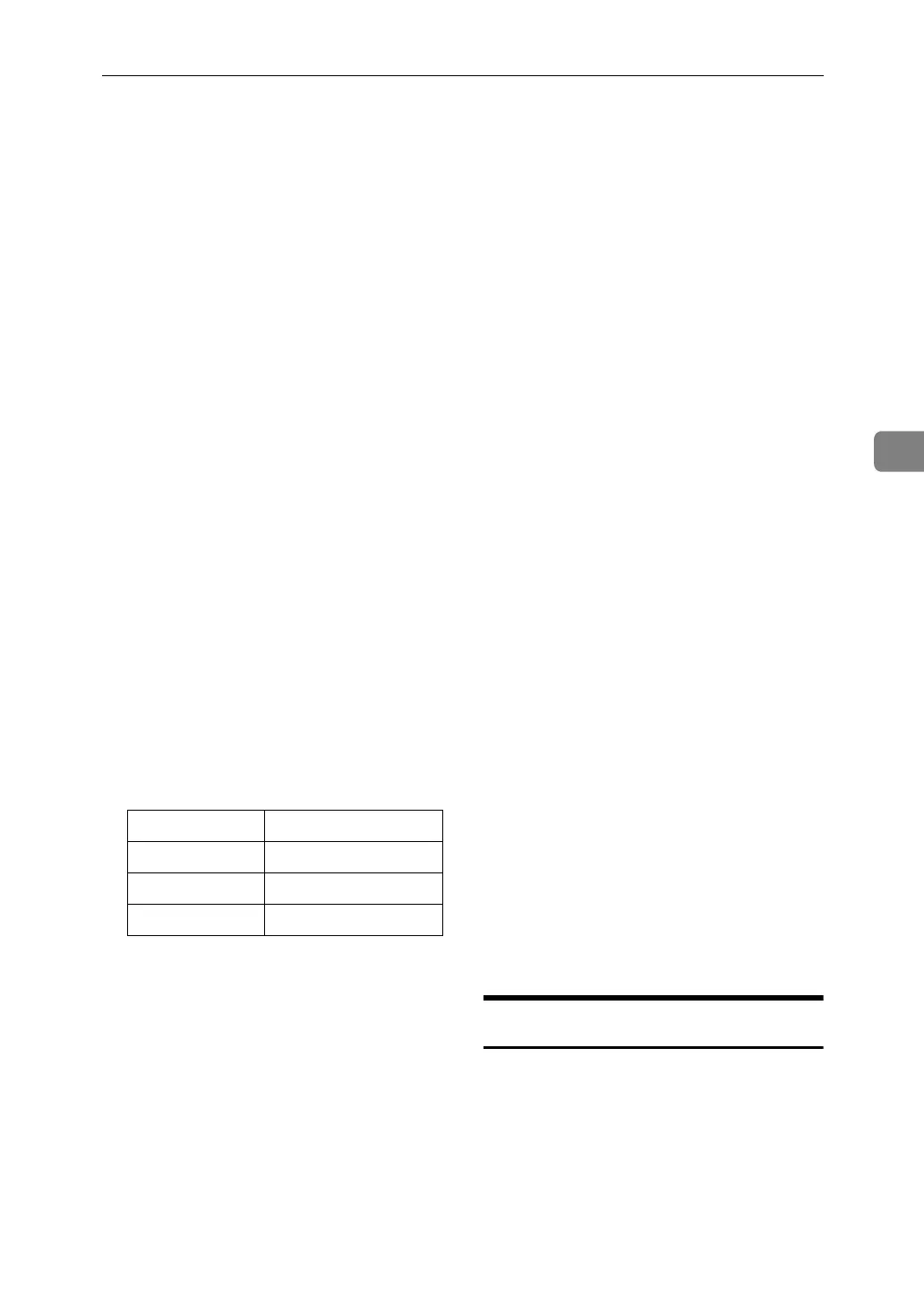
You can configure the Ethernet inter-
face, IEEE 1394 interface, or IEEE
802.11b interface.
Interface name Interface configured
ether Ethernet interface
ip1394 IEEE 1394 interface
wlan IEEE 802.11b interface



 To Next Page