Using Web Image Monitor
69
4
When user authentication is set
Login (using Web Image Monitor)
Follow the procedure below to log on
when user authentication is set.
A Click [Login].
B Enter a login user name and pass-
word, and then click [OK].
Note
❒ For user code authentication,
enter a user code in [User Name],
and then click [OK].
❒
The procedure may differ depend-
ing on the Web browser used.
Log Off (using Web Image Monitor)
Click [Logout] to log off.
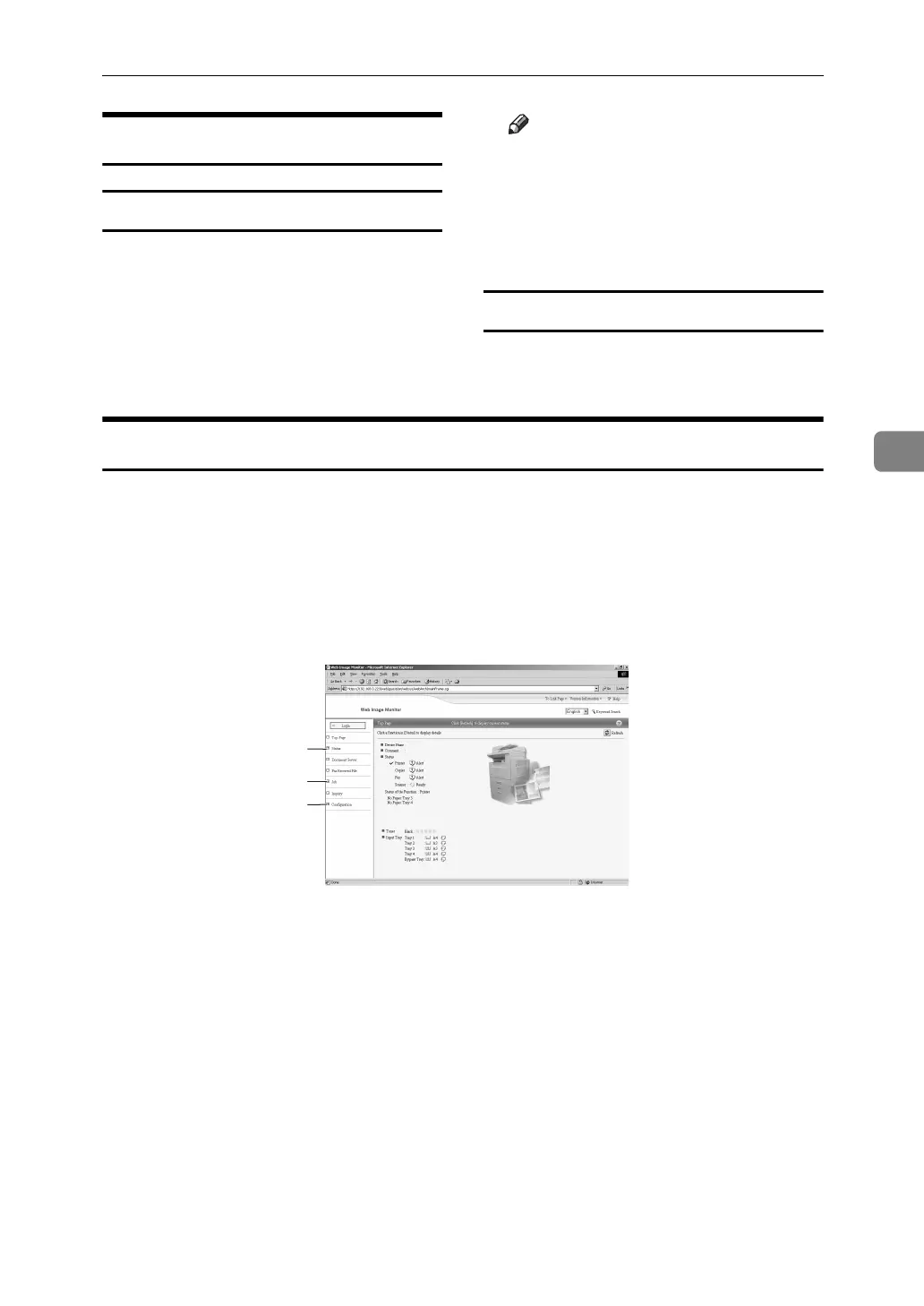
About Menu and Mode
There are two modes available with Web Image Monitor: user mode and admin-
istrator mode.
Displayed Items may differ depending on the machine type.
❖ About User Mode
In the user mode, machine status, settings, and print job status can be viewed,
but the machine settings cannot be changed.
1. Status
Machine status, including the amount
of remaining paper in paper trays and
the amount of remaining toner, is dis-
played.
2. Job
Allows you to display list of Spooled
print Job, Job History, Error Log,
Locked Print and Sample Print jobs.
This also perform or delete Locked
Print and Sample print jobs.
3. Configuration
Display current machine and network
settings, and download help files.
1
2
3
AJL134S



 To Next Page