Monitoring and Configuring the Printer
70
4
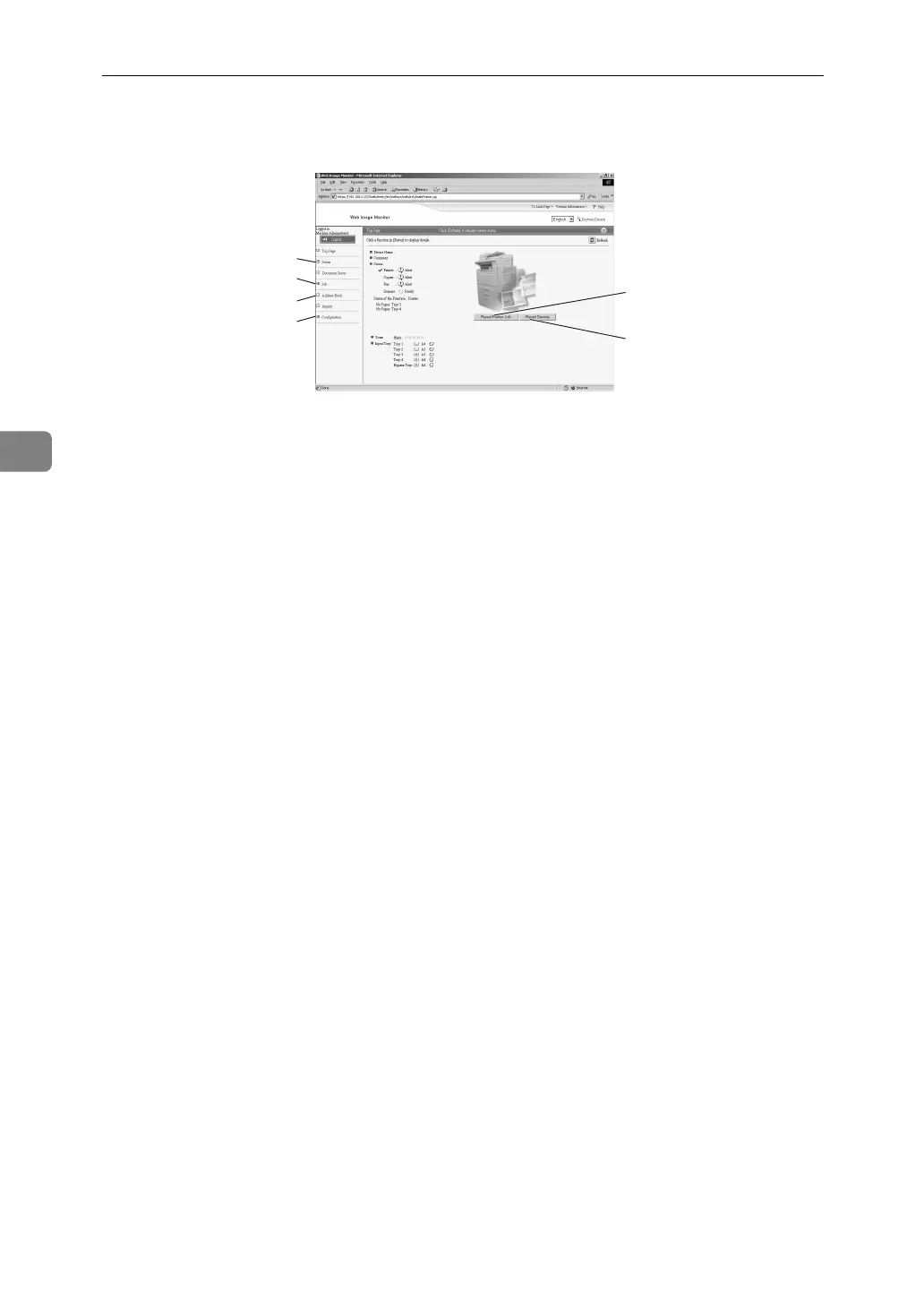
❖ Administrator Mode
In the administrator mode, you can configure various machine settings.
1. Status
Machine status, including the amount
of remaining paper in paper trays and
the amount of remaining toner, is dis-
played.
2. Job
Allows you to display list of Spool
Print Job, Job History, Error Log,
Locked Print and Sample Print jobs.
This also allows you to delete Spooled
Print Job, Locked Print and Sample
Print jobs.
3. Address Book
User information can be registered,
displayed, changed, and deleted.
4. Configuration
Make system settings for the machine,
interface settings, and security.
5. Reset Printer Job
Click to reset current print jobs and
print jobs in queue. This button is lo-
cated on Top Page.
6. Reset Device
Click to reset the printer. If a print job
is being processed, the printer will be
reset after the print job is completed.
This button is located on Top Page.
1
2
3
4
5
6
AJL134S



 To Next Page