LAUNCH
X-431 PRO5 User Manual
12
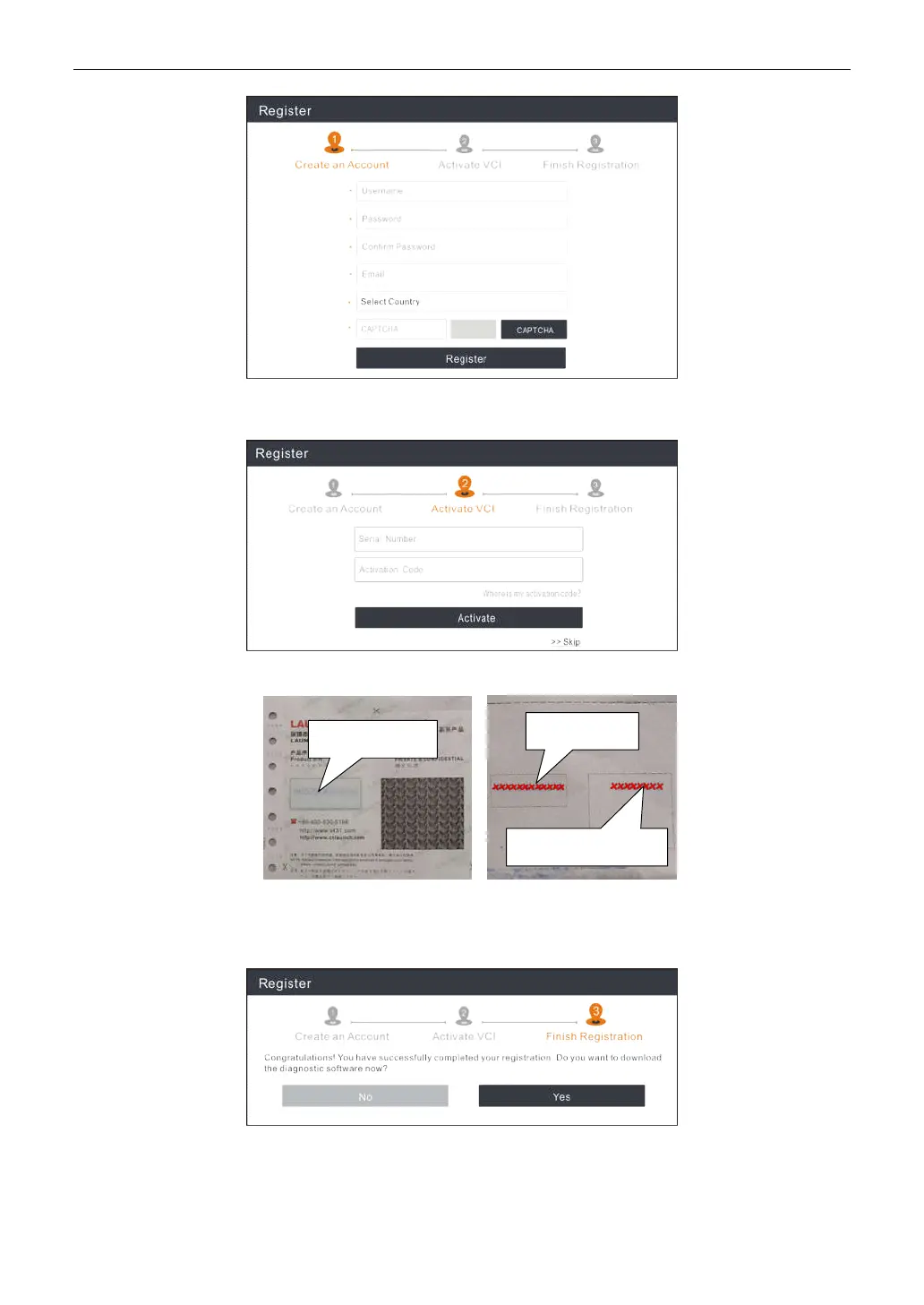
In the above figure, fill in the information in each field (Items with * must be filled). After inputting, tap
Register
, a
screen similar to the following will appear:
Input the Serial Number and Activation Code, which can be found in the Password Envelope.
*Note: To exit and activate it later, tap
Skip
. In this case, please activate the VCI module by tapping
User Info -> Activate
VCI
. For details, please refer to Chapter 10.4 Activate VCI.
Tap
Activate
to finish your registration.
To download the diagnostic software, tap
Yes
to enter the update page.
Tap
No
to download and install it later in the Software Update.
On the download screen, tap
Update
to start downloading. To pause downloading, tap
Stop
. To resume it, tap
Continue
.
Product SN
Activation code
Product SN



 To Next Page