LAUNCH
X-431 PRO5 User Manual
40
In process of remote diagnosis, please note the following things:
1) You are not suggested to execute any actions.
2) The partner is not allowed to save any diagnostic reports or records on your handset.
The operations in remote diagnosis are same as those in local diagnose. Once the session is complete, a remote
diagnostic report will be automatically generated.
5.4 Feedback
This item allows you to feedback your diagnostic problems to us for analysis and troubleshooting.
Tap
Feedback
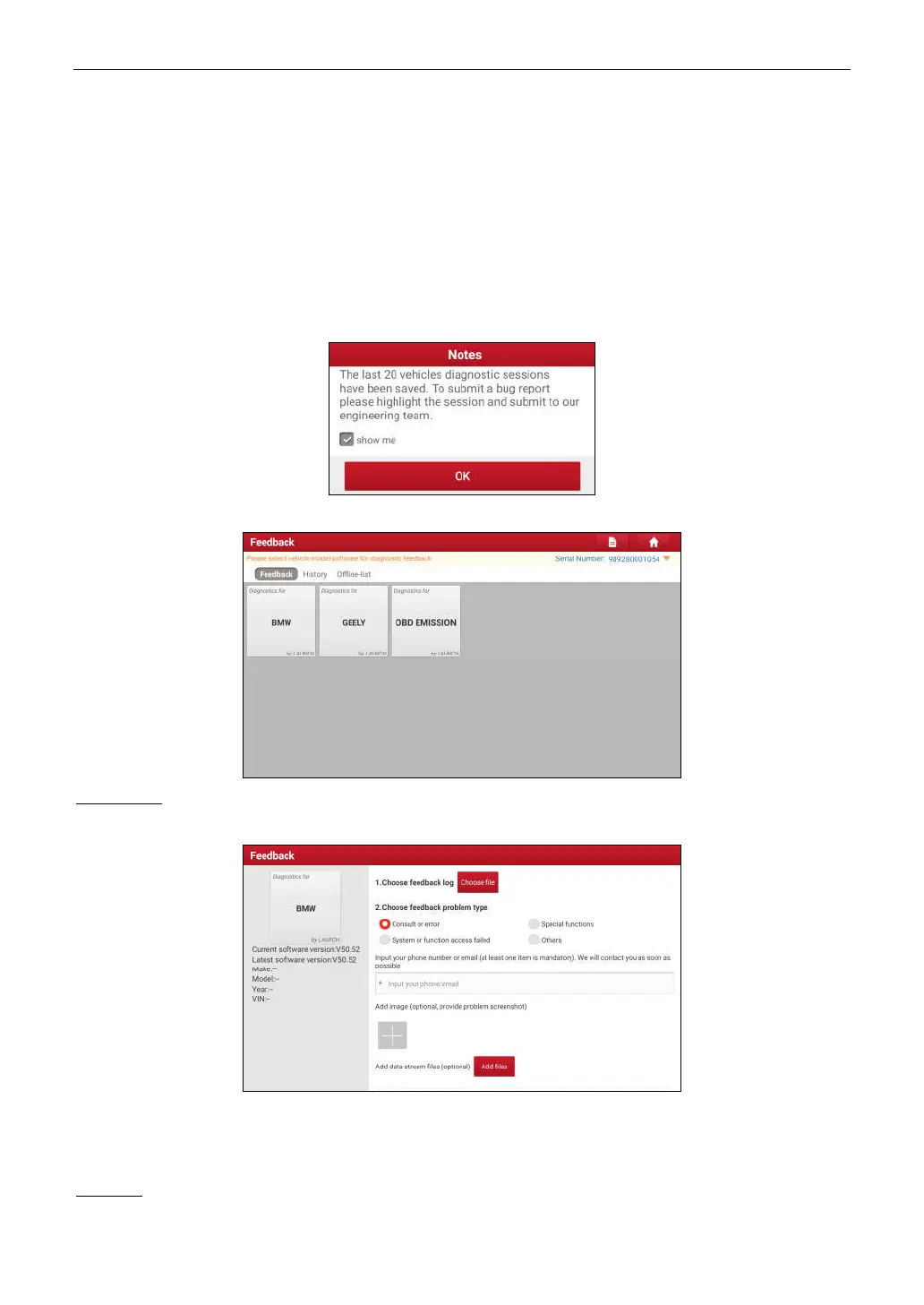
, a pop-up message will appear:
Tap
OK
, the following 3 options will be displayed on the left column of the screen.
A. Feedback
Tap certain tested vehicle model to enter the feedback screen.
1) Tap
Choose File
to open the target folder and choose the desired diagnostic logs.
2) Choose the failure type and fill in the detailed failure description in the blank text box and telephone or email
address. After inputting, tap
Submit Result
to send it to us.
B. History
Tap it to view all diagnostic feedback records. Different process states are marked with different colors.



 To Next Page