LAUNCH
X-431 PRO5 User Manual
65
13 Synchronization
You can transfer media files, screenshots and APK between the PC and tablet.
1. Connect one end of the included charging/data cable to the charging/data I/O port of the tablet, and the other
end to the USB port of the PC.
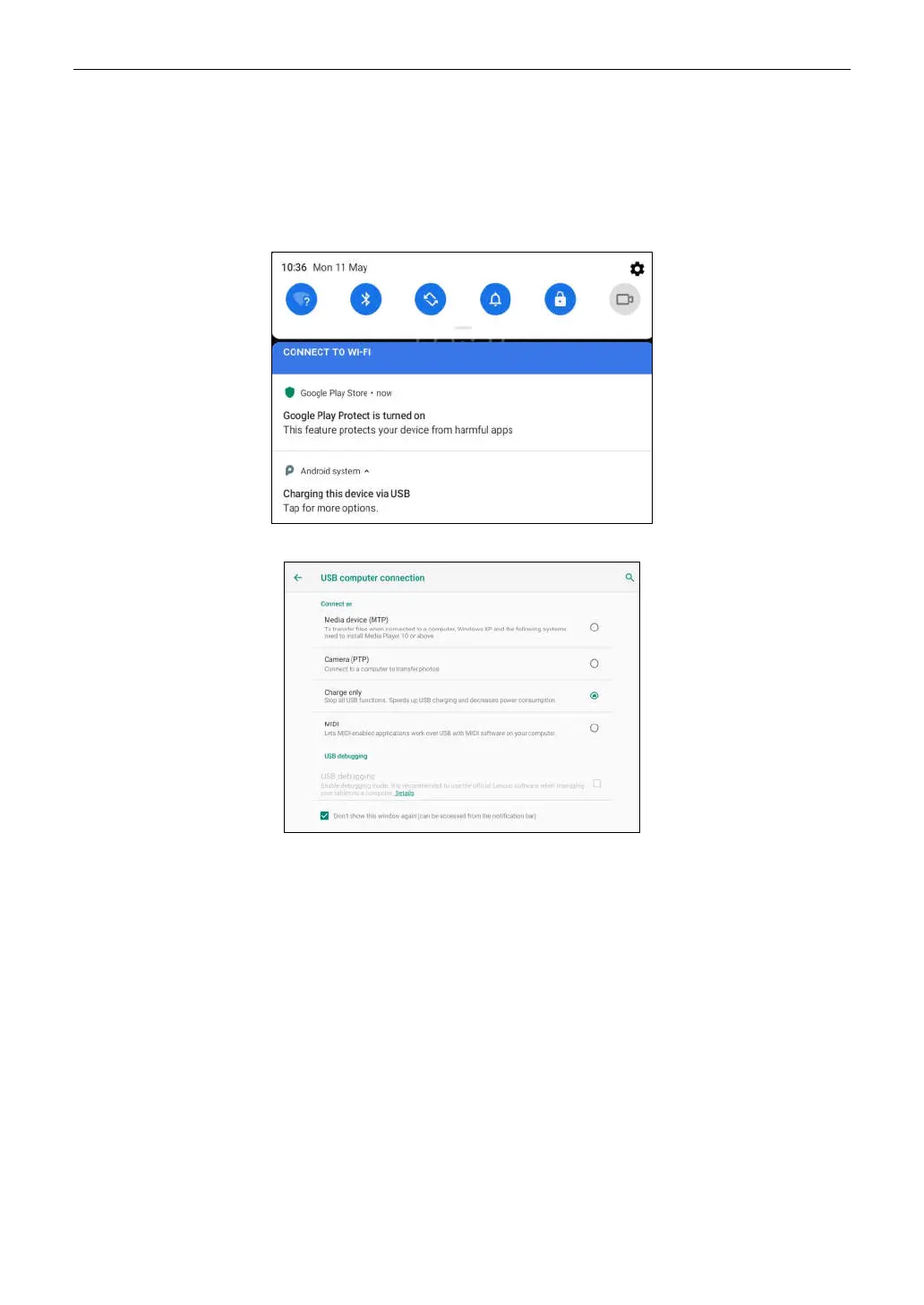
2. Swipe the tablet screen from the top, a pull-down option list will appear on the screen.
3. Tap Charging this device via USB, the following setting options will be displayed on the screen.
4. Select the checkbox “Media device (MTP)” under the Connect as tab.
5. Now you can transfer files between the tablet and PC.



 To Next Page