LAUNCH
X-431 PRO5 User Manual
35
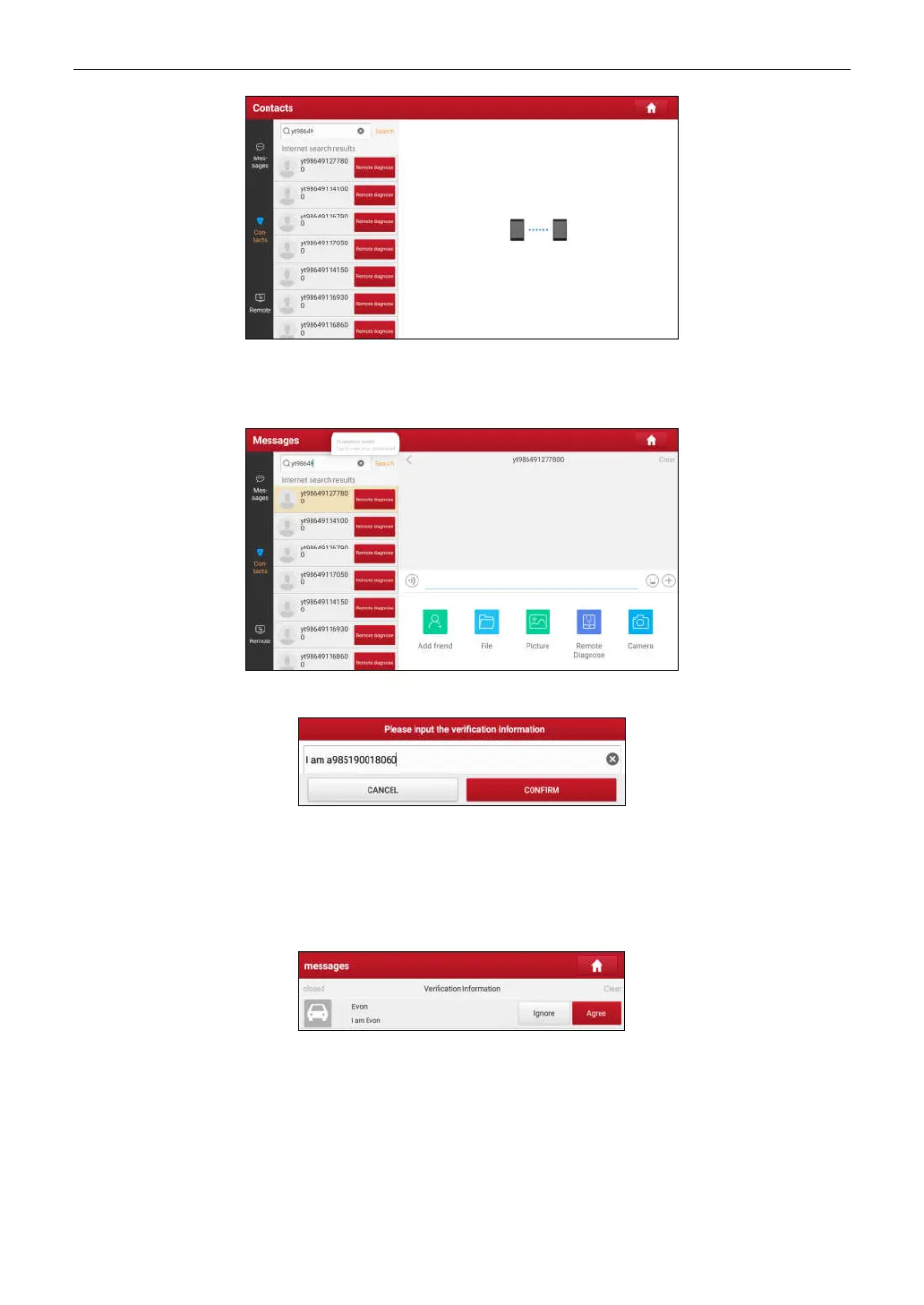
Tap
Remote Diagnose
to launch remote diagnostics directly or follow the steps below to add the partner into the
Contacts list.
Tap the desired name from the list, the following screen appears:
Tap
Add friend
, a dialog box pops up:
Tap
CONFIRM
to send your request.
Once the partner receives the request, a beep will sound. Tap the
Message
tab:
• Once the partner agreed your request, he/she will automatically be listed in the Contact tab.
• If a technician sent you a friend request, tap
Agree
and his/her name will appear in the friend list (Contact). Or
tap
Ignore
to ignore this request.
5.3.3 Start Instant Messaging
*Note: The I/M (Instant Messaging) function is open to all users who had Launch’s diagnostic tool equipped with this
module.
After adding your friends, tap the desired one’s photo to enter a screen similar to the following figure:



 To Next Page