LAUNCH
X-431 PRO5 User Manual
53
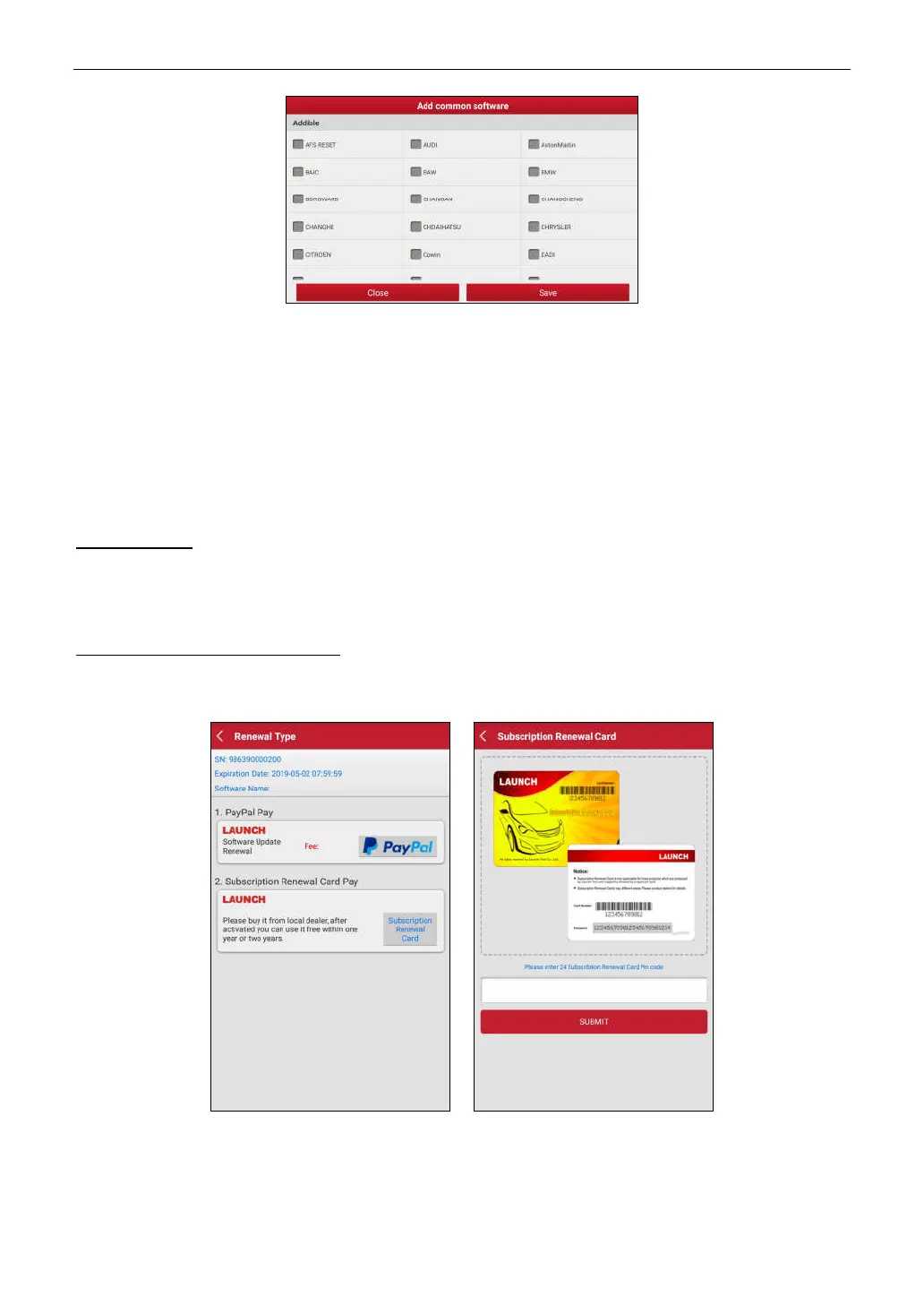
Select the checkbox before the software name and tap
Save
, the software will be displayed in the Common
software list. Next time you want to update it, just go to
Common software
.
8.3 Renew Subscription
If the software subscription is due or expires, the system will prompt you to renew your subscription and a
Renewal
button will appear on the bottom of the update page.
Tap
Renewal
to navigate to the payment screen.
There are two ways available for you to make payment: PayPal and Subscription Renewal Card
(*need to buy it
from the local dealer where you purchased the tool)
.
A. Using PayPal
1. Tap
Renewal
on the update page to navigate to the renewal type selection screen.
2. Select
PayPal
, and then follow the on-screen instructions to finish the transaction.
3. After payment, go to update center to update the diagnostic software.
B. Using Subscription Renewal Card
1. Tap
Renewal
to navigate to the renewal type selection screen.
2. Select
Subscription Renewal Card
.
3. Input the 24-digit pin code of Subscription Renewal Card and then tap
Submit
to finish the renewal.
4. Go to update center to update the diagnostic software.



 To Next Page