LAUNCH
X-431 PRO5 User Manual
49
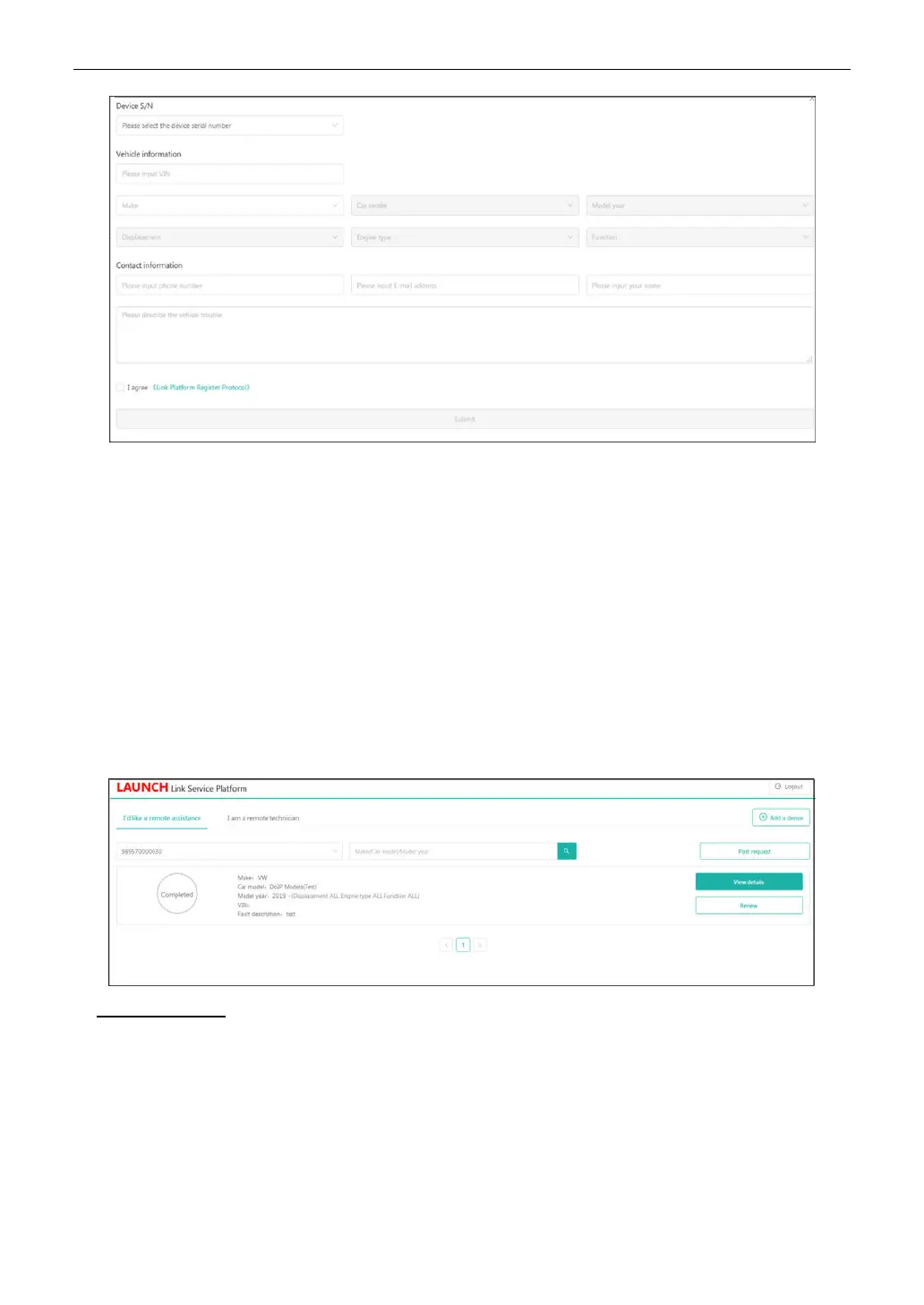
• In the
Device S/N
column, choose the desired SmartLink C Serial Number from the pull-down list if several
SmartLink C is bound to the current account.
• In the
Vehicle information
column, enter the VIN manually and choose the right Make, Car model, Model
year, Displacement, Engine type and Function.
*Note: In general, vehicle identification numbers are standardized - all contain 17 characters. VIN characters may be
capital letters A through Z and numbers 1 through 0; however, the letters I, O and Q are never used in order to avoid
mistakes of misreading. No signs or spaces are allowed in the VIN.
• In the
Contact information
column, input the phone number, E-mail address and name so that you can be
reached by the remote SmartLink B in the shortest time.
• In the
Problem Description
input box, it is highly recommended to describe the vehicle failure as accurate as
possible because it is very helpful for the SmartLink B to have a general understanding of the vehicle status.
• Tap
Link Platform Register Protocol
to read it carefully. After reading it, select the checkbox “I agree.”
3. After filling the information, tap
Submit
to create the order.
On-screen buttons:
•
View details
: Double check if the order information is correct or not.
•
Review
: Rates the service that has been already finished.
4. Next refer to Chapter 7.2.2 to make connections and start the diagnosis.
*Note: The remote SmartLink operation can only be performed after the SmartLink C has submitted the request, and this
request has been accepted by the remote SmartLink B.
7.2.2 Connections & operations
Follow the steps below to proceed:



 To Next Page